
HD Camera Pro
更新日
現在のバージョン
提供元

スマートフォンは不要!パソコンと同じようにキーボードとマウスで操作できます。MEmu Playは、あなたが待ち望んでいたすべての楽しみをお届けします。バッテリー残量や小さな画面を気にすることなく、HD Camera Proをご利用ください。最新のMEmu 9は、HD Camera ProをPCで体験するのに最適です!完璧なキーマッピングシステムにより、PCのようなスムーズな操作性を実現します。マルチインスタンス機能により、複数のアプリケーションを同時に実行できます。独自の仮想化エンジンがPCのパフォーマンスを最大限に引き出します。アプリを使用するだけでなく、高品質な体験を得ることができます。
もっと見る
MEmu Playを使えば、PCでHD Camera Proを快適に楽しめます。何千ものAndroidアプリをデスクトップ版で利用できる、パワフルな無料Androidエミュレーターです。友達とつながり、より効率的に作品を磨き上げましょう! Capture every moment in stunning detail with HD Camera Pro, a powerful HD camera app for Android designed for photography enthusiasts.

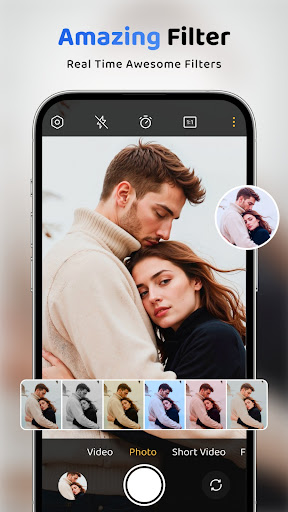
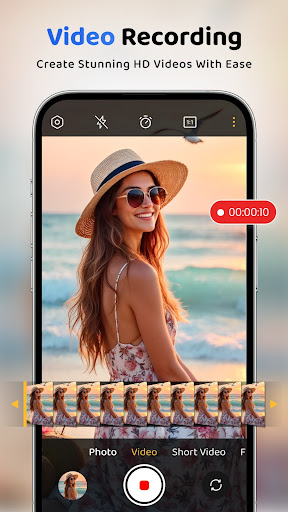
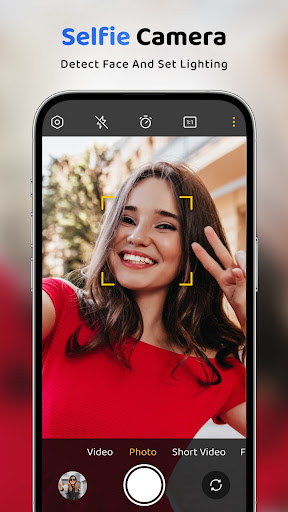
Capture every moment in stunning detail with HD Camera Pro, a powerful HD camera app for Android designed for photography enthusiasts. This smart photo camera and HD video recorder offers advanced tools to capture, edit, and enhance your photos effortlessly.
Take high-quality HD photos, record smooth HD videos, and use smart camera filters with manual controls for better results. All features come in a clean, modern, and user-friendly interface for a seamless photography experience.
After Call screen gives quick access to Camera, Panorama, and Creation features. Instantly capture photos, explore wide panoramic shots, and create stunning edits—all in one place.
Key Features:
HD Photo Capture
Take clear, sharp, and vibrant HD photos with this advanced camera app
HD Video Recording
Record smooth and stable HD videos with a powerful video recorder
Photo Editing Tools
Edit your photos with crop, filters, stickers, text, overlays, and adjustment tools
Manual Camera Controls
Customize settings like grid, touch focus, aspect ratio, vignette, and shutter sound
Multiple Filters
Apply beautiful and stylish filters to enhance your photos instantly
⏱ Self-Timer Mode
Capture hands-free selfies and perfect group photos with timer mode
Why choose HD Camera Pro?
HD camera for photos and videos
Built-in photo editor with smart tools
Smooth HD video recording
Manual camera settings and ratio control
All-in-one camera, editor, and collage maker
With powerful features and an easy-to-use interface, HD Camera Pro helps you capture, edit, and share your favorite moments with ease.
Download HD Camera Pro now and capture like a pro!
もっと見る

1. MEmuインストーラーをダウンロードしてセットアップを完了する

2. MEmuを起動し、デスクトップでのPlayストアを開く

3. PlayストアでHD Camera Proを検索する
Install
4. HD Camera Proをダウンロードしてインストールする
5. インストールが完了したら、アイコンをクリックしてスタート

6. MEmuを使ってパソコンでHD Camera Proを体験する
MEmu Playは現在、最高の無料Androidエミュレーターであり、5,000万人のユーザーが優れたAndroidアプリ体験を楽しんでいます。MEmuの仮想化テクノロジーにより、数千ものAndroidアプリをコンピューターでスムーズに実行できます。
大画面でより精細;無限の待機、電池とドラフィックの極限を超え
キーボード・マウス・コントローラーを全力でサポート、より快適
マルチインスタンスで複数のゲームを同時に実行
Use HD Camera Pro on PC by following steps: