Movie Box Entertainment Hub
更新日
現在のバージョン
提供元

スマートフォンは不要!パソコンと同じようにキーボードとマウスで操作できます。MEmu Playは、あなたが待ち望んでいたすべての楽しみをお届けします。バッテリー残量や小さな画面を気にすることなく、Movie Box Entertainment Hubをご利用ください。最新のMEmu 9は、Movie Box Entertainment HubをPCで体験するのに最適です!完璧なキーマッピングシステムにより、PCのようなスムーズな操作性を実現します。マルチインスタンス機能により、複数のアプリケーションを同時に実行できます。独自の仮想化エンジンがPCのパフォーマンスを最大限に引き出します。アプリを使用するだけでなく、高品質な体験を得ることができます。
もっと見る
MEmu Playを使えば、PCでMovie Box Entertainment Hubを快適に楽しめます。何千ものAndroidアプリをデスクトップ版で利用できる、パワフルな無料Androidエミュレーターです。友達とつながり、より効率的に作品を磨き上げましょう! Movie Box Entertainment Hub – Explore Entertainment Your Way!
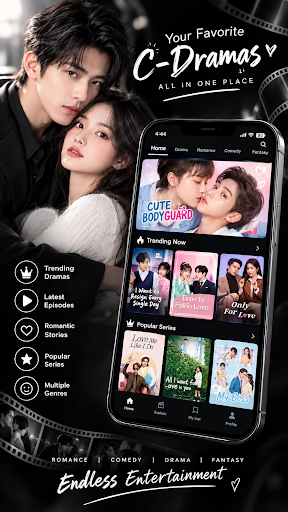
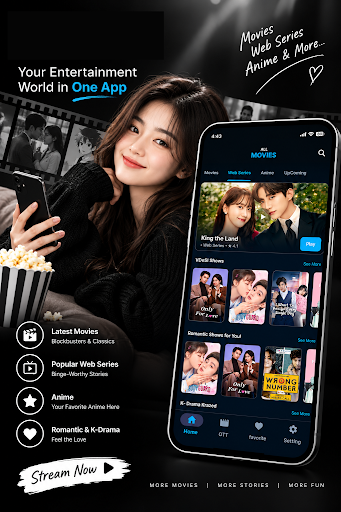
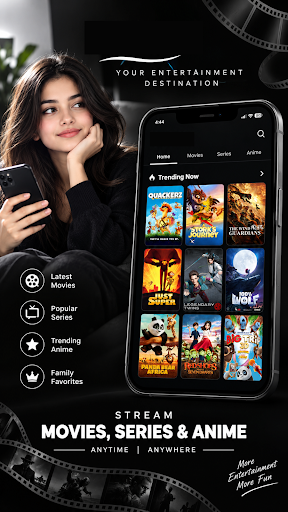
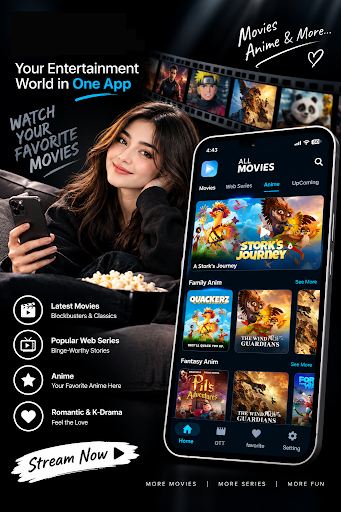
Movie Box Entertainment Hub – Explore Entertainment Your Way!
Discover a world of movies, shows, films, and entertainment with a simple and enjoyable media experience.
Movie Box Entertainment Hub is designed for entertainment lovers who enjoy exploring movie collections, discovering shows, and browsing video content through an easy-to-use interface.
Whether you love action, comedy, romance, drama, thrillers, or classic films, enjoy a convenient way to explore entertainment and find something interesting.
Explore Movies & Entertainment
Movie Discovery
Explore movie titles, discover interesting stories, and browse entertainment across different categories.
Shows & Series
Discover shows, series, and episodic entertainment through an organized browsing experience.
HD & 4K Entertainment
Explore available HD and 4K media content where supported. Actual playback quality depends on the source, device capabilities, and content availability.
Entertainment Categories
Discover action, romance, comedy, thriller, adventure, drama, and other popular entertainment genres.
Easy Content Exploration
Browse entertainment collections and find interesting titles through simple navigation.
Smooth & Simple Experience
Enjoy a clean, user-friendly interface designed for convenient media exploration.
Why Choose This Entertainment App?
• Simple and convenient movie discovery
• Explore movies, shows, and entertainment
• Browse different entertainment categories
• Discover films and interesting stories
• User-friendly navigation
• Organized media browsing experience
• Explore available HD and 4K content
• Convenient entertainment exploration
Find Your Next Favorite Entertainment
From classic films to exciting movie stories, enjoy discovering different types of entertainment in one convenient place.
Explore action adventures, family entertainment, comedy collections, romantic stories, and thrilling dramas through an intuitive media discovery experience.
Whether you are interested in discovering movies, exploring series, or browsing entertainment, the app makes finding content simple and enjoyable.
Important Information
• Media quality, including HD or 4K, depends on the content source, device compatibility, and available playback capabilities.
• The availability of movies, shows, videos, and other media may vary.
• An internet connection may be required for online content and related features.
• The app does not guarantee access to any particular movie, television program, or streaming service.
Copyright & Content Disclaimer
Movie Box respects intellectual property rights and the copyrights of content creators and owners.
All third-party movie titles, posters, images, artwork, logos, and trademarks remain the property of their respective owners.
The app does not claim ownership of third-party copyrighted content. Content may be made available only where appropriate rights or permissions exist.
This app does not authorize unauthorized downloading, copying, distribution, or streaming of copyrighted content.
Independent App Disclaimer
Movie Box Entertainment Hub is an independently developed application and is not affiliated with, endorsed by, sponsored by, or officially associated with any third-party movie studio, television network, entertainment platform, or streaming service.
All trademarks and brand names belong to their respective owners.
Explore Movies, Discover Shows & Enjoy Entertainment!
Discover interesting films, explore different entertainment genres, and enjoy a simple media browsing experience.
もっと見る

1. MEmuインストーラーをダウンロードしてセットアップを完了する

2. MEmuを起動し、デスクトップでのPlayストアを開く

3. PlayストアでMovie Box Entertainment Hubを検索する
Install
4. Movie Box Entertainment Hubをダウンロードしてインストールする
5. インストールが完了したら、アイコンをクリックしてスタート

6. MEmuを使ってパソコンでMovie Box Entertainment Hubを体験する
MEmu Playは現在、最高の無料Androidエミュレーターであり、5,000万人のユーザーが優れたAndroidアプリ体験を楽しんでいます。MEmuの仮想化テクノロジーにより、数千ものAndroidアプリをコンピューターでスムーズに実行できます。
大画面でより精細;無限の待機、電池とドラフィックの極限を超え
キーボード・マウス・コントローラーを全力でサポート、より快適
マルチインスタンスで複数のゲームを同時に実行
Use Movie Box Entertainment Hub on PC by following steps: