Picsart Lite: Photo Editor
更新日
現在のバージョン
26.0.5_lite
提供元

スマートフォンは不要!パソコンと同じようにキーボードとマウスで操作できます。MEmu Playは、あなたが待ち望んでいたすべての楽しみをお届けします。バッテリー残量や小さな画面を気にすることなく、Picsart Lite: Photo Editorをご利用ください。最新のMEmu 9は、Picsart Lite: Photo EditorをPCで体験するのに最適です!完璧なキーマッピングシステムにより、PCのようなスムーズな操作性を実現します。マルチインスタンス機能により、複数のアプリケーションを同時に実行できます。独自の仮想化エンジンがPCのパフォーマンスを最大限に引き出します。アプリを使用するだけでなく、高品質な体験を得ることができます。
もっと見る
Picsart Lite: Photo EditorをPCでダウンロード!大画面でより楽しむ。電源が落ちてしまうとか通信料が足りないとかの問題を心配する必要がなく、PCの大画面でより快適にゲームを楽しましょう! Join the Picsart community of over 150 million creators around the world.
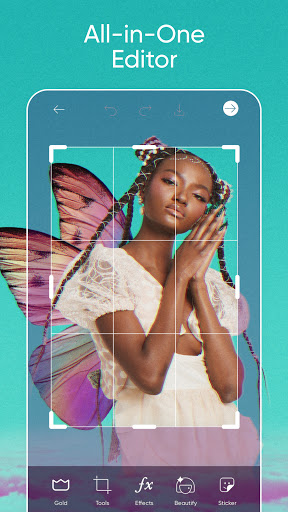
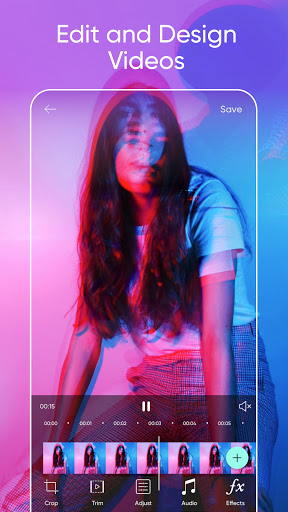
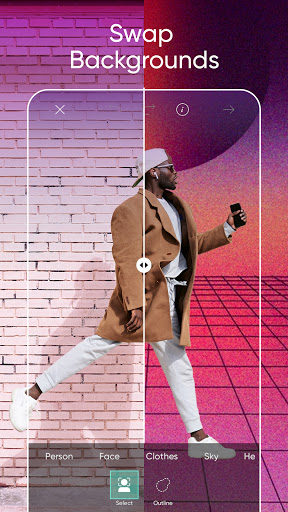
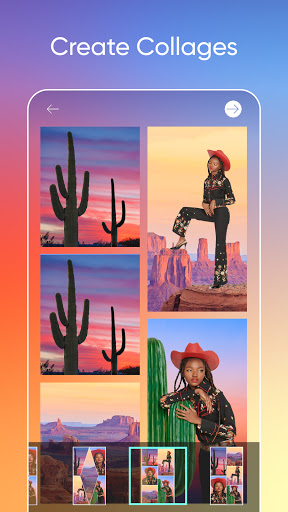
Join the Picsart community of over 150 million creators around the world. With the Picsart photo editor and video editor, you can bring your creativity to life. Make professional-level collages, design and add stickers, quickly remove and swap backgrounds, try popular edits like Golden Hour, Mirror Selfies, and retro VHS or Y2K filters. Picsart is your go-to, all-in-one editor with all the tools you need to give your content a personal flair and make it stand out.
Picsart Features:
PHOTO EDITOR
• Try trending filters for pictures and popular photo effects
• Use the Background Eraser to erase and replace backgrounds
• Clean up pictures and remove unwanted objects with the Remove Object tool
• Use millions of curated, free images or edit your own pictures
• Add text to photos with 200+ designer fonts
• Retouch selfies with hair color changer, makeup stickers & more
• Blur backgrounds with our AI-powered smart selection tool
• Quickly flip & crop photos
• Add stickers to pictures and create your own stickers
VIDEO EDITOR
• Create and edit videos with our easy-to-use video editor with music
• Take your IG Stories, TikToks & Reels to the next level
• Add music to your videos using our extensive video editor music library
• Crop video clips to the perfect dimensions and ratios
• Try Glitch video effects and other trendy filters in the video editor
• Trim videos or use smart video merger to blend videos
• Design using the slideshow maker with music
• Add your best moments to a video collage
COLLAGE MAKER
• Create on-trend photo collages with your favorite pictures
• Try photo grid collage, freestyle collage, scrapbook, and frames for pictures
• Go viral with our meme generator & share with friends
• Use the Story Maker and level up your Instagram game with Story templates
STICKER MAKER + FREE STICKERS
• Discover over 60+ million Picsart stickers
• Add stickers to pictures to turn up the fun level on your edits
• Download any sticker for free and use it instantly
• Make your own clipart and create unique custom stickers
PHOTO EFFECTS & FILTERS
• Outline selfies with the popular Sketch effects
• Turn portraits into artistic masterpieces with Canvas effects
• Make Drip Art with dripping effect stickers & customize the blend mode
• Cartoon yourself in seconds with amazing Magic effects
DRAWING TOOL
• Use Picsart Draw with customizable brushes, layers, & pro drawing tools
• Doodle on pictures and create a transparent clothes effect
• Start with a blank canvas to create art and illustrations from scratch
• Play with Doodle Art and scribble away for hours
REPLAY
• Recreate trending edits in a couple of taps. Cut editing time in half with easy customizable steps
• Edit multiple pictures in the same style.
• Keep your IG feed on-trend and consistent by creating personal presets
Terms and conditions: https://picsart.com/terms-and-conditions
About Ads: https://picsart.com/privacy-policy#interest-base
もっと見る

1. MEmuインストーラーをダウンロードしてセットアップを完了する

2. MEmuを起動し、デスクトップでのPlayストアを開く

3. PlayストアでPicsart Lite: Photo Editorを検索する
Install
4. Picsart Lite: Photo Editorをダウンロードしてインストールする
5. インストールが完了したら、アイコンをクリックしてスタート

6. MEmuを使ってパソコンでPicsart Lite: Photo Editorを体験する
MEmu Playは現在、最高の無料Androidエミュレーターであり、5,000万人のユーザーが優れたAndroidアプリ体験を楽しんでいます。MEmuの仮想化テクノロジーにより、数千ものAndroidアプリをコンピューターでスムーズに実行できます。
大画面でより精細;無限の待機、電池とドラフィックの極限を超え
キーボード・マウス・コントローラーを全力でサポート、より快適
マルチインスタンスで複数のゲームを同時に実行
Use Picsart Lite: Photo Editor on PC by following steps: