RealVNC Viewer: Remote Desktop
更新日
現在のバージョン
4.9.2.60169
提供元

スマートフォンは不要!パソコンと同じようにキーボードとマウスで操作できます。MEmu Playは、あなたが待ち望んでいたすべての楽しみをお届けします。バッテリー残量や小さな画面を気にすることなく、RealVNC Viewer: Remote Desktopをご利用ください。最新のMEmu 9は、RealVNC Viewer: Remote DesktopをPCで体験するのに最適です!完璧なキーマッピングシステムにより、PCのようなスムーズな操作性を実現します。マルチインスタンス機能により、複数のアプリケーションを同時に実行できます。独自の仮想化エンジンがPCのパフォーマンスを最大限に引き出します。アプリを使用するだけでなく、高品質な体験を得ることができます。
もっと見る
RealVNC Viewer: Remote DesktopをPCでダウンロード!大画面でより楽しむ。電源が落ちてしまうとか通信料が足りないとかの問題を心配する必要がなく、PCの大画面でより快適にゲームを楽しましょう! RealVNC Viewer remote desktop.
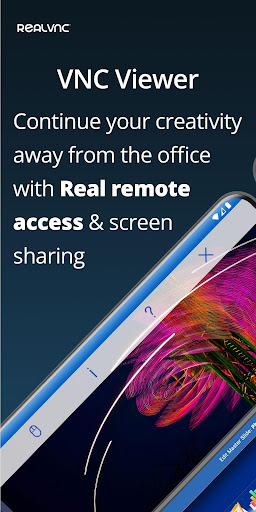
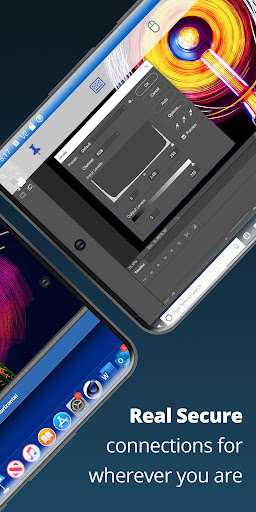
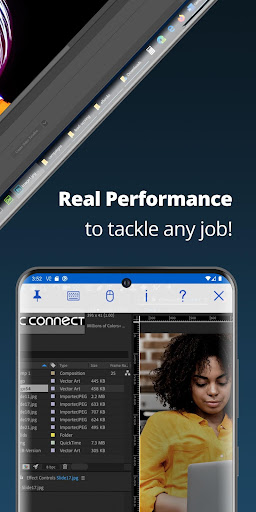
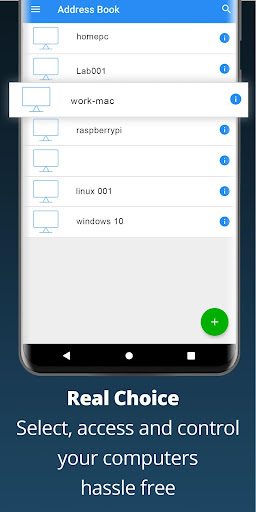
RealVNC Viewer remote desktop
RealVNC® Viewer turns your phone into a remote desktop, giving you instant access to your Mac, Windows and Linux computers from anywhere in the world. You can view your computer's desktop remotely, and control its mouse and keyboard as though you were sitting down in front of it.
Just visit realvnc.com and download RealVNC Connect remote access software to each computer you want to control. Then sign in to RealVNC Viewer on your device using your RealVNC account credentials. Your remote computers automatically appear; simply tap one to screen share.
Alternatively, you can connect directly to RealVNC Connect with an Enterprise subscription or VNC-compatible software from third parties by entering the remote computer's IP address. Note that you may need to configure firewalls and port forward routers.
RealVNC Connect password-protects each remote computer out-of-the-box (you may need to enter the same user name and password you use to log in to your computer). All sessions are then encrypted end-to-end.
During a session, your device's touch screen serves as a trackpad to give you precise control of the remote desktop. Drag your finger to move the remote mouse cursor and tap anywhere to left-click (other gestures such as right-click and scroll are explained in-app).
RealVNC are the original inventors of VNC remote access technology, and we're confident you'll love what RealVNC Viewer has to offer. If you're still not convinced, check out our reviews!
===Key features===
- Connect with ease via our cloud service to a remote desktop.
- Backup and sync your connections between all your devices by signing in to RealVNC Viewer on each one.
- A scrolling bar above the virtual keyboard includes advanced keys such as Command/Windows.
- Support for Bluetooth keyboards and mice.
- Free, paid and trial RealVNC Connect subscriptions available.
===Contact===
We’d love to hear from you:
android-support@realvnc.com
twitter.com/RealVNC
facebook.com/realvnc
Better still, leave us a review!
===Trademarks===
RealVNC and VNC are trademarks of RealVNC Limited and are protected by trademark registrations and/or pending trademark applications in the European Union, United States of America and other jurisdictions. Protected by UK patents 2481870, 2479756; US patent 8760366; EU patent 2652951.
もっと見る

1. MEmuインストーラーをダウンロードしてセットアップを完了する

2. MEmuを起動し、デスクトップでのPlayストアを開く

3. PlayストアでRealVNC Viewer: Remote Desktopを検索する
Install
4. RealVNC Viewer: Remote Desktopをダウンロードしてインストールする
5. インストールが完了したら、アイコンをクリックしてスタート

6. MEmuを使ってパソコンでRealVNC Viewer: Remote Desktopを体験する
MEmu Playは現在、最高の無料Androidエミュレーターであり、5,000万人のユーザーが優れたAndroidアプリ体験を楽しんでいます。MEmuの仮想化テクノロジーにより、数千ものAndroidアプリをコンピューターでスムーズに実行できます。
大画面でより精細;無限の待機、電池とドラフィックの極限を超え
キーボード・マウス・コントローラーを全力でサポート、より快適
マルチインスタンスで複数のゲームを同時に実行
Use RealVNC Viewer: Remote Desktop on PC by following steps: