Syrp
更新日
現在のバージョン
2.1.5
提供元

スマートフォンは不要!パソコンと同じようにキーボードとマウスで操作できます。MEmu Playは、あなたが待ち望んでいたすべての楽しみをお届けします。バッテリー残量や小さな画面を気にすることなく、Syrpをご利用ください。最新のMEmu 9は、SyrpをPCで体験するのに最適です!完璧なキーマッピングシステムにより、PCのようなスムーズな操作性を実現します。マルチインスタンス機能により、複数のアプリケーションを同時に実行できます。独自の仮想化エンジンがPCのパフォーマンスを最大限に引き出します。アプリを使用するだけでなく、高品質な体験を得ることができます。
もっと見る
MEmu Playを使えば、PCでSyrpを快適に楽しめます。何千ものAndroidアプリをデスクトップ版で利用できる、パワフルな無料Androidエミュレーターです。友達とつながり、より効率的に作品を磨き上げましょう! Connect wirelessly to a Syrp motion control product with the Syrp App, a beautifully simple mobile app that accommodates both beginners through to experienced filmmakers and photographers.
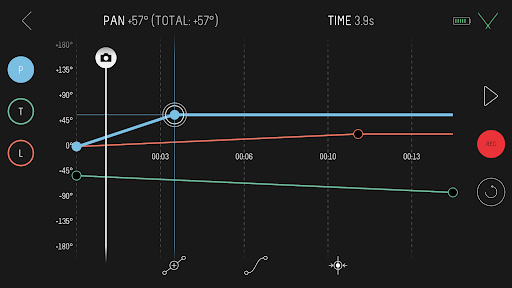
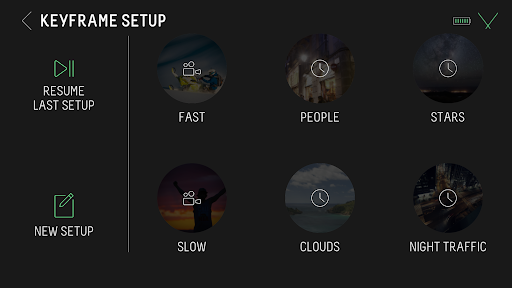
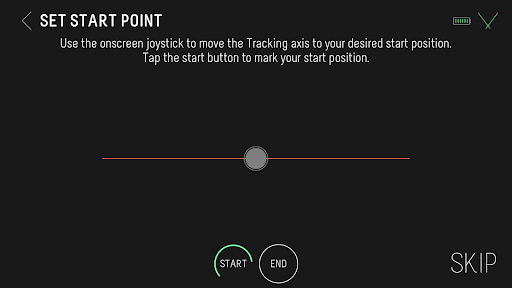
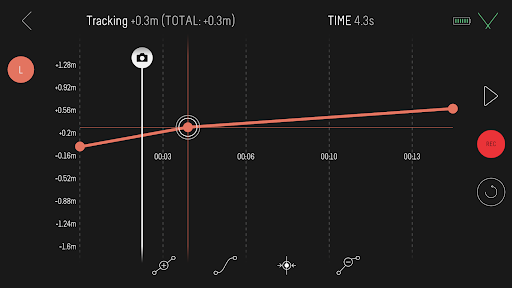
Connect wirelessly to a Syrp motion control product with the Syrp App, a beautifully simple mobile app that accommodates both beginners through to experienced filmmakers and photographers. The app is extremely easy to use and allows you to sync multiple devices together for shooting motion control of up to 3-axis. Also included are quick setup tutorials and help screens to help make sure you are up and running as quickly as possible.
Compatibility.
Motion Control: Genie Mini, Genie Micro, Genie Mini II, Genie II Linear, Genie II Pan Tilt and Genie One.
Cameras: Compatible with 100's of cameras including mirror-less, DSLR's, video cameras and smartphones. Refer to specific motion control product details for more.
Features in the current release:
- Motion time-lapse and video
- Keyframe motion setup
- Bounce back for video (repeat)
- Control camera settings like ISO, Shutter and Aperture from the app when connected via USB. Check camera compatibility at syrp.co
- Multi-row Panorama for high resolution 'Gigapixel' images
- Turntable mode for automating product photography and videography
- Stop Motion
- HDR support
- Time-lapse: Customize move shoot delay, interval, record time and playback time
- Set time-lapse movement to move-shoot-move or continuous movement
- Save your own presets or select from our built-in options
- Set your ease in / ease out for smoothly ramping movement
- Quick Setup modes for simpler timelapse and video moves
- Live Drive mode for live axis control using the built-in app joystick
- Regular free firmware upgrades for new features
もっと見る

1. MEmuインストーラーをダウンロードしてセットアップを完了する

2. MEmuを起動し、デスクトップでのPlayストアを開く

3. PlayストアでSyrpを検索する
Install
4. Syrpをダウンロードしてインストールする
5. インストールが完了したら、アイコンをクリックしてスタート

6. MEmuを使ってパソコンでSyrpを体験する
MEmu Playは現在、最高の無料Androidエミュレーターであり、5,000万人のユーザーが優れたAndroidアプリ体験を楽しんでいます。MEmuの仮想化テクノロジーにより、数千ものAndroidアプリをコンピューターでスムーズに実行できます。
大画面でより精細;無限の待機、電池とドラフィックの極限を超え
キーボード・マウス・コントローラーを全力でサポート、より快適
マルチインスタンスで複数のゲームを同時に実行
Use Syrp on PC by following steps: