Project63
Dikemas kini
Versi Semasa
Ditawarkan Oleh

Dengan semangat anda untuk bermain Project63, tangan anda tidak seharusnya terhad pada skrin kecil telefon anda. Main seperti profesional dan kendalikan sepenuhnya permainan anda dengan papan kekunci dan tetikus. MEmu menawarkan semua perkara yang anda harapkan. Muat turun dan mainkan Project63 di PC. Main selagi anda mahu, tidak ada batasan bateri, data mudah alih dan panggilan yang mengganggu. MEmu 9 yang baru adalah pilihan terbaik untuk bermain Project63 di PC. Disiapkan dengan kepakaran kami, sistem pemetaan kunci pratetap yang indah menjadikan Project63 permainan PC sebenar. Dikodkan dengan penyerapan kami, pengurus multi-instance menjadikan bermain 2 atau lebih akaun pada peranti yang sama mungkin. Dan yang paling penting, enjin emulasi eksklusif kami dapat melepaskan potensi penuh PC anda, menjadikan semuanya lancar.Kami tidak hanya peduli bagaimana anda bermain, tetapi juga keseluruhan proses menikmati kebahagiaan permainan.
Tunjukkan Lagi
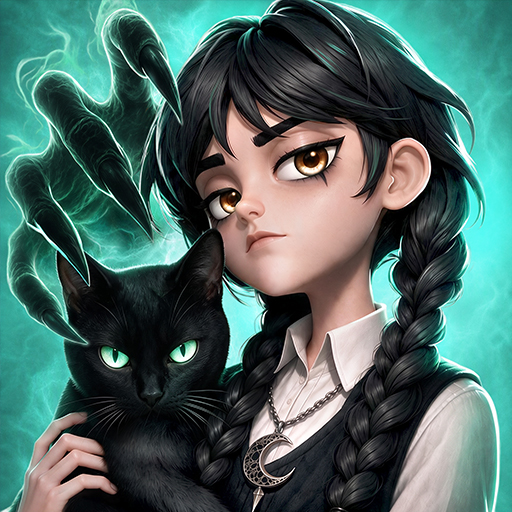
Muat turun Project63 pada PC dengan MEmu Android Emulator. Nikmati bermain di skrin besar High school ghost-hunting horror game!
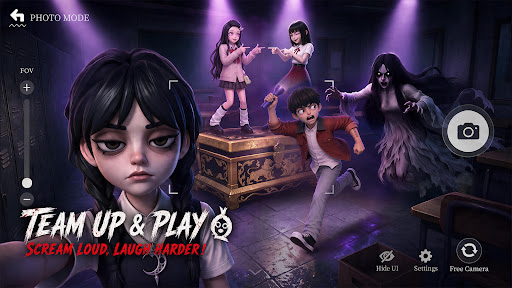
High school ghost-hunting horror game!Scream Together!Laugh Together!
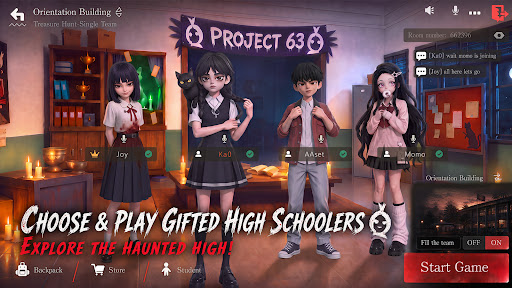
Haunted High is in session — and the treasure's hidden inside.Join the Project63. Pick your gifted high schooler. Team up with your friends!Headless Teacher and Krasue are hunting you down! Loot ahead, ghosts behind — loot big or run for it?Either way,screams and laughs non-stop!
[Choose & play gifted high schoolers, explore the haunted high]
Multiple gifted characters to choose from!Sneak into the haunted high — abandoned halls, the sealed basement... and things best left alone.
Someone scouts ahead. someone fights.Someone "accidentally" wakes up every ghost in the building. What's around the next corner? Don't ask — just run.
[Team up & play,Scream Loud,Laugh Harder]
Hit up your classmates, your teammates, your best mates! Squad up to 4 and play anywhere!
Ghosts incoming — save your friends or run for it? Either way, screams and laughs non-stop!
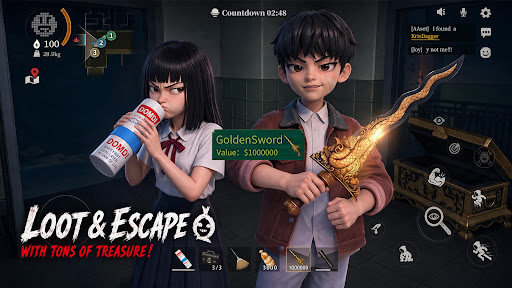
[Grab the Loot and Escape with Your Treasures]
Treasure's right there — but the ghosts are already in your face. Loot or run?
Too greedy? GG. Bail too early? Maybe miss the jackpot.
However,real ones will loot big and make it out alive.
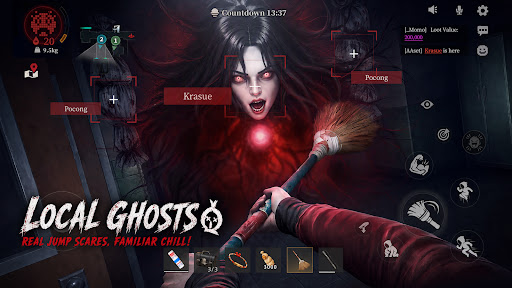
[Local ghosts,real jump scares, familiar chill]
Pocong. Krasue. White Lady. Aswang. They're coming for you. Real ghosts, real jump scares — the kind you grew up hearing about. Got chills yet? Whatever you do — don't look back.
[No Pay to Win! Win with Skill and Teamwork]
There is no character training or paying for stats. Every match is decided by your skill and your squad's teamwork. Pick the abilities that match your play style, coordinate with your team, and prove your skills!
[Test Version Notice]
Thanks for joining the test! This is a test version, and we’re still improving the game.
Found a bug? Have a new idea? Got suggestions? Tell us!
Every piece of feedback helps us build a better ghost-hunting world.
Discord: https://discord.gg/gW88vuJ8ba
Facebook: https://www.facebook.com/profile.php?id=61589974463235
Tunjukkan Lagi

1. Muat turun pemasang MEmu dan selesaikan persediaan

2. Mulakan MEnu kemudian buka Google Play di desktop

3. Cari Project63 di Google Play
Install
4. Muat turun dan Pasang Project63
5. Apabila selesai pemasangan, menekan ikon itu untuk memulakan

6. Nikmati bermain Project63 di komputer dengan MEmu
MEmu Play adalah emulator Android terbaik dan 100 juta orang sudah menikmati pengalaman permainan Androidnya yang luar biasa. Teknologi virtualisasi MEmu memberi kuasa kepada anda untuk bermain beribu-ribu permainan Android dengan lancar di komputar anda, malah yang paling intensif grafik.
Skrin lebih besar dengan grafik yang lebih baik; Tempoh yang panjang, tanpa had bateri atau data mudah alih.
Sokongan Keymapping penuh untuk kawalan tepat papan kekunci dan tetikus atau gamepad.
Pelbagai akaun permainan atau tugas pada satu PC sekaligus dengan pengurus pelbagai contoh.
Play Project63 on PC by following steps: