
Project63
Actualizada
Versión actual
Ofrecida por

Con toda tu pasión para jugar Project63, no se supone que tus manos estén limitadas en una pequeña pantalla de tu teléfono. Juega como un profesional y obtén el control total de tu juego con el teclado y el mouse. MEmu le ofrece todas las cosas que espera. Descargar y jugar Project63 en PC. Juega todo el tiempo que quieras, sin más limitaciones de batería, datos móviles y llamadas molestas. El nuevo MEmu 9 es la mejor opción para jugar Project63 en PC. Preparado con nuestra experiencia, el exquisito sistema de keymapping preestablecido convierte a Project63 en un verdadero juego de PC. Codificado con nuestra absorción, el administrador de instancias múltiples hace posible jugar 2 o más cuentas en el mismo dispositivo. Y lo más importante, nuestro exclusivo motor de emulación puede liberar todo el potencial de su PC, hacer que todo sea más fluido. Nos importa no solo cómo juegas, sino también todo el proceso de disfrutar de la felicidad de los juegos.
Más detalles
Descargar Project63 en PC con MEmu Android Emulador. Disfruta jugando en la pentalla grande. High school ghost-hunting horror game!
High school ghost-hunting horror game!Scream Together!Laugh Together!
Haunted High is in session — and the treasure's hidden inside.Join the Project63. Pick your gifted high schooler. Team up with your friends!Headless Teacher and Krasue are hunting you down! Loot ahead, ghosts behind — loot big or run for it?Either way,screams and laughs non-stop!
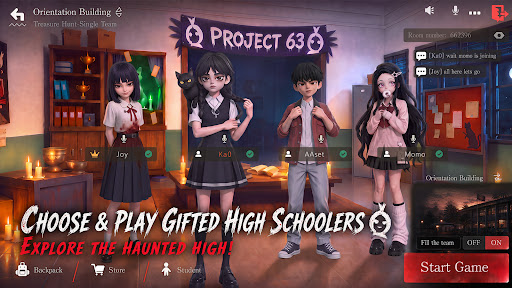
[Choose & play gifted high schoolers, explore the haunted high]
Multiple gifted characters to choose from!Sneak into the haunted high — abandoned halls, the sealed basement... and things best left alone.
Someone scouts ahead. someone fights.Someone "accidentally" wakes up every ghost in the building. What's around the next corner? Don't ask — just run.
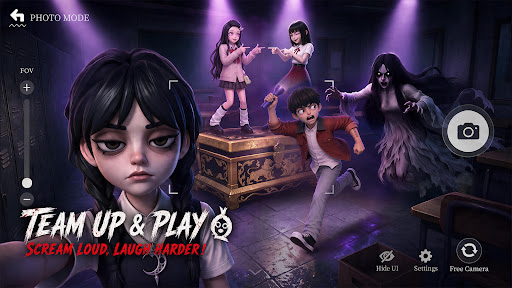
[Team up & play,Scream Loud,Laugh Harder]
Hit up your classmates, your teammates, your best mates! Squad up to 4 and play anywhere!
Ghosts incoming — save your friends or run for it? Either way, screams and laughs non-stop!
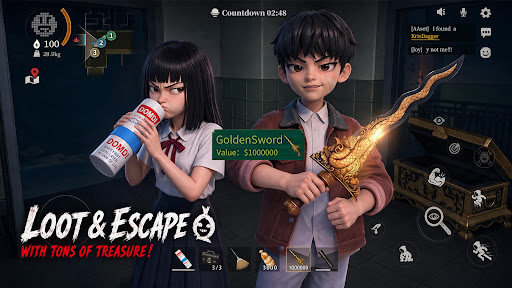
[Grab the Loot and Escape with Your Treasures]
Treasure's right there — but the ghosts are already in your face. Loot or run?
Too greedy? GG. Bail too early? Maybe miss the jackpot.
However,real ones will loot big and make it out alive.
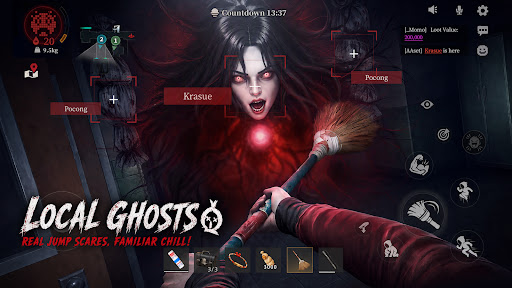
[Local ghosts,real jump scares, familiar chill]
Pocong. Krasue. White Lady. Aswang. They're coming for you. Real ghosts, real jump scares — the kind you grew up hearing about. Got chills yet? Whatever you do — don't look back.
[No Pay to Win! Win with Skill and Teamwork]
There is no character training or paying for stats. Every match is decided by your skill and your squad's teamwork. Pick the abilities that match your play style, coordinate with your team, and prove your skills!
[Test Version Notice]
Thanks for joining the test! This is a test version, and we’re still improving the game.
Found a bug? Have a new idea? Got suggestions? Tell us!
Every piece of feedback helps us build a better ghost-hunting world.
Discord: https://discord.gg/gW88vuJ8ba
Facebook: https://www.facebook.com/profile.php?id=61589974463235
Más detalles

1. Descargar el instalador de MEmu y finalice la instalación

2. Iniciar MEmu y abrir Google Play en la página de inicio

3. Buscar Project63 en Google Play
Install
4. Descargar y instalar Project63
5. Hacer click al icono para iniciar

6. Disfruta jugando Project63 en PC con MEmu
MEmu App Player es el mejor emulador de Android gratuito y 50 millones de personas ya están disfrutando su magnífica experiencia jugando en Android. La tecnología de virtualización de MEmu te permite jugar a miles de juegos Android suavemente en tu PC, incluso los más intensivos gráficamente.
Pantalla más grande con mejores gráficos; Larga duración, sin limitación de batería o datos móviles.
Soporte completo de keymapping para un control preciso del teclado y el mouse o gamepad.
Múltiples cuentas de juegos o tareas en una sola PC a la vez con el administrador de instancias múltiples.
Play Project63 on PC by following steps: