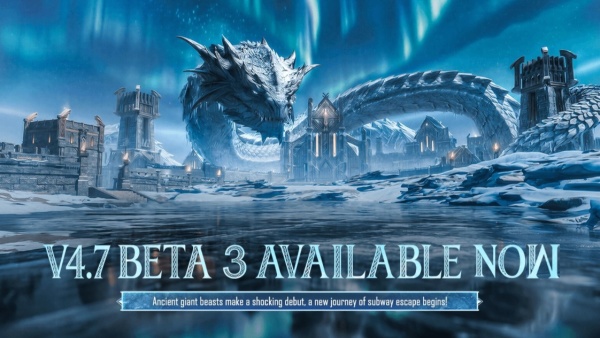
Project63
Updated
Current Version
Offered By

With your passion for Project63, you shouldn’t have to limit yourself to the small screen of a phone. Play like a pro and take full control of the game using a keyboard and mouse. MEmu gives you everything you’re looking for. Download and play Project63 on PC. Play as long as you want — no more worries about battery life, mobile data, or unexpected calls. The all-new MEmu 9 is the best way to play Project63 on PC. With our expertly designed keymapping system, Project63 feels just like a real PC game. The MEmu multi-instance manager lets you run two or more accounts on the same device at the same time. Most importantly, our exclusive emulation engine unlocks your PC’s full potential, delivering smooth and seamless performance.
Show more
Download Project63 on PC with MEmu Android Emulator. Enjoy playing on big screen. High school ghost-hunting horror game!
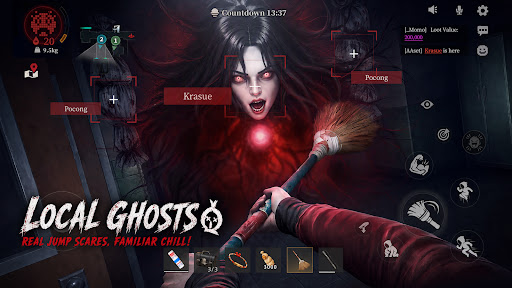
High school ghost-hunting horror game!Scream Together!Laugh Together!
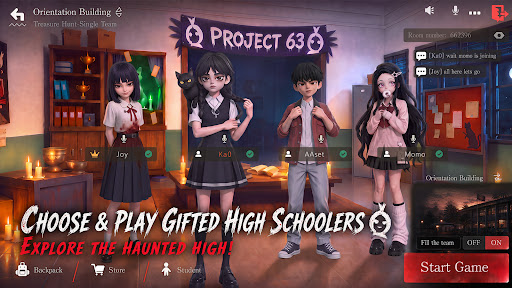
Haunted High is in session — and the treasure's hidden inside.Join the Project63. Pick your gifted high schooler. Team up with your friends!Headless Teacher and Krasue are hunting you down! Loot ahead, ghosts behind — loot big or run for it?Either way,screams and laughs non-stop!
[Choose & play gifted high schoolers, explore the haunted high]
Multiple gifted characters to choose from!Sneak into the haunted high — abandoned halls, the sealed basement... and things best left alone.
Someone scouts ahead. someone fights.Someone "accidentally" wakes up every ghost in the building. What's around the next corner? Don't ask — just run.
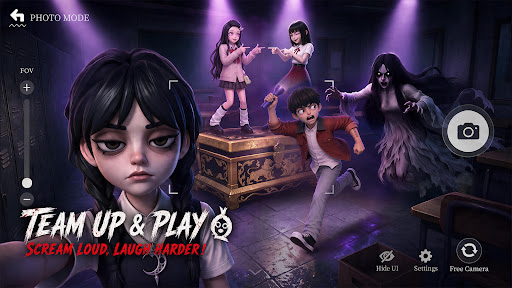
[Team up & play,Scream Loud,Laugh Harder]
Hit up your classmates, your teammates, your best mates! Squad up to 4 and play anywhere!
Ghosts incoming — save your friends or run for it? Either way, screams and laughs non-stop!
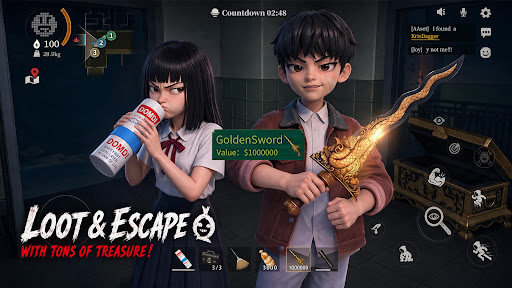
[Grab the Loot and Escape with Your Treasures]
Treasure's right there — but the ghosts are already in your face. Loot or run?
Too greedy? GG. Bail too early? Maybe miss the jackpot.
However,real ones will loot big and make it out alive.
[Local ghosts,real jump scares, familiar chill]
Pocong. Krasue. White Lady. Aswang. They're coming for you. Real ghosts, real jump scares — the kind you grew up hearing about. Got chills yet? Whatever you do — don't look back.
[No Pay to Win! Win with Skill and Teamwork]
There is no character training or paying for stats. Every match is decided by your skill and your squad's teamwork. Pick the abilities that match your play style, coordinate with your team, and prove your skills!
[Test Version Notice]
Thanks for joining the test! This is a test version, and we’re still improving the game.
Found a bug? Have a new idea? Got suggestions? Tell us!
Every piece of feedback helps us build a better ghost-hunting world.
Discord: https://discord.gg/gW88vuJ8ba
Facebook: https://www.facebook.com/profile.php?id=61589974463235
Show more

1. Download MEmu installer and finish the setup

2. Start MEmu then open Google Play on the desktop

3. Search Project63 in Google Play
Install
4. Download and Install Project63
5. On install completion click the icon to start

6. Enjoy playing Project63 on PC with MEmu
MEmu Play is the best Android emulator and 100 million people already enjoy its superb Android gaming experience. The MEmu virtualization technology empowers you to play thousands of Android games smoothly on your PC, even the most graphic-intensive ones.
Bigger screen with better graphics; Long duration, without limitation of battery or mobile data.
Full Keymapping support for precise control of keyboard and mouse or gamepad.
Multiple game accounts or tasks on single PC at one time with Multi-Instance manager.
Play Project63 on PC by following steps: