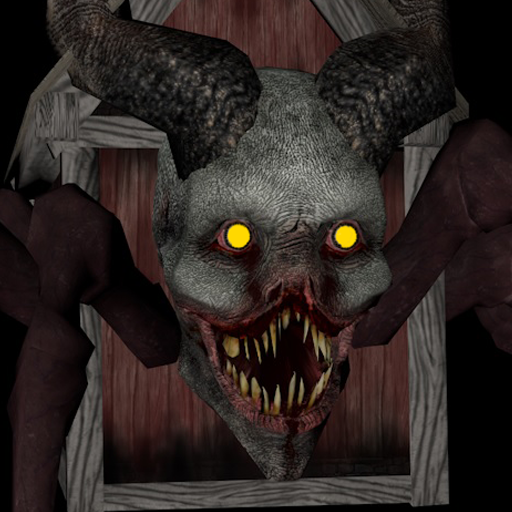
Project63
Aggiornata
Versione corrente
Offerta da

Vista tutta la passione dimostrata nel giocare a Project63, le tue mani non dovrebbero essere limitate al minuscolo schermo di un telefono. Gioca come un professionista e ottieni il pieno controllo del gioco con tastiera e mouse. MEmu ti offre tutto ciò che ti aspetti. Scarica e gioca a Project63 su PC. Gioca quanto vuoi, niente più limitazioni di batteria, dati mobili e chiamate inquietanti. Il nuovissimo MEmu 9 è la scelta migliore per giocare a Project63 su PC. Realizzato sulla base della nostra esperienza, lo squisito sistema di mappatura dei tasti preimpostati rende Project63 un vero e proprio gioco per PC. MEmu è un gestore multi-instanza che permette di giocare con 2 o più account sullo stesso dispositivo. E la cosa più importante, il nostro esclusivo motore di emulazione può liberare tutto il potenziale del tuo PC, rendendo tutto fluido.
Mostra altro
Scarica Project63 su PC con MEmu Android Emulator. Divertiti giocando sul grande schermo. High school ghost-hunting horror game!
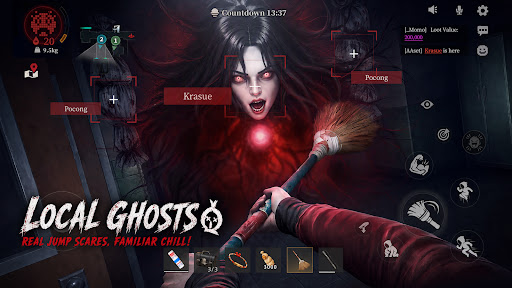
High school ghost-hunting horror game!Scream Together!Laugh Together!
Haunted High is in session — and the treasure's hidden inside.Join the Project63. Pick your gifted high schooler. Team up with your friends!Headless Teacher and Krasue are hunting you down! Loot ahead, ghosts behind — loot big or run for it?Either way,screams and laughs non-stop!
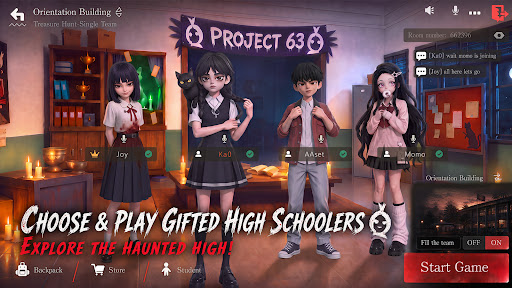
[Choose & play gifted high schoolers, explore the haunted high]
Multiple gifted characters to choose from!Sneak into the haunted high — abandoned halls, the sealed basement... and things best left alone.
Someone scouts ahead. someone fights.Someone "accidentally" wakes up every ghost in the building. What's around the next corner? Don't ask — just run.
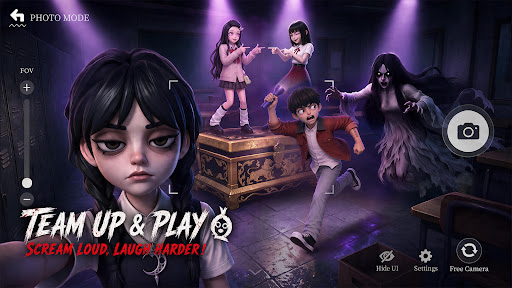
[Team up & play,Scream Loud,Laugh Harder]
Hit up your classmates, your teammates, your best mates! Squad up to 4 and play anywhere!
Ghosts incoming — save your friends or run for it? Either way, screams and laughs non-stop!
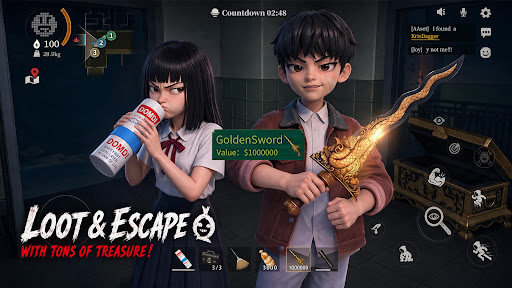
[Grab the Loot and Escape with Your Treasures]
Treasure's right there — but the ghosts are already in your face. Loot or run?
Too greedy? GG. Bail too early? Maybe miss the jackpot.
However,real ones will loot big and make it out alive.
[Local ghosts,real jump scares, familiar chill]
Pocong. Krasue. White Lady. Aswang. They're coming for you. Real ghosts, real jump scares — the kind you grew up hearing about. Got chills yet? Whatever you do — don't look back.
[No Pay to Win! Win with Skill and Teamwork]
There is no character training or paying for stats. Every match is decided by your skill and your squad's teamwork. Pick the abilities that match your play style, coordinate with your team, and prove your skills!
[Test Version Notice]
Thanks for joining the test! This is a test version, and we’re still improving the game.
Found a bug? Have a new idea? Got suggestions? Tell us!
Every piece of feedback helps us build a better ghost-hunting world.
Discord: https://discord.gg/gW88vuJ8ba
Facebook: https://www.facebook.com/profile.php?id=61589974463235
Mostra altro

1. Scarica il programma di installazione di MEmu e completa l'installazione

2. Avvia il Memu e apri il Google Play sulla homepage

3. Cerca Project63 in Google Play
Install
4. Scarica e installa Project63
5. Al termine dell'installazione, fai clic sull'icona per avviar

6. Divertiti giocando a Project63 su PC con MEmu
MEmu App Player è il miglior emulatore Android gratuito, utilizzato da 50 milioni di persone per ottenere un'esperienza di gioco Android superba. La tecnilogia di virtualizzazione MEmu ti permette di giocare a migliaia di giochi Android con semplicità sul tuo computer, anche i giochi con la grafica più esigente.
Schermo più grande con una grafica migliore; Lunga durata, senza limitazione di batteria o dati mobili.
Supporto completo per mappa di tastiera per un controllo preciso di tastiera e mouse o gamepad.
Multipli account di gioco o attività su un singolo PC contemporaneamente con il gestore di multi istanza.
Play Project63 on PC by following steps: