The Ascent
Dikemas kini
Versi Semasa
Ditawarkan Oleh

Dengan semangat anda untuk bermain The Ascent, tangan anda tidak seharusnya terhad pada skrin kecil telefon anda. Main seperti profesional dan kendalikan sepenuhnya permainan anda dengan papan kekunci dan tetikus. MEmu menawarkan semua perkara yang anda harapkan. Muat turun dan mainkan The Ascent di PC. Main selagi anda mahu, tidak ada batasan bateri, data mudah alih dan panggilan yang mengganggu. MEmu 9 yang baru adalah pilihan terbaik untuk bermain The Ascent di PC. Disiapkan dengan kepakaran kami, sistem pemetaan kunci pratetap yang indah menjadikan The Ascent permainan PC sebenar. Dikodkan dengan penyerapan kami, pengurus multi-instance menjadikan bermain 2 atau lebih akaun pada peranti yang sama mungkin. Dan yang paling penting, enjin emulasi eksklusif kami dapat melepaskan potensi penuh PC anda, menjadikan semuanya lancar.Kami tidak hanya peduli bagaimana anda bermain, tetapi juga keseluruhan proses menikmati kebahagiaan permainan.
Tunjukkan Lagi
Muat turun The Ascent pada PC dengan MEmu Android Emulator. Nikmati bermain di skrin besar The Ascent is a solo and co-op Action-shooter RPG set in a cyberpunk world.
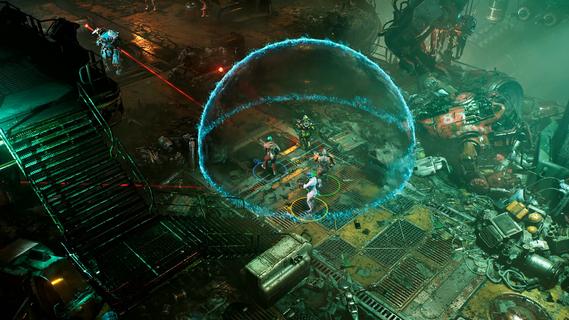
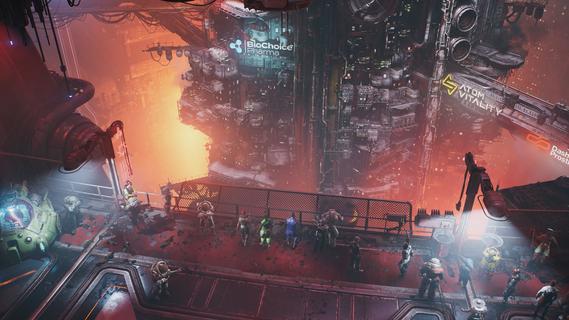
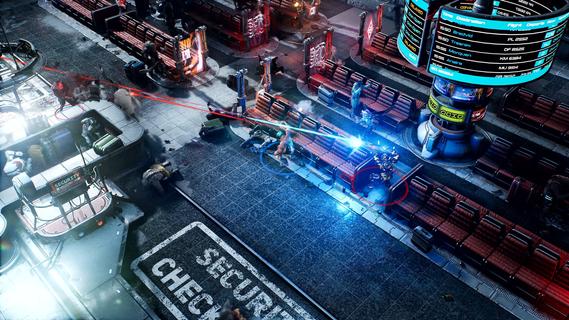
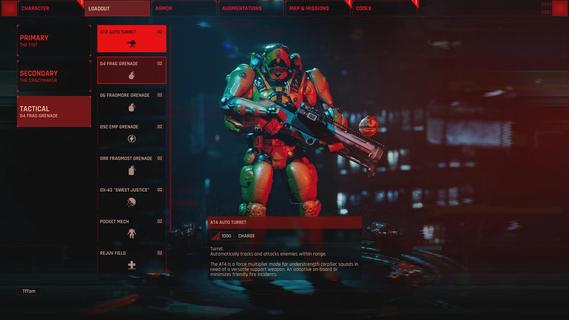
The Ascent is a solo and co-op Action-shooter RPG set in a cyberpunk world. The mega corporation that owns you and everyone, The Ascent Group, has just collapsed. Can you survive without it?The Ascent is a solo and co-op Action-shooter RPG, set on Veles, a packed cyberpunk world.Welcome to The Ascent Group arcology, a corporate-run metropolis stretching high into the sky and filled with creatures from all over the galaxy. You play as a worker, enslaved by the company that owns you and everyone else in your district. One day, you are suddenly caught in a vortex of catastrophic events: The Ascent Group shuts down for unknown reasons and the survival of your district is threatened. You must take up arms and embark on a new mission to find out what started it all.You belong to the corporation. Can you survive without it?SOLO OR CO-OPPlay the entire game alone or work together with up to three friends in local or online co-op.EXPLOSIVE SHOOTERAim low or high, switch weapons and equip lethal gadgets, take cover and use the destructible environments at your advantage and keep adjusting your tactic as you face new enemies.RPG ELEMENTSCustomize your character with cyberware that suits your playstyle. Allocate new skill points as you level-up and try various augmentations to take down your enemies in new creative ways.A VIBRANT CYBERPUNK WORLDMeet new allies and enemies and find loot as you explore the brimming world of The Ascent and its wide range of districts, from the deep slums to the higher luxury spheres.
Tunjukkan Lagi

1. Muat turun pemasang MEmu dan selesaikan persediaan

2. Mulakan MEnu kemudian buka Google Play di desktop

3. Cari The Ascent di Google Play
Install
4. Muat turun dan Pasang The Ascent
5. Apabila selesai pemasangan, menekan ikon itu untuk memulakan

6. Nikmati bermain The Ascent di komputer dengan MEmu
MEmu Play adalah emulator Android terbaik dan 100 juta orang sudah menikmati pengalaman permainan Androidnya yang luar biasa. Teknologi virtualisasi MEmu memberi kuasa kepada anda untuk bermain beribu-ribu permainan Android dengan lancar di komputar anda, malah yang paling intensif grafik.
Skrin lebih besar dengan grafik yang lebih baik; Tempoh yang panjang, tanpa had bateri atau data mudah alih.
Sokongan Keymapping penuh untuk kawalan tepat papan kekunci dan tetikus atau gamepad.
Pelbagai akaun permainan atau tugas pada satu PC sekaligus dengan pengurus pelbagai contoh.
Play The Ascent on PC by following steps: