The Ascent
Bijgewerkt
Huidige Versie
Aangeboden door

Met al je passie voor het spelen van The Ascent, zouden je handen niet beperkt moeten zijn tot een klein scherm van je telefoon. Speel als een professional en krijg volledige controle over je spel met toetsenbord en muis. MEmu biedt je alles wat je verwacht. Download en speel The Ascent op PC. Speel zo lang als je wilt, geen beperkingen meer van batterij, mobiele data en storende oproepen. De gloednieuwe MEmu 9 is de beste keuze om The Ascent op PC te spelen. Voorbereid met onze expertise, maakt het uitmuntende vooraf ingestelde keymapping systeem van The Ascent een echt PC-spel. MEmu multi-instance manager maakt het spelen van 2 of meer accounts op hetzelfde apparaat mogelijk. En het belangrijkste, onze exclusieve emulatie-engine kan het volledige potentieel van je PC benutten, waardoor alles soepel verloopt.
Meer tonen
Download The Ascent op je pc met de MEmu Android-emulator. Geniet van spelen op een groot scherm. The Ascent is a solo and co-op Action-shooter RPG set in a cyberpunk world.

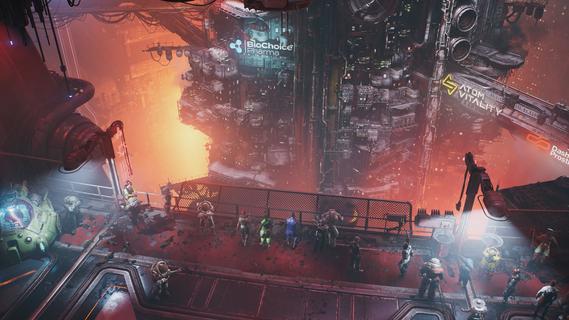
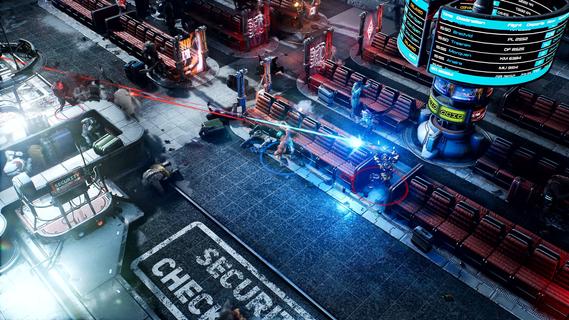
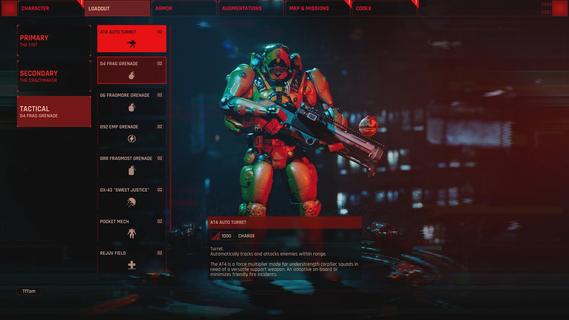
The Ascent is a solo and co-op Action-shooter RPG set in a cyberpunk world. The mega corporation that owns you and everyone, The Ascent Group, has just collapsed. Can you survive without it?The Ascent is a solo and co-op Action-shooter RPG, set on Veles, a packed cyberpunk world.Welcome to The Ascent Group arcology, a corporate-run metropolis stretching high into the sky and filled with creatures from all over the galaxy. You play as a worker, enslaved by the company that owns you and everyone else in your district. One day, you are suddenly caught in a vortex of catastrophic events: The Ascent Group shuts down for unknown reasons and the survival of your district is threatened. You must take up arms and embark on a new mission to find out what started it all.You belong to the corporation. Can you survive without it?SOLO OR CO-OPPlay the entire game alone or work together with up to three friends in local or online co-op.EXPLOSIVE SHOOTERAim low or high, switch weapons and equip lethal gadgets, take cover and use the destructible environments at your advantage and keep adjusting your tactic as you face new enemies.RPG ELEMENTSCustomize your character with cyberware that suits your playstyle. Allocate new skill points as you level-up and try various augmentations to take down your enemies in new creative ways.A VIBRANT CYBERPUNK WORLDMeet new allies and enemies and find loot as you explore the brimming world of The Ascent and its wide range of districts, from the deep slums to the higher luxury spheres.
Meer tonen

1. Download de MEmu-installatie en voltooi de setup

2. Start MEmu en open vervolgens Google Play op het bureaublad

3. Zoek The Ascent in Google Play
Install
4. Download en installeer The Ascent
5. Klik op het icoon om te starten na het voltooien van de installatie

6. Geniet van het spelen van The Ascent op PC met MEmu
MEmu Play is de beste Android Emulator en 100 miljoen mensen genieten al van de superieure Android-game-ervaring. De virtualisatietechnologie van MEmu stelt je in staat om duizenden Android-spellen soepel op je PC te spelen, zelfs de meest grafisch intensieve.
Groter scherm met betere graphics; Lange duur, zonder beperking van batterij of mobiele data.
Volledige Keymapping-ondersteuning voor nauwkeurige besturing van toetsenbord en muis of gamepad.
Meerdere game-accounts of taken op één PC tegelijk met Multi-Instance manager.
Speel The Ascent op PC door de volgende stappen te volgen: