
The Ascent
Aggiornata
Versione corrente
Offerta da

Vista tutta la passione dimostrata nel giocare a The Ascent, le tue mani non dovrebbero essere limitate al minuscolo schermo di un telefono. Gioca come un professionista e ottieni il pieno controllo del gioco con tastiera e mouse. MEmu ti offre tutto ciò che ti aspetti. Scarica e gioca a The Ascent su PC. Gioca quanto vuoi, niente più limitazioni di batteria, dati mobili e chiamate inquietanti. Il nuovissimo MEmu 9 è la scelta migliore per giocare a The Ascent su PC. Realizzato sulla base della nostra esperienza, lo squisito sistema di mappatura dei tasti preimpostati rende The Ascent un vero e proprio gioco per PC. MEmu è un gestore multi-instanza che permette di giocare con 2 o più account sullo stesso dispositivo. E la cosa più importante, il nostro esclusivo motore di emulazione può liberare tutto il potenziale del tuo PC, rendendo tutto fluido.
Mostra altro
Scarica The Ascent su PC con MEmu Android Emulator. Divertiti giocando sul grande schermo. The Ascent is a solo and co-op Action-shooter RPG set in a cyberpunk world.

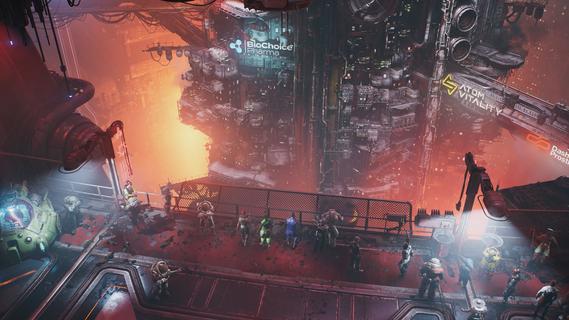
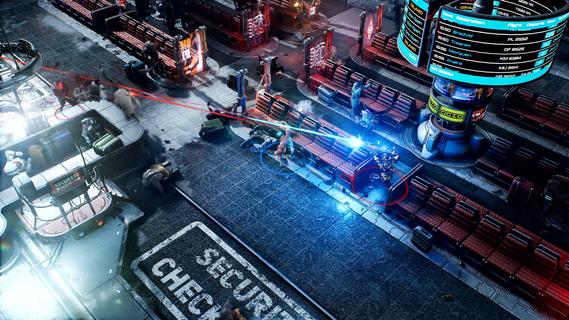
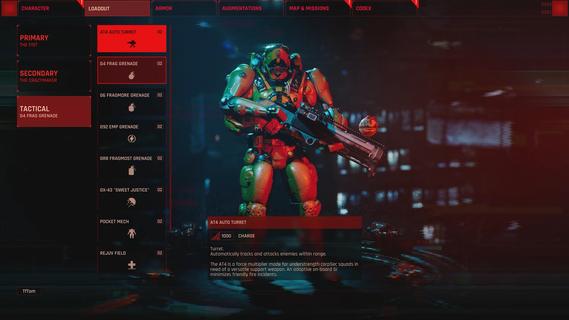
The Ascent is a solo and co-op Action-shooter RPG set in a cyberpunk world. The mega corporation that owns you and everyone, The Ascent Group, has just collapsed. Can you survive without it?The Ascent is a solo and co-op Action-shooter RPG, set on Veles, a packed cyberpunk world.Welcome to The Ascent Group arcology, a corporate-run metropolis stretching high into the sky and filled with creatures from all over the galaxy. You play as a worker, enslaved by the company that owns you and everyone else in your district. One day, you are suddenly caught in a vortex of catastrophic events: The Ascent Group shuts down for unknown reasons and the survival of your district is threatened. You must take up arms and embark on a new mission to find out what started it all.You belong to the corporation. Can you survive without it?SOLO OR CO-OPPlay the entire game alone or work together with up to three friends in local or online co-op.EXPLOSIVE SHOOTERAim low or high, switch weapons and equip lethal gadgets, take cover and use the destructible environments at your advantage and keep adjusting your tactic as you face new enemies.RPG ELEMENTSCustomize your character with cyberware that suits your playstyle. Allocate new skill points as you level-up and try various augmentations to take down your enemies in new creative ways.A VIBRANT CYBERPUNK WORLDMeet new allies and enemies and find loot as you explore the brimming world of The Ascent and its wide range of districts, from the deep slums to the higher luxury spheres.
Mostra altro

1. Scarica il programma di installazione di MEmu e completa l'installazione

2. Avvia il Memu e apri il Google Play sulla homepage

3. Cerca The Ascent in Google Play
Install
4. Scarica e installa The Ascent
5. Al termine dell'installazione, fai clic sull'icona per avviar

6. Divertiti giocando a The Ascent su PC con MEmu
MEmu App Player è il miglior emulatore Android gratuito, utilizzato da 50 milioni di persone per ottenere un'esperienza di gioco Android superba. La tecnilogia di virtualizzazione MEmu ti permette di giocare a migliaia di giochi Android con semplicità sul tuo computer, anche i giochi con la grafica più esigente.
Schermo più grande con una grafica migliore; Lunga durata, senza limitazione di batteria o dati mobili.
Supporto completo per mappa di tastiera per un controllo preciso di tastiera e mouse o gamepad.
Multipli account di gioco o attività su un singolo PC contemporaneamente con il gestore di multi istanza.
Play The Ascent on PC by following steps: