The Ascent
Diupdate
Versi Saat Ini
Ditawarkan Oleh

Dengan sepenuh kebulatan hati Anda dalam memainkan The Ascent, tangan Anda tak seharusnya hanya terbatas pada layar kecil handphone Anda.Bermainlah layaknya seorang profesional dan dapatkan kendali penuh dalam permainan Anda dengan papan ketik dan tetikus.MEmu menawarkan seluruh hal yang Anda harapkan.Unduh dan mainkan The Ascent pada PC. Bermainlah selama yang Anda inginkan, tanpa keterbatasan dari baterai, data seluler dan panggilan yang mengganggu.MEmu 9 baru merupakan pilihan terbaik untuk memainkan The Ascent pada PC. Dipersiapkan bersama teknologi ahli kami, sistem pemetaan kunci preset yang canggih menjadikan The Ascent sebagai permainan PC sejati.Manajer banyak hal dari MEmu memungkinkan Anda untuk memainkan 2 atau banyak akun pada perangkat yang sama.Dan yang terpenting, mesin emulasi eksklusif kami bisa melepaskan potensi penuh PC Anda, membuat segalanya berjalan lancar.
Tampilkan Lebih banyak
Unduh The Ascent di PC dengan Emulator Android MEmu. Nikmati permainan pada layar yang besar. The Ascent is a solo and co-op Action-shooter RPG set in a cyberpunk world.
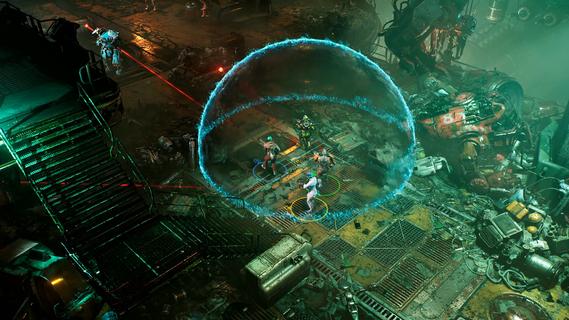
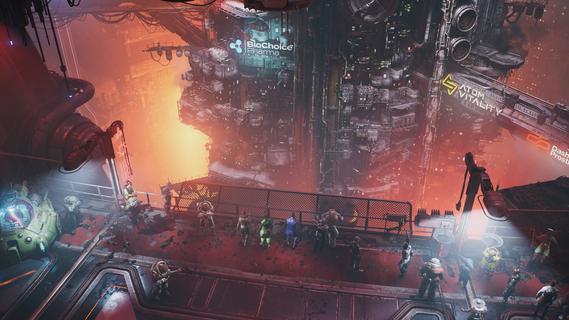
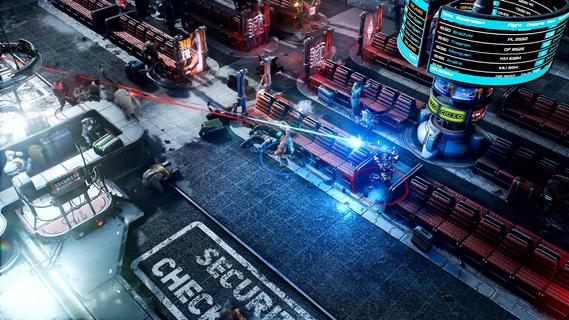
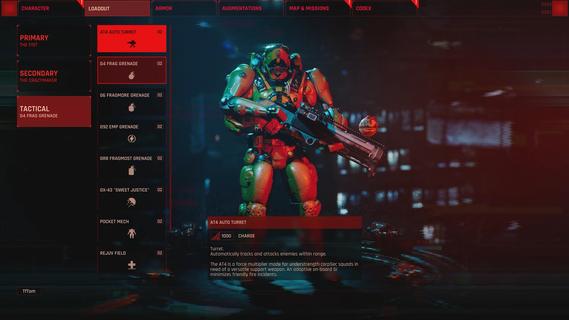
The Ascent is a solo and co-op Action-shooter RPG set in a cyberpunk world. The mega corporation that owns you and everyone, The Ascent Group, has just collapsed. Can you survive without it?The Ascent is a solo and co-op Action-shooter RPG, set on Veles, a packed cyberpunk world.Welcome to The Ascent Group arcology, a corporate-run metropolis stretching high into the sky and filled with creatures from all over the galaxy. You play as a worker, enslaved by the company that owns you and everyone else in your district. One day, you are suddenly caught in a vortex of catastrophic events: The Ascent Group shuts down for unknown reasons and the survival of your district is threatened. You must take up arms and embark on a new mission to find out what started it all.You belong to the corporation. Can you survive without it?SOLO OR CO-OPPlay the entire game alone or work together with up to three friends in local or online co-op.EXPLOSIVE SHOOTERAim low or high, switch weapons and equip lethal gadgets, take cover and use the destructible environments at your advantage and keep adjusting your tactic as you face new enemies.RPG ELEMENTSCustomize your character with cyberware that suits your playstyle. Allocate new skill points as you level-up and try various augmentations to take down your enemies in new creative ways.A VIBRANT CYBERPUNK WORLDMeet new allies and enemies and find loot as you explore the brimming world of The Ascent and its wide range of districts, from the deep slums to the higher luxury spheres.
Tampilkan Lebih banyak

1. Unduh dan instal MEmu APP

2. Menjalankan MEmu lalu buka Google Play di halaman

3. Cari The Ascent di Google Play
Install
4. Unduh dan instal The Ascent
5. Setelah insatl APP selesai,klik ikon untuk mulai

6. Nikmati bermain The Ascent di PC dengan MEmu
MEmu App Player adalah emulator Android gratis terbaik dan 50 Juta orang sudah menikmati pengalaman luar biasa dalam bermain gim Android. Teknologi virtualisasi MEmu memberi kekuasaan untuk memainkan ribuan gim Android dengan lancar di PC anda, bahkan gim dengan grafis yang paling tinggi.
Layar lebih besar dengan grafis yang lebih baik; durasi panjang, tanpa batasan baterai atau data seluler.
Didukung penuh oleh Pemetaan tombol yang lengkap untuk keakuratan kontrol keyboard dan mouse maupun gamepad.
Membuka beberapa akun game atau tugas di waktu yang sama hanya pada satu PC, dengan Multi-Instance manager.
Play The Ascent on PC by following steps: