Well Played Soccer
Dikemas kini
Versi Semasa
0.87.0
Ditawarkan Oleh

Dengan semangat anda untuk bermain Well Played Soccer, tangan anda tidak seharusnya terhad pada skrin kecil telefon anda. Main seperti profesional dan kendalikan sepenuhnya permainan anda dengan papan kekunci dan tetikus. MEmu menawarkan semua perkara yang anda harapkan. Muat turun dan mainkan Well Played Soccer di PC. Main selagi anda mahu, tidak ada batasan bateri, data mudah alih dan panggilan yang mengganggu. MEmu 9 yang baru adalah pilihan terbaik untuk bermain Well Played Soccer di PC. Disiapkan dengan kepakaran kami, sistem pemetaan kunci pratetap yang indah menjadikan Well Played Soccer permainan PC sebenar. Dikodkan dengan penyerapan kami, pengurus multi-instance menjadikan bermain 2 atau lebih akaun pada peranti yang sama mungkin. Dan yang paling penting, enjin emulasi eksklusif kami dapat melepaskan potensi penuh PC anda, menjadikan semuanya lancar.Kami tidak hanya peduli bagaimana anda bermain, tetapi juga keseluruhan proses menikmati kebahagiaan permainan.
Tunjukkan Lagi
Muat turun Well Played Soccer pada PC dengan MEmu Android Emulator. Nikmati bermain di skrin besar Game available in Early Access.
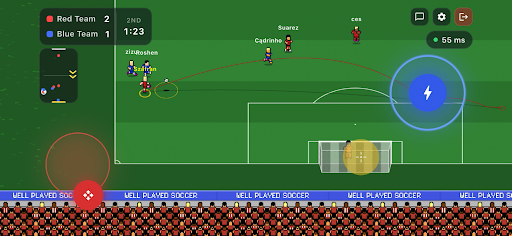
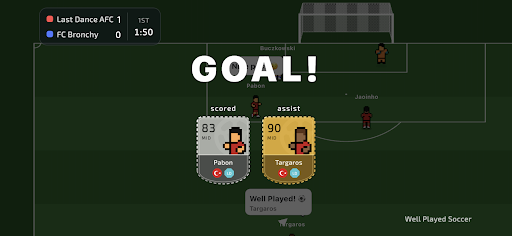
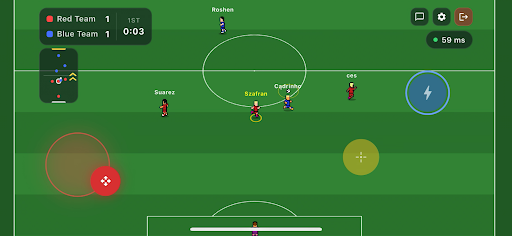
Game available in Early Access.
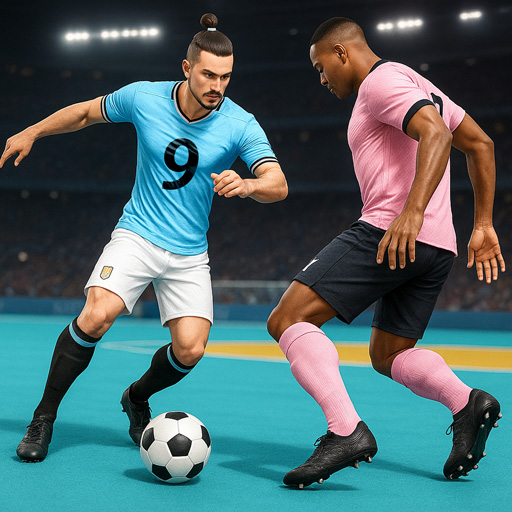
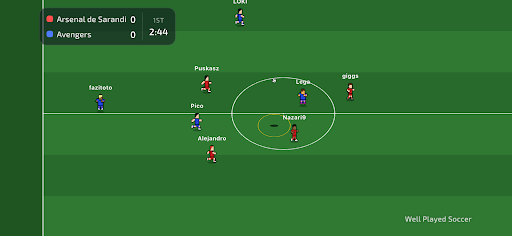
Join the football revolution. It's a completely new take on the beautiful game.
You control only your own player, join a team, and compete 3v3, 4v4 or 5v5 against real opponents on the other side.
Well Played Soccer is a 2.5D cooperative football multiplayer. The gameplay is fast-paced and demands sharp skill - but to reach the top, you'll need to form a team or join an existing one. Divide responsibilities on the pitch, sharpen your teamwork - that's the recipe for success.
Compete for ranking points against other teams and become the #1 team in the world!
Control One Player - You control just one footballer on the pitch. Every move matters.
Teamwork Wins Matches - Pass, move, support your teammates and create chances together.
True Multiplayer - Play online matches with real players - no bots, no scripts.
Retro Football Feel - Easy to learn, fast and engaging gameplay.
Play Together - Join matches, cooperate with others and build real teamwork.
Smart AI Goalkeepers - Goalkeepers are AI-controlled to keep matches balanced and fast.
The game is currently in Early Access. Short periods of downtime may occur. Gameplay mechanics may be subject to changes as the developers continuously gather and analyse community feedback.
Tunjukkan Lagi

1. Muat turun pemasang MEmu dan selesaikan persediaan

2. Mulakan MEnu kemudian buka Google Play di desktop

3. Cari Well Played Soccer di Google Play
Install
4. Muat turun dan Pasang Well Played Soccer
5. Apabila selesai pemasangan, menekan ikon itu untuk memulakan

6. Nikmati bermain Well Played Soccer di komputer dengan MEmu
MEmu Play adalah emulator Android terbaik dan 100 juta orang sudah menikmati pengalaman permainan Androidnya yang luar biasa. Teknologi virtualisasi MEmu memberi kuasa kepada anda untuk bermain beribu-ribu permainan Android dengan lancar di komputar anda, malah yang paling intensif grafik.
Skrin lebih besar dengan grafik yang lebih baik; Tempoh yang panjang, tanpa had bateri atau data mudah alih.
Sokongan Keymapping penuh untuk kawalan tepat papan kekunci dan tetikus atau gamepad.
Pelbagai akaun permainan atau tugas pada satu PC sekaligus dengan pengurus pelbagai contoh.
Play Well Played Soccer on PC by following steps: