Well Played Soccer
Güncellendi
Mevcut Sürüm
0.87.0
Sunan

Well Played Soccer oynamak için bu kadar tutkuluyken, ellerin telefonunun küçük ekranıyla sınırlı kalmamalı.Bir profesyonel gibi oyna ve klavye ve fare ile oyununun tüm kontrolü sende olsun.MEmu sana beklediğin her şeyi sunuyor.PC'de Well Played Soccer indir ve oyna. İstediğin kadar oyna, artık pil sınırlamaları, mobil veri ve rahatsız edici çağrılar yok.Yepyeni MEmu 9, PC'de Well Played Soccer oynamak için en iyi seçim. Uzmanlığımızla hazırlanan zarif ön ayar tuş eşleme sistemi Well Played Soccer oyununu gerçek bir PC oyununa dönüştürüyor.MEmu çoklu örnek yöneticisi, aynı cihazda 2 veya daha fazla hesap oynamayı mümkün kılıyor.Ve en önemlisi, özel emülasyon motorumuz PC'nizin tüm potansiyelini ortaya çıkarıyor, her şeyi sorunsuz hale getiriyor.
Daha fazla göster
Well Played Soccer’i MEmu Android Emülatör ile PC’ye indirin. Büyük ekranda oynamanın keyfini çıkarın. Game available in Early Access.
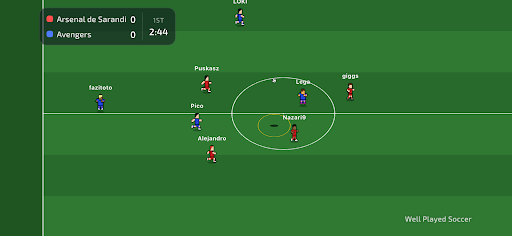
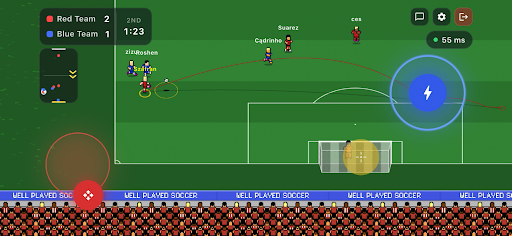
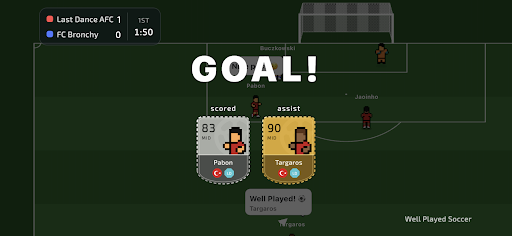
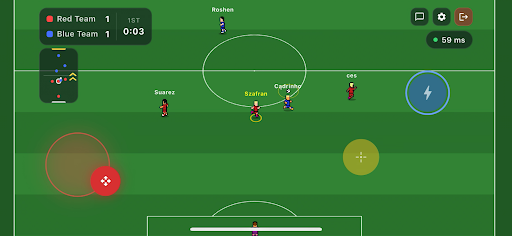
Game available in Early Access.
Join the football revolution. It's a completely new take on the beautiful game.
You control only your own player, join a team, and compete 3v3, 4v4 or 5v5 against real opponents on the other side.
Well Played Soccer is a 2.5D cooperative football multiplayer. The gameplay is fast-paced and demands sharp skill - but to reach the top, you'll need to form a team or join an existing one. Divide responsibilities on the pitch, sharpen your teamwork - that's the recipe for success.
Compete for ranking points against other teams and become the #1 team in the world!
Control One Player - You control just one footballer on the pitch. Every move matters.
Teamwork Wins Matches - Pass, move, support your teammates and create chances together.
True Multiplayer - Play online matches with real players - no bots, no scripts.
Retro Football Feel - Easy to learn, fast and engaging gameplay.
Play Together - Join matches, cooperate with others and build real teamwork.
Smart AI Goalkeepers - Goalkeepers are AI-controlled to keep matches balanced and fast.
The game is currently in Early Access. Short periods of downtime may occur. Gameplay mechanics may be subject to changes as the developers continuously gather and analyse community feedback.
Daha fazla göster

1. MEmu yükleyicisini indirin ve kurulumu tamamlayın

2. MEmu'yu başlatın ve ana sayfada Google Play'i açın

3. Google Play'de Well Played Soccer arayın
Install
4. Well Played Soccer indirin ve yükleyin
5. Kurulum tamamlandığında başlamak için simgeye tıklayın

6. PC’de MEmu ile Well Played Soccer oyunun keyfini çıkarın
MEmu App Player, en iyi ücretsiz Android emülatörüdür ve 50 milyon insan zaten mükemmel Android oyun deneyimini yaşamaktadır. MEmu sanallaştırma teknolojisi, binlerce grafik oyunu hatta grafikte en yoğun olanları bile sorunsuz bir şekilde bilgisayarınızda oynamanızı sağlar.
Daha büyük ekranla daha iyi grafiklere sahip; Pil veya mobil veri sınırlaması olmaksızın uzun süre.
Keymapping klavye ve fare veya gamepad'in hassas kontrolü için destek verir.
Multi-Instance yöneticisi ile tek bir bilgisayarda aynı anda birden fazla oyun hesabı veya görev gerçekleşilebilir.
Play Well Played Soccer on PC by following steps: