
ReStory: Chill Repair Shop
Bijgewerkt
Huidige Versie
Aangeboden door

Met al je passie voor het spelen van ReStory: Chill Repair Shop, zouden je handen niet beperkt moeten zijn tot een klein scherm van je telefoon. Speel als een professional en krijg volledige controle over je spel met toetsenbord en muis. MEmu biedt je alles wat je verwacht. Download en speel ReStory: Chill Repair Shop op PC. Speel zo lang als je wilt, geen beperkingen meer van batterij, mobiele data en storende oproepen. De gloednieuwe MEmu 9 is de beste keuze om ReStory: Chill Repair Shop op PC te spelen. Voorbereid met onze expertise, maakt het uitmuntende vooraf ingestelde keymapping systeem van ReStory: Chill Repair Shop een echt PC-spel. MEmu multi-instance manager maakt het spelen van 2 of meer accounts op hetzelfde apparaat mogelijk. En het belangrijkste, onze exclusieve emulatie-engine kan het volledige potentieel van je PC benutten, waardoor alles soepel verloopt.
Meer tonen
Download ReStory: Chill Repair Shop op je pc met de MEmu Android-emulator. Geniet van spelen op een groot scherm. In this game, you run an electronics repair shop, meticulously restore nostalgic Y2K-era devices, including officially licensed Atari consoles, and interact with customers to experience a branching storyline with multiple endings that depend on your choices.
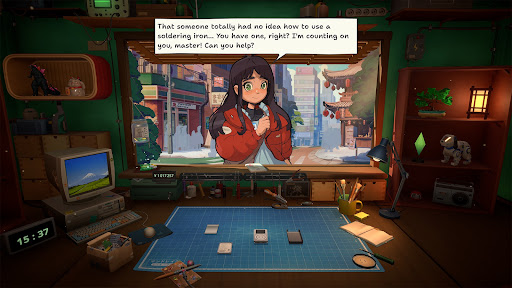
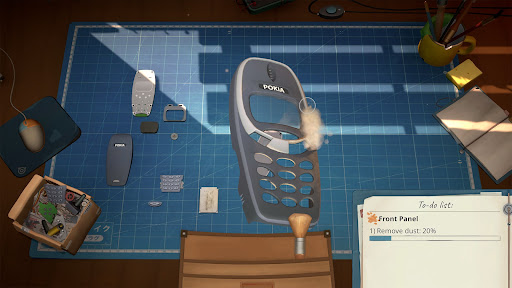
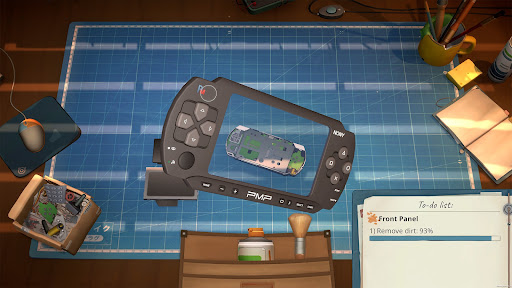
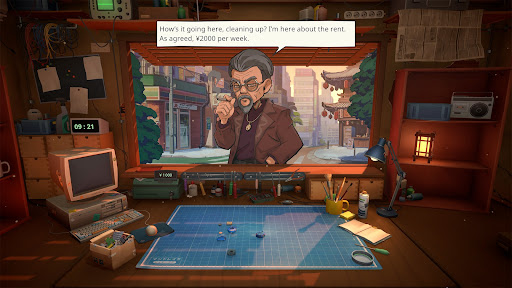
In this game, you run an electronics repair shop, meticulously restore nostalgic Y2K-era devices, including officially licensed Atari consoles, and interact with customers to experience a branching storyline with multiple endings that depend on your choices.
Greet customers, take their devices in for repairs, manage your finances, and surf the web for spare parts. Relax and enjoy running your own small shop in a game created with love and respect for the one-of-a-kind vibe of the Japanese urban life in the mid-2000s.
Fix a variety of nostalgic devices inspired by iconic game consoles, handhelds, phones, cameras, music players, and home appliances. Carefully take each gadget apart, clean it, replace faulty parts, and assemble it back together using your trusty toolset.
The way you interact with each customer can change their lives forever. Will you report on a disturbing find inside the former gangster’s phone, or help a lovestruck student confess to his crush? Make your own choices and see how they impact the branching storyline.
Key Features
- relaxing electronics repair shop management
- a wide range of nostalgic 2000s devices to repair
- in-depth device cleaning and restoration system
- Y2K-era web browser to hunt for spare parts
- a variety of in-person and online orders to fulfill
- multiple tools for device repairs
- iconic Atari consoles, officially licensed for the game
- customers with unique stories and dialogues
- replayable branching storyline with choices impacting the ending
- a distinct, chill vibe of urban life in Japan
Meer tonen

1. Download de MEmu-installatie en voltooi de setup

2. Start MEmu en open vervolgens Google Play op het bureaublad

3. Zoek ReStory: Chill Repair Shop in Google Play
Install
4. Download en installeer ReStory: Chill Repair Shop
5. Klik op het icoon om te starten na het voltooien van de installatie

6. Geniet van het spelen van ReStory: Chill Repair Shop op PC met MEmu
MEmu Play is de beste Android Emulator en 100 miljoen mensen genieten al van de superieure Android-game-ervaring. De virtualisatietechnologie van MEmu stelt je in staat om duizenden Android-spellen soepel op je PC te spelen, zelfs de meest grafisch intensieve.
Groter scherm met betere graphics; Lange duur, zonder beperking van batterij of mobiele data.
Volledige Keymapping-ondersteuning voor nauwkeurige besturing van toetsenbord en muis of gamepad.
Meerdere game-accounts of taken op één PC tegelijk met Multi-Instance manager.
Speel ReStory: Chill Repair Shop op PC door de volgende stappen te volgen: