
ReStory: Chill Repair Shop
更新日
現在のバージョン
提供元

スマホ不要!プロ選手のようにキーボードとマウスで操作しよう。MEmuエミュはあなたにすべての期待を与える。電池が切れてしまうとか画面が小さいとかの問題を心配する必要がなくて、存分ReStory: Chill Repair Shopを楽しんでください。新しいMEmuエミュ7はPCでReStory: Chill Repair Shopをプレイするのに最適!完璧なキーマッピングシステムにより、まるでパソコンゲームみたい。マルチインスタンスで複数のゲームやアプリを同時に実行!唯一無二な仮想化エンジンがパソコンの可能性を最大限になる。遊べるだけでなく、より楽しめる!
もっと見る
ReStory: Chill Repair ShopをPCでダウンロード!大画面でより楽しむ。電源が落ちてしまうとか通信料が足りないとかの問題を心配する必要がなく、PCの大画面でより快適にゲームを楽しましょう! In this game, you run an electronics repair shop, meticulously restore nostalgic Y2K-era devices, including officially licensed Atari consoles, and interact with customers to experience a branching storyline with multiple endings that depend on your choices.
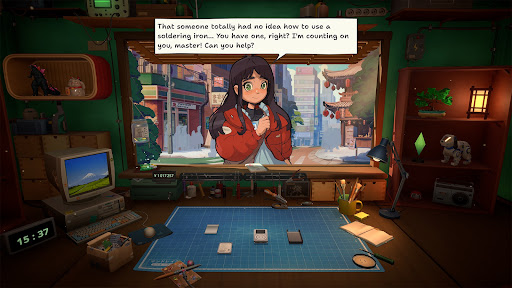
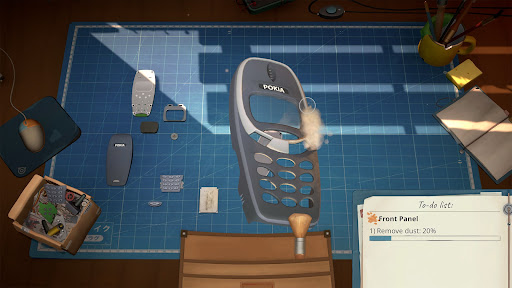
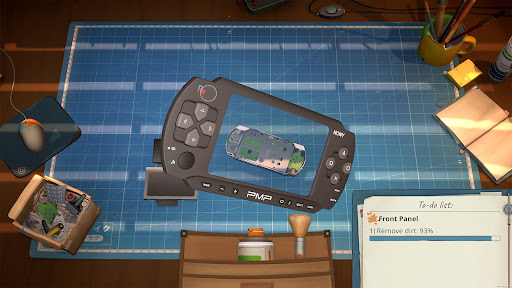
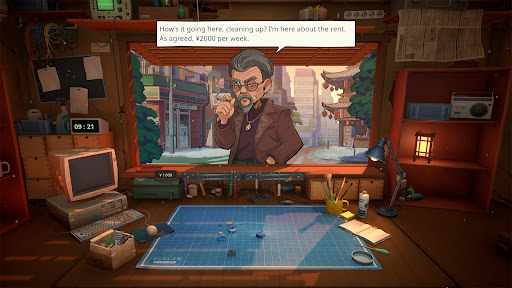
In this game, you run an electronics repair shop, meticulously restore nostalgic Y2K-era devices, including officially licensed Atari consoles, and interact with customers to experience a branching storyline with multiple endings that depend on your choices.
Greet customers, take their devices in for repairs, manage your finances, and surf the web for spare parts. Relax and enjoy running your own small shop in a game created with love and respect for the one-of-a-kind vibe of the Japanese urban life in the mid-2000s.
Fix a variety of nostalgic devices inspired by iconic game consoles, handhelds, phones, cameras, music players, and home appliances. Carefully take each gadget apart, clean it, replace faulty parts, and assemble it back together using your trusty toolset.
The way you interact with each customer can change their lives forever. Will you report on a disturbing find inside the former gangster’s phone, or help a lovestruck student confess to his crush? Make your own choices and see how they impact the branching storyline.
Key Features
- relaxing electronics repair shop management
- a wide range of nostalgic 2000s devices to repair
- in-depth device cleaning and restoration system
- Y2K-era web browser to hunt for spare parts
- a variety of in-person and online orders to fulfill
- multiple tools for device repairs
- iconic Atari consoles, officially licensed for the game
- customers with unique stories and dialogues
- replayable branching storyline with choices impacting the ending
- a distinct, chill vibe of urban life in Japan
もっと見る

1. MEmuインストーラーをダウンロードしてセットアップを完了する

2. MEmuを起動し、デスクトップでのPlayストアを開く

3. PlayストアでReStory: Chill Repair Shopを検索する
Install
4. ReStory: Chill Repair Shopをダウンロードしてインストールする
5. インストールが完了したら、アイコンをクリックしてスタート

6. MEmuを使用してPCでReStory: Chill Repair Shopを楽しむ
MEmu App Playerは最高の無料で提供されるAndroidエミュレータで、5,000万人がすでに優れたAndroidゲーム体験を楽しんでいます。 MEmuの仮想化技術は、あなたのPCで何千ものAndroidゲームを快適にプレイすることを可能にします。
大画面でより精細;無限の待機、電池とドラフィックの極限を超え
キーボード・マウス・コントローラーを全力でサポート、より快適
マルチインスタンスで複数のゲームを同時に実行
Play ReStory: Chill Repair Shop on PC by following steps: