
ReStory: Chill Repair Shop
Actualizada
Versión actual
Ofrecida por

Con toda tu pasión para jugar ReStory: Chill Repair Shop, no se supone que tus manos estén limitadas en una pequeña pantalla de tu teléfono. Juega como un profesional y obtén el control total de tu juego con el teclado y el mouse. MEmu le ofrece todas las cosas que espera. Descargar y jugar ReStory: Chill Repair Shop en PC. Juega todo el tiempo que quieras, sin más limitaciones de batería, datos móviles y llamadas molestas. El nuevo MEmu 9 es la mejor opción para jugar ReStory: Chill Repair Shop en PC. Preparado con nuestra experiencia, el exquisito sistema de keymapping preestablecido convierte a ReStory: Chill Repair Shop en un verdadero juego de PC. Codificado con nuestra absorción, el administrador de instancias múltiples hace posible jugar 2 o más cuentas en el mismo dispositivo. Y lo más importante, nuestro exclusivo motor de emulación puede liberar todo el potencial de su PC, hacer que todo sea más fluido. Nos importa no solo cómo juegas, sino también todo el proceso de disfrutar de la felicidad de los juegos.
Más detalles
Descargar ReStory: Chill Repair Shop en PC con MEmu Android Emulador. Disfruta jugando en la pentalla grande. In this game, you run an electronics repair shop, meticulously restore nostalgic Y2K-era devices, including officially licensed Atari consoles, and interact with customers to experience a branching storyline with multiple endings that depend on your choices.
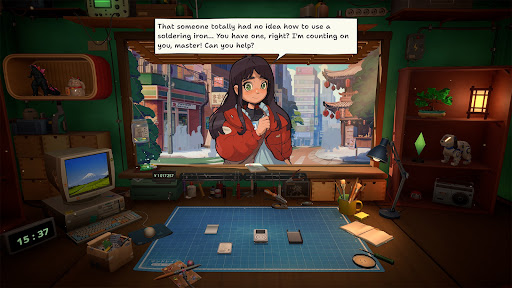
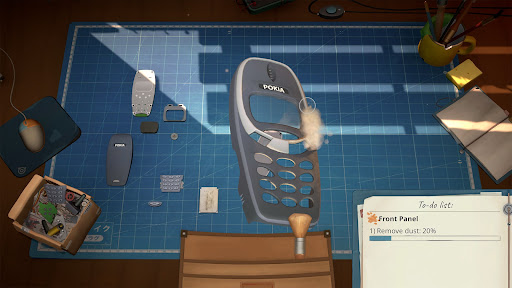
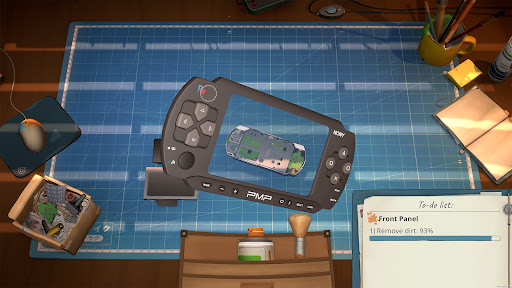
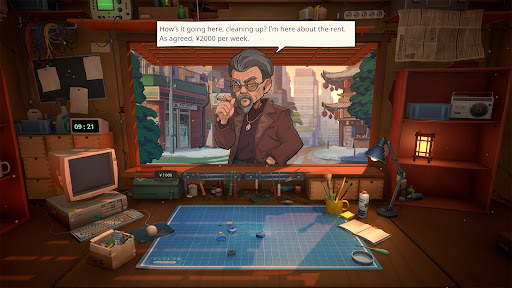
In this game, you run an electronics repair shop, meticulously restore nostalgic Y2K-era devices, including officially licensed Atari consoles, and interact with customers to experience a branching storyline with multiple endings that depend on your choices.
Greet customers, take their devices in for repairs, manage your finances, and surf the web for spare parts. Relax and enjoy running your own small shop in a game created with love and respect for the one-of-a-kind vibe of the Japanese urban life in the mid-2000s.
Fix a variety of nostalgic devices inspired by iconic game consoles, handhelds, phones, cameras, music players, and home appliances. Carefully take each gadget apart, clean it, replace faulty parts, and assemble it back together using your trusty toolset.
The way you interact with each customer can change their lives forever. Will you report on a disturbing find inside the former gangster’s phone, or help a lovestruck student confess to his crush? Make your own choices and see how they impact the branching storyline.
Key Features
- relaxing electronics repair shop management
- a wide range of nostalgic 2000s devices to repair
- in-depth device cleaning and restoration system
- Y2K-era web browser to hunt for spare parts
- a variety of in-person and online orders to fulfill
- multiple tools for device repairs
- iconic Atari consoles, officially licensed for the game
- customers with unique stories and dialogues
- replayable branching storyline with choices impacting the ending
- a distinct, chill vibe of urban life in Japan
Más detalles

1. Descargar el instalador de MEmu y finalice la instalación

2. Iniciar MEmu y abrir Google Play en la página de inicio

3. Buscar ReStory: Chill Repair Shop en Google Play
Install
4. Descargar y instalar ReStory: Chill Repair Shop
5. Hacer click al icono para iniciar

6. Disfruta jugando ReStory: Chill Repair Shop en PC con MEmu
MEmu App Player es el mejor emulador de Android gratuito y 50 millones de personas ya están disfrutando su magnífica experiencia jugando en Android. La tecnología de virtualización de MEmu te permite jugar a miles de juegos Android suavemente en tu PC, incluso los más intensivos gráficamente.
Pantalla más grande con mejores gráficos; Larga duración, sin limitación de batería o datos móviles.
Soporte completo de keymapping para un control preciso del teclado y el mouse o gamepad.
Múltiples cuentas de juegos o tareas en una sola PC a la vez con el administrador de instancias múltiples.
Play ReStory: Chill Repair Shop on PC by following steps: