
ReStory: Chill Repair Shop
Updated
Current Version
Offered By

With your passion for ReStory: Chill Repair Shop, you shouldn’t have to limit yourself to the small screen of a phone. Play like a pro and take full control of the game using a keyboard and mouse. MEmu gives you everything you’re looking for. Download and play ReStory: Chill Repair Shop on PC. Play as long as you want — no more worries about battery life, mobile data, or unexpected calls. The all-new MEmu 9 is the best way to play ReStory: Chill Repair Shop on PC. With our expertly designed keymapping system, ReStory: Chill Repair Shop feels just like a real PC game. The MEmu multi-instance manager lets you run two or more accounts on the same device at the same time. Most importantly, our exclusive emulation engine unlocks your PC’s full potential, delivering smooth and seamless performance.
Show more
Download ReStory: Chill Repair Shop on PC with MEmu Android Emulator. Enjoy playing on big screen. In this game, you run an electronics repair shop, meticulously restore nostalgic Y2K-era devices, including officially licensed Atari consoles, and interact with customers to experience a branching storyline with multiple endings that depend on your choices.
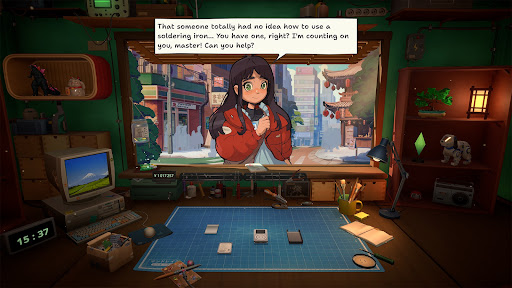
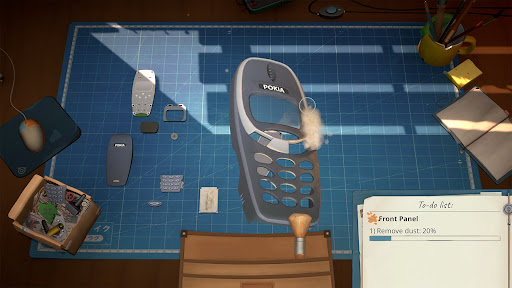
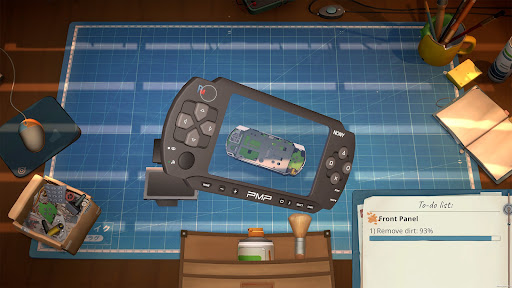
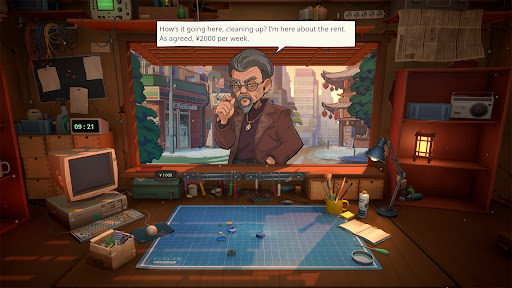
In this game, you run an electronics repair shop, meticulously restore nostalgic Y2K-era devices, including officially licensed Atari consoles, and interact with customers to experience a branching storyline with multiple endings that depend on your choices.
Greet customers, take their devices in for repairs, manage your finances, and surf the web for spare parts. Relax and enjoy running your own small shop in a game created with love and respect for the one-of-a-kind vibe of the Japanese urban life in the mid-2000s.
Fix a variety of nostalgic devices inspired by iconic game consoles, handhelds, phones, cameras, music players, and home appliances. Carefully take each gadget apart, clean it, replace faulty parts, and assemble it back together using your trusty toolset.
The way you interact with each customer can change their lives forever. Will you report on a disturbing find inside the former gangster’s phone, or help a lovestruck student confess to his crush? Make your own choices and see how they impact the branching storyline.
Key Features
- relaxing electronics repair shop management
- a wide range of nostalgic 2000s devices to repair
- in-depth device cleaning and restoration system
- Y2K-era web browser to hunt for spare parts
- a variety of in-person and online orders to fulfill
- multiple tools for device repairs
- iconic Atari consoles, officially licensed for the game
- customers with unique stories and dialogues
- replayable branching storyline with choices impacting the ending
- a distinct, chill vibe of urban life in Japan
Show more

1. Download MEmu installer and finish the setup

2. Start MEmu then open Google Play on the desktop

3. Search ReStory: Chill Repair Shop in Google Play
Install
4. Download and Install ReStory: Chill Repair Shop
5. On install completion click the icon to start

6. Enjoy playing ReStory: Chill Repair Shop on PC with MEmu
MEmu Play is the best Android emulator and 100 million people already enjoy its superb Android gaming experience. The MEmu virtualization technology empowers you to play thousands of Android games smoothly on your PC, even the most graphic-intensive ones.
Bigger screen with better graphics; Long duration, without limitation of battery or mobile data.
Full Keymapping support for precise control of keyboard and mouse or gamepad.
Multiple game accounts or tasks on single PC at one time with Multi-Instance manager.
Play ReStory: Chill Repair Shop on PC by following steps: