
TSN: FIFA World Cup 2026™
Bijgewerkt
Huidige Versie
Aangeboden door

Maak je geen zorgen meer over extra kosten bij het gebruik van TSN: FIFA World Cup 2026™ op je mobiele telefoon, bevrijd jezelf van het kleine scherm en geniet van het gebruik van de app op een veel groter display. Vanaf nu, krijg een volledige schermervaring van je app met toetsenbord en muis. MEmu biedt je alle verrassende functies die je verwachtte: snelle installatie en eenvoudige configuratie, intuïtieve besturing, geen beperkingen meer van batterij, mobiele data en storende oproepen. De gloednieuwe MEmu 9 is de beste keuze voor het gebruik van TSN: FIFA World Cup 2026™ op je computer. MEmu multi-instance manager maakt het mogelijk om tegelijkertijd 2 of meer accounts te openen. En het belangrijkste, onze exclusieve emulatiemotor kan het volledige potentieel van je PC benutten, waardoor alles soepel en plezierig wordt.
Meer tonen
Geniet van een fantastische ervaring met TSN: FIFA World Cup 2026™ op je pc met MEmu Play. Het is een krachtige gratis Android-emulator die je duizenden Android-apps biedt voor de desktopversie. Geniet van contact met vrienden en verbeter je werk met hogere efficiëntie! Live stream over 600+ championship events* and get the latest news, highlights, on-demand games, and analysis from our all-star roster of insiders and experts.

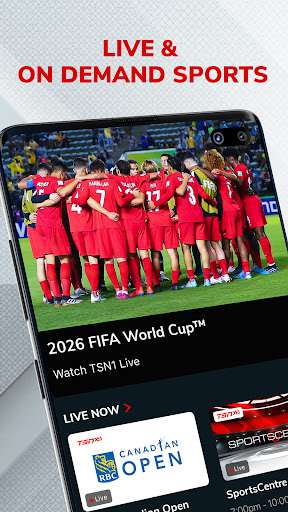
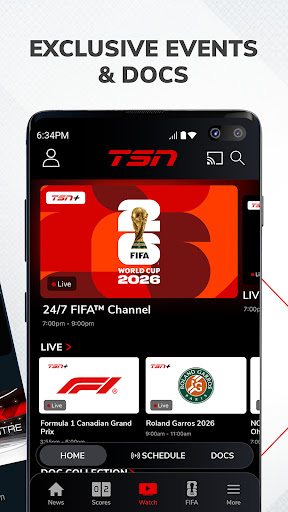
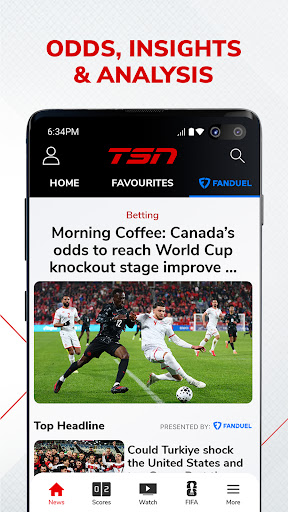
Live stream over 600+ championship events* and get the latest news, highlights, on-demand games, and analysis from our all-star roster of insiders and experts
WATCH ON TSN
Coverage of every major league, sport, and tournament, including:
Soccer: FIFA Men’s & Women’s World Cup, MLS, NWSL, UEFA Euro, Copa América, EPL / Hockey: NHL, PWHL, World Juniors, CHL / Football: NFL, CFL (Grey Cup), NCAA Football, XFL / Basketball: NBA, WNBA, NCAA Basketball / Auto Racing: F1, NASCAR / Curling: Curling Canada / Baseball: MLB / Tennis: ATP, WTA, French Open, Wimbledon, US Open / Golf: PGA, LPGA / Combat Sports: AEW / Rugby / Lacrosse: NLL / Studio Shows (SportsCentre, SC With Jay Onrait, and more)
Toronto Raptors / Toronto Maple Leafs / Montreal Canadiens / Ottawa Senators / Winnipeg Jets
FEATURES
• TSN+* – Unlock exclusive live and on-demand games, augmented feeds, and award-winning sports documentaries. Exclusive games include NFL RedZone, PGA Tour Live, AEW Rampage, AEW Collision, and more
• LIVE STREAMING* – Immerse yourself in the heart-pounding action of live sports on TSN1, TSN2, TSN3, TSN4, and TSN5
• ON-DEMAND VIEWING* – Catch up with live sports broadcasts and TSN's popular TV shows at your convenience
• NEWS & HIGHLIGHTS – Get the latest sports news and in-depth analysis from TSN’s best in class team of insiders, analysts, and reporters including Darren Dreger, Pierre Lebrun, James Duthie, Jeff O’Neil, Luke Willson, Davis Sanchez, Jack Armstrong, and more
*PLEASE NOTE*
• TSN+ is a digital streaming service that is included with a TSN subscription through TSN.ca or the TSN app, and it can also be purchased separately as a standalone subscription
• Live streaming and on-demand viewing require an active TSN subscription, either through an online subscription or through a TV package
• Blackout restrictions may apply for certain content
• Video content is exclusively accessible within Canada
• The app features in-app advertisements, even with a TSN subscription
• In-app subscriptions provide access to TSN during the term of the prepaid subscription period. At the end of that period, the subscription plan will automatically renew according to the selected period and payment will be charged to your credit card account within 24-hours prior to the end of the current period. Auto-renewal can be turned off in your Account Settings after purchase. All cancellations will take effect at the end of the current period. There are no refunds on paid subscription fees. Prices are subject to change.
Terms and Conditions –
https://www.tsn.ca/terms-and-conditions-1.1097912
Privacy Policy –
https://www.bell.ca/Security_and_privacy/Commitment_to_privacy#EXT=MULTI_off_URL_privacy_20110917_pc_
Meer tonen

1. Download de MEmu-installatie en voltooi de setup

2. Start MEmu en open vervolgens Google Play op het bureaublad

3. Zoek TSN: FIFA World Cup 2026™ in Google Play
Install
4. Download en installeer TSN: FIFA World Cup 2026™
5. Klik op het icoon om te starten na het voltooien van de installatie

6. Ervaar TSN: FIFA World Cup 2026™ op pc met MEmu
MEmu Play is de beste Android-emulator, met meer dan 100 miljoen gebruikers die genieten van de superieure Android-app-ervaring. Dankzij de virtualisatietechnologie van MEmu kun je duizenden Android-apps soepel op je computer draaien, zelfs de meest veeleisende.
Groter scherm met betere graphics; Lange duur, zonder beperking van batterij of mobiele data.
Volledige Keymapping-ondersteuning voor nauwkeurige besturing van toetsenbord en muis of gamepad.
Meerdere game-accounts of taken op één PC tegelijk met Multi-Instance manager.
Gebruik TSN: FIFA World Cup 2026™ op PC door de volgende stappen te volgen: