FIFA Rivals
Zaktualizowano
Aktualna wersja
Sprzedawca

Przy całej swojej pasji do grania w FIFA Rivals, twoje ręce nie powinny być ograniczone na małym ekranie telefonu. Graj jak zawodowiec i uzyskaj pełną kontrolę nad grą za pomocą klawiatury i myszy. MEmu oferuje ci wszystko, czego oczekujesz. Pobierz i graj FIFA Rivals na PC. Graj tak długo, jak chcesz, bez ograniczeń baterii, danych komórkowych i niepokojących połączeń. Zupełnie nowy MEmu 9 to najlepszy wybór do grania w FIFA Rivals na PC. Przygotowany dzięki naszej wiedzy, znakomity, wstępnie ustawiony system mapowania klawiszy sprawia, że FIFA Rivals jest prawdziwą grą na PC. Zakodowany naszą absorpcją, menedżer wielu instancji umożliwia granie na 2 lub więcej kontach na tym samym urządzeniu. A co najważniejsze, nasz emulator może uwolnić pełny potencjał twojego komputera, sprawić, że wszystko będzie płynne. Dbamy nie tylko o to, jak grasz, ale także o cały proces czerpania radości z grania.
Pokaż więcej
Ciesz się wspaniałym doświadczeniem podczas grania w FIFA Rivals na komputerze z aplikacją MEMU App Player. Jest to potężny darmowy emulator Androida pozwalający grać w tysiące gier na Androida. FIFA Rivals is an innovative soccer game that marks a significant departure from traditional sports titles.
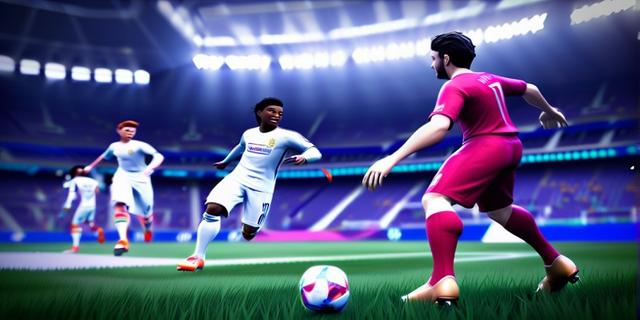

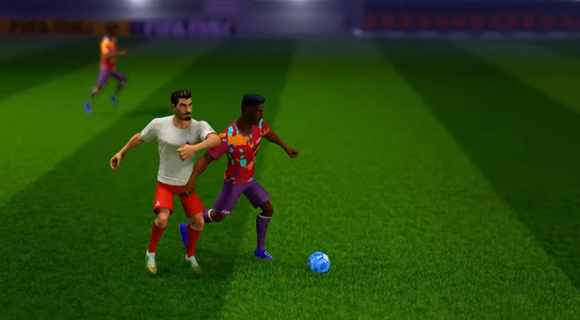
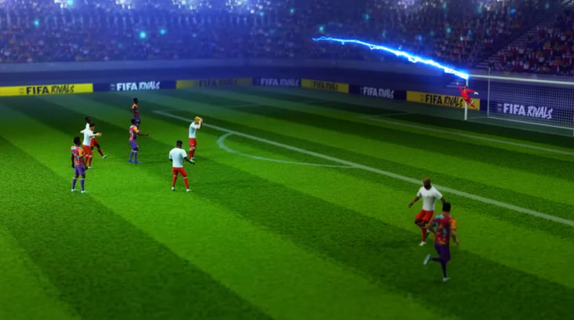
FIFA Rivals is an innovative soccer game that marks a significant departure from traditional sports titles. Developed by Mythical Games, the same creators behind NFL Rivals, this game combines fast-paced arcade-style soccer with strategic team management and blockchain technology. Players can engage in thrilling real-time matches against opponents from around the globe, making it a truly immersive experience. Gameplay OverviewIn FIFA Rivals, players take on the role of a club manager, tasked with building and enhancing their team lineup. The game allows users to create and manage their own football clubs, selecting from a pool of licensed players, both past and present. These teams then compete in intense PvP matches, requiring tactical prowess to outmaneuver opponents and climb the rankings. Arcade-Style GameplayThe gameplay is designed to be accessible yet challenging, offering a mix of quick matches and strategic depth. Players can enjoy fast-paced arcade action, reminiscent of other popular soccer simulations like eFootball. However, to succeed, they must also focus on the tactical aspects of the game, such as team composition, player upgrades, and match strategies. Blockchain IntegrationFIFA Rivals incorporates blockchain technology through the Mythos blockchain, enabling players to own, buy, sell, and trade digital player assets in the form of NFTs. This feature adds a new layer of engagement, allowing players to build their dream teams and participate in a dynamic in-game economy. Strategic Team ManagementTo maintain a competitive edge, players must continually upgrade and enhance their team lineups. This involves acquiring new players, improving existing ones, and adjusting strategies based on performance. The game's marketplace allows for the purchase and sale of digital assets, providing a way to strengthen teams using real money. Seasonal CompetitionsFIFA Rivals features seasonal competitions where teams compete to rise through the ranks. The game's ranking system rewards strategic play and consistent performance, encouraging players to adapt and improve their tactics throughout the season. Launch and AvailabilityFIFA Rivals is set to launch in the summer of 2025 on both iOS and Android devices. This release marks a significant milestone for FIFA, as it expands its gaming and esports portfolio following the end of its long-standing partnership with EA Sports. Impact on the Gaming IndustryThe partnership between FIFA and Mythical Games underscores FIFA's commitment to exploring digital frontiers and enhancing fan engagement. By integrating blockchain technology and offering a unique gaming experience, FIFA Rivals is poised to redefine the sports gaming landscape. ConclusionFIFA Rivals offers a fresh take on soccer gaming, blending arcade action with strategic team management and blockchain-based collectibles. As the game prepares for its summer 2025 launch, fans can expect an engaging experience that combines the excitement of real-time matches with the depth of team-building strategies. With its innovative approach, FIFA Rivals is set to captivate both casual and dedicated soccer enthusiasts alike.
Pokaż więcej

1. Pobierz instalator MEmu i zakończ instalację

2. Uruchom MEmu, a następnie otwórz Google Play na pulpicie

3. Wyszukaj FIFA Rivals w Google Play
Install
4. Pobierz i zainstaluj FIFA Rivals
5. Po zakończeniu instalacji kliknij ikonę, aby rozpocząć

6. Ciesz się grą FIFA Rivals na PC z MEmu
MEmu Play to najlepszy emulator Androida, a 100 milionów ludzi już korzysta z jego i dosta doskonałe wrażenia z gier na Androida. Technologia wirtualizacji MEmu umożliwia płynne granie w tysiące gier Androida na komputerze, nawet tych najbardziej wymagających grafiki.
Większy ekran z lepszą grafiką; Długi czas, bez ograniczeń baterii lub danych mobilnych.
Pełna obsługa mapowania klawiszy dla precyzyjnego sterowania klawiaturą i myszą lub gamepadem.
Wiele kont gier lub zadań na jednym komputerze jednocześnie z menedżerem wielu instancji.
Play FIFA Rivals on PC by following steps: