FIFA Rivals
Actualizada
Versión actual
Ofrecida por

Con toda tu pasión para jugar FIFA Rivals, no se supone que tus manos estén limitadas en una pequeña pantalla de tu teléfono. Juega como un profesional y obtén el control total de tu juego con el teclado y el mouse. MEmu le ofrece todas las cosas que espera. Descargar y jugar FIFA Rivals en PC. Juega todo el tiempo que quieras, sin más limitaciones de batería, datos móviles y llamadas molestas. El nuevo MEmu 9 es la mejor opción para jugar FIFA Rivals en PC. Preparado con nuestra experiencia, el exquisito sistema de keymapping preestablecido convierte a FIFA Rivals en un verdadero juego de PC. Codificado con nuestra absorción, el administrador de instancias múltiples hace posible jugar 2 o más cuentas en el mismo dispositivo. Y lo más importante, nuestro exclusivo motor de emulación puede liberar todo el potencial de su PC, hacer que todo sea más fluido. Nos importa no solo cómo juegas, sino también todo el proceso de disfrutar de la felicidad de los juegos.
Más detalles
Descargar FIFA Rivals en PC con MEmu Android Emulador. Disfruta jugando en la pentalla grande. FIFA Rivals is an innovative soccer game that marks a significant departure from traditional sports titles.
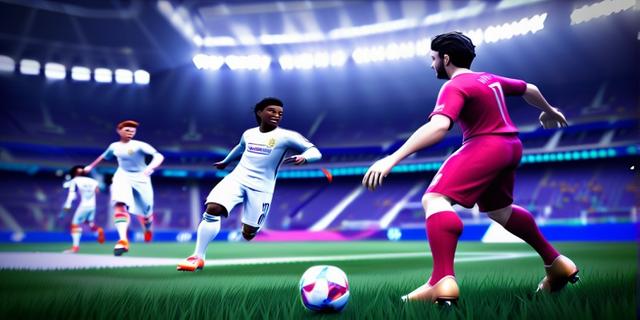

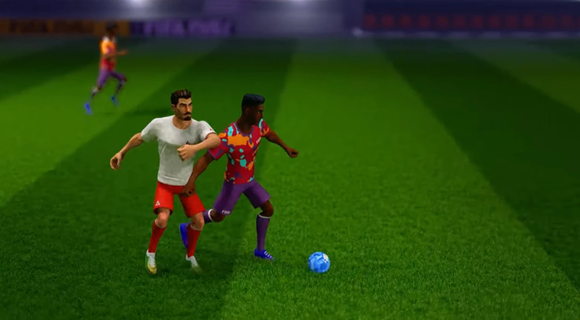
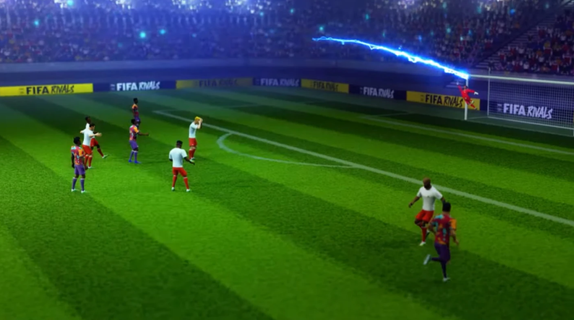
FIFA Rivals is an innovative soccer game that marks a significant departure from traditional sports titles. Developed by Mythical Games, the same creators behind NFL Rivals, this game combines fast-paced arcade-style soccer with strategic team management and blockchain technology. Players can engage in thrilling real-time matches against opponents from around the globe, making it a truly immersive experience. Gameplay OverviewIn FIFA Rivals, players take on the role of a club manager, tasked with building and enhancing their team lineup. The game allows users to create and manage their own football clubs, selecting from a pool of licensed players, both past and present. These teams then compete in intense PvP matches, requiring tactical prowess to outmaneuver opponents and climb the rankings. Arcade-Style GameplayThe gameplay is designed to be accessible yet challenging, offering a mix of quick matches and strategic depth. Players can enjoy fast-paced arcade action, reminiscent of other popular soccer simulations like eFootball. However, to succeed, they must also focus on the tactical aspects of the game, such as team composition, player upgrades, and match strategies. Blockchain IntegrationFIFA Rivals incorporates blockchain technology through the Mythos blockchain, enabling players to own, buy, sell, and trade digital player assets in the form of NFTs. This feature adds a new layer of engagement, allowing players to build their dream teams and participate in a dynamic in-game economy. Strategic Team ManagementTo maintain a competitive edge, players must continually upgrade and enhance their team lineups. This involves acquiring new players, improving existing ones, and adjusting strategies based on performance. The game's marketplace allows for the purchase and sale of digital assets, providing a way to strengthen teams using real money. Seasonal CompetitionsFIFA Rivals features seasonal competitions where teams compete to rise through the ranks. The game's ranking system rewards strategic play and consistent performance, encouraging players to adapt and improve their tactics throughout the season. Launch and AvailabilityFIFA Rivals is set to launch in the summer of 2025 on both iOS and Android devices. This release marks a significant milestone for FIFA, as it expands its gaming and esports portfolio following the end of its long-standing partnership with EA Sports. Impact on the Gaming IndustryThe partnership between FIFA and Mythical Games underscores FIFA's commitment to exploring digital frontiers and enhancing fan engagement. By integrating blockchain technology and offering a unique gaming experience, FIFA Rivals is poised to redefine the sports gaming landscape. ConclusionFIFA Rivals offers a fresh take on soccer gaming, blending arcade action with strategic team management and blockchain-based collectibles. As the game prepares for its summer 2025 launch, fans can expect an engaging experience that combines the excitement of real-time matches with the depth of team-building strategies. With its innovative approach, FIFA Rivals is set to captivate both casual and dedicated soccer enthusiasts alike.
Más detalles

1. Descargar el instalador de MEmu y finalice la instalación

2. Iniciar MEmu y abrir Google Play en la página de inicio

3. Buscar FIFA Rivals en Google Play
Install
4. Descargar y instalar FIFA Rivals
5. Hacer click al icono para iniciar

6. Disfruta jugando FIFA Rivals en PC con MEmu
MEmu App Player es el mejor emulador de Android gratuito y 50 millones de personas ya están disfrutando su magnífica experiencia jugando en Android. La tecnología de virtualización de MEmu te permite jugar a miles de juegos Android suavemente en tu PC, incluso los más intensivos gráficamente.
Pantalla más grande con mejores gráficos; Larga duración, sin limitación de batería o datos móviles.
Soporte completo de keymapping para un control preciso del teclado y el mouse o gamepad.
Múltiples cuentas de juegos o tareas en una sola PC a la vez con el administrador de instancias múltiples.
Play FIFA Rivals on PC by following steps: