FIFA Rivals
Aktualisiert
Aktuelle Version
Angeboten von

Bei all Ihrer Leidenschaft für das Spielen von FIFA Rivals sollten Ihre Hände nicht auf einen winzigen Bildschirm Ihres Telefons beschränkt sein. Spielen Sie wie ein Profi und übernehmen Sie die volle Kontrolle über Ihr Spiel mit Tastatur und Maus. MEmu bietet Ihnen all die Dinge, die Sie erwarten. Laden Sie FIFA Rivals herunter und spielen Sie es auf dem PC. Spielen Sie so lange, wie Sie wollen, ohne Grenzwerte für Akku, mobile Daten und störende Anrufe. Das brandneue MEmu 9 ist die beste Wahl, um FIFA Rivals auf dem PC zu spielen. Das exquisite voreingestellte Tastaturbelegungssystem, das mit unserem Fachwissen vorbereitet wurde, macht FIFA Rivals zu einem echten PC-Spiel. Der MEmu Multi-Instanz-Manager ermöglicht das Spielen von 2 oder mehr Konten auf demselben Gerät. Und das Wichtigste: Unsere exklusive Emulations-Engine kann das volle Potenzial Ihres PCs freisetzen und für reibungslose Abläufe sorgen.
Mehr anzeigen
Laden Sie Play FIFA Rivals auf dem PC mit MEmu Android Emulator. Viel Spaß beim Spielen auf großmundieren. FIFA Rivals is an innovative soccer game that marks a significant departure from traditional sports titles.
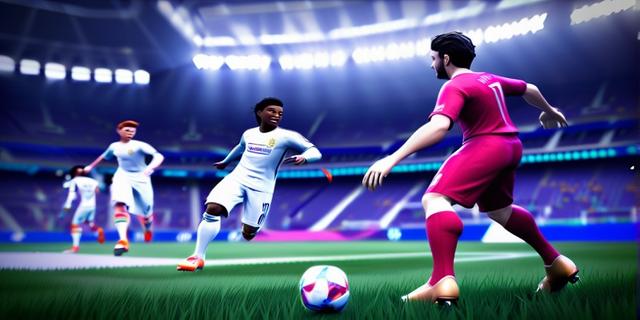

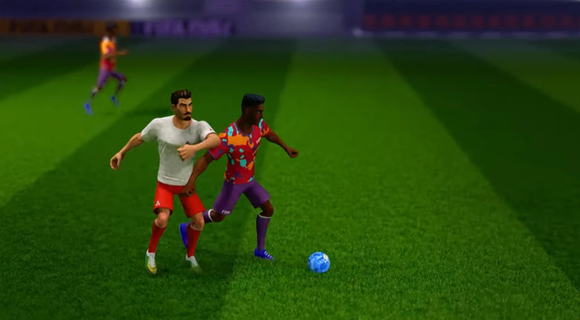
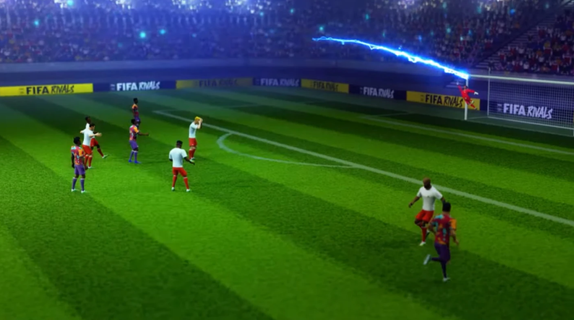
FIFA Rivals is an innovative soccer game that marks a significant departure from traditional sports titles. Developed by Mythical Games, the same creators behind NFL Rivals, this game combines fast-paced arcade-style soccer with strategic team management and blockchain technology. Players can engage in thrilling real-time matches against opponents from around the globe, making it a truly immersive experience. Gameplay OverviewIn FIFA Rivals, players take on the role of a club manager, tasked with building and enhancing their team lineup. The game allows users to create and manage their own football clubs, selecting from a pool of licensed players, both past and present. These teams then compete in intense PvP matches, requiring tactical prowess to outmaneuver opponents and climb the rankings. Arcade-Style GameplayThe gameplay is designed to be accessible yet challenging, offering a mix of quick matches and strategic depth. Players can enjoy fast-paced arcade action, reminiscent of other popular soccer simulations like eFootball. However, to succeed, they must also focus on the tactical aspects of the game, such as team composition, player upgrades, and match strategies. Blockchain IntegrationFIFA Rivals incorporates blockchain technology through the Mythos blockchain, enabling players to own, buy, sell, and trade digital player assets in the form of NFTs. This feature adds a new layer of engagement, allowing players to build their dream teams and participate in a dynamic in-game economy. Strategic Team ManagementTo maintain a competitive edge, players must continually upgrade and enhance their team lineups. This involves acquiring new players, improving existing ones, and adjusting strategies based on performance. The game's marketplace allows for the purchase and sale of digital assets, providing a way to strengthen teams using real money. Seasonal CompetitionsFIFA Rivals features seasonal competitions where teams compete to rise through the ranks. The game's ranking system rewards strategic play and consistent performance, encouraging players to adapt and improve their tactics throughout the season. Launch and AvailabilityFIFA Rivals is set to launch in the summer of 2025 on both iOS and Android devices. This release marks a significant milestone for FIFA, as it expands its gaming and esports portfolio following the end of its long-standing partnership with EA Sports. Impact on the Gaming IndustryThe partnership between FIFA and Mythical Games underscores FIFA's commitment to exploring digital frontiers and enhancing fan engagement. By integrating blockchain technology and offering a unique gaming experience, FIFA Rivals is poised to redefine the sports gaming landscape. ConclusionFIFA Rivals offers a fresh take on soccer gaming, blending arcade action with strategic team management and blockchain-based collectibles. As the game prepares for its summer 2025 launch, fans can expect an engaging experience that combines the excitement of real-time matches with the depth of team-building strategies. With its innovative approach, FIFA Rivals is set to captivate both casual and dedicated soccer enthusiasts alike.
Mehr anzeigen

1. Laden das MEmu-Installationsprogramm herunter und beenden die Installation

2. MEmu starten und Google Play auf der Homepage öffnen

3. Suchen FIFA Rivals in Google Play
Install
4. Herunterladen und Installieren FIFA Rivals
5. Klicken nach Abschluss der Installation auf das Symbol, um es zu starten

6. Viel Spaß beim Spielen von FIFA Rivals auf dem PC mit MEmu
MEmu App Player ist der beste kostenlose Android-Emulator und 50 Millionen Menschen genießen bereits seine hervorragende Android-Gaming-Erfahrung. Mit der MEmu-Virtualisierungstechnologie können Sie Tausende von Android-Spielen problemlos auf Ihrem PC spielen, selbst bei grafikintensiven Spielen.
BGrößeres Bild mit besserer Grafik; Keine unterbrechungen, keine sorgen um Akku
Komplette Tastenbelegung unterstützt mit Maus und Tastatur oder Controller
Mit dem „Multi-Instance-Manager“ können Sie mehrere Spielkonten oder Spiele gleichzeitig auf einem PC ausführen.
Play FIFA Rivals on PC by following steps: