FIFA Rivals
Aggiornata
Versione corrente
Offerta da

Vista tutta la passione dimostrata nel giocare a FIFA Rivals, le tue mani non dovrebbero essere limitate al minuscolo schermo di un telefono. Gioca come un professionista e ottieni il pieno controllo del gioco con tastiera e mouse. MEmu ti offre tutto ciò che ti aspetti. Scarica e gioca a FIFA Rivals su PC. Gioca quanto vuoi, niente più limitazioni di batteria, dati mobili e chiamate inquietanti. Il nuovissimo MEmu 9 è la scelta migliore per giocare a FIFA Rivals su PC. Realizzato sulla base della nostra esperienza, lo squisito sistema di mappatura dei tasti preimpostati rende FIFA Rivals un vero e proprio gioco per PC. MEmu è un gestore multi-instanza che permette di giocare con 2 o più account sullo stesso dispositivo. E la cosa più importante, il nostro esclusivo motore di emulazione può liberare tutto il potenziale del tuo PC, rendendo tutto fluido.
Mostra altro
Scarica FIFA Rivals su PC con MEmu Android Emulator. Divertiti giocando sul grande schermo. FIFA Rivals is an innovative soccer game that marks a significant departure from traditional sports titles.
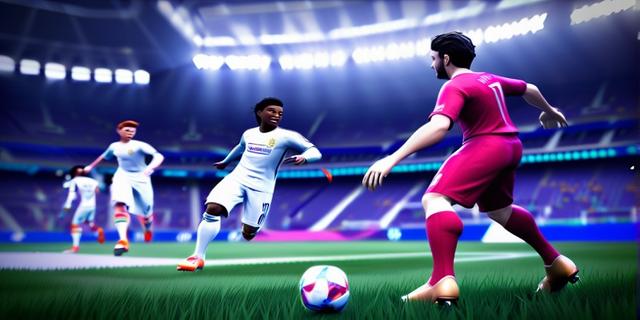

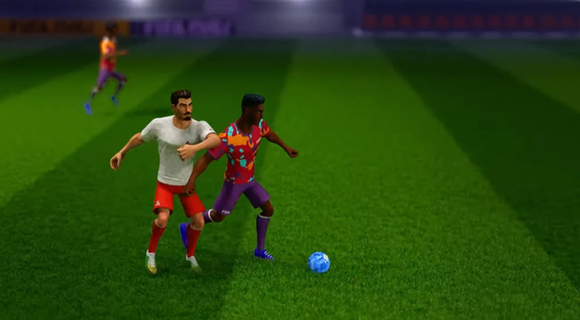
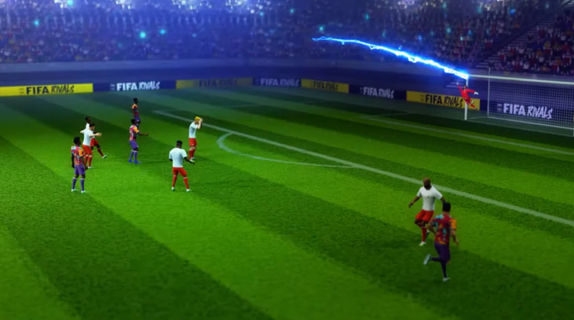
FIFA Rivals is an innovative soccer game that marks a significant departure from traditional sports titles. Developed by Mythical Games, the same creators behind NFL Rivals, this game combines fast-paced arcade-style soccer with strategic team management and blockchain technology. Players can engage in thrilling real-time matches against opponents from around the globe, making it a truly immersive experience. Gameplay OverviewIn FIFA Rivals, players take on the role of a club manager, tasked with building and enhancing their team lineup. The game allows users to create and manage their own football clubs, selecting from a pool of licensed players, both past and present. These teams then compete in intense PvP matches, requiring tactical prowess to outmaneuver opponents and climb the rankings. Arcade-Style GameplayThe gameplay is designed to be accessible yet challenging, offering a mix of quick matches and strategic depth. Players can enjoy fast-paced arcade action, reminiscent of other popular soccer simulations like eFootball. However, to succeed, they must also focus on the tactical aspects of the game, such as team composition, player upgrades, and match strategies. Blockchain IntegrationFIFA Rivals incorporates blockchain technology through the Mythos blockchain, enabling players to own, buy, sell, and trade digital player assets in the form of NFTs. This feature adds a new layer of engagement, allowing players to build their dream teams and participate in a dynamic in-game economy. Strategic Team ManagementTo maintain a competitive edge, players must continually upgrade and enhance their team lineups. This involves acquiring new players, improving existing ones, and adjusting strategies based on performance. The game's marketplace allows for the purchase and sale of digital assets, providing a way to strengthen teams using real money. Seasonal CompetitionsFIFA Rivals features seasonal competitions where teams compete to rise through the ranks. The game's ranking system rewards strategic play and consistent performance, encouraging players to adapt and improve their tactics throughout the season. Launch and AvailabilityFIFA Rivals is set to launch in the summer of 2025 on both iOS and Android devices. This release marks a significant milestone for FIFA, as it expands its gaming and esports portfolio following the end of its long-standing partnership with EA Sports. Impact on the Gaming IndustryThe partnership between FIFA and Mythical Games underscores FIFA's commitment to exploring digital frontiers and enhancing fan engagement. By integrating blockchain technology and offering a unique gaming experience, FIFA Rivals is poised to redefine the sports gaming landscape. ConclusionFIFA Rivals offers a fresh take on soccer gaming, blending arcade action with strategic team management and blockchain-based collectibles. As the game prepares for its summer 2025 launch, fans can expect an engaging experience that combines the excitement of real-time matches with the depth of team-building strategies. With its innovative approach, FIFA Rivals is set to captivate both casual and dedicated soccer enthusiasts alike.
Mostra altro

1. Scarica il programma di installazione di MEmu e completa l'installazione

2. Avvia il Memu e apri il Google Play sulla homepage

3. Cerca FIFA Rivals in Google Play
Install
4. Scarica e installa FIFA Rivals
5. Al termine dell'installazione, fai clic sull'icona per avviar

6. Divertiti giocando a FIFA Rivals su PC con MEmu
MEmu App Player è il miglior emulatore Android gratuito, utilizzato da 50 milioni di persone per ottenere un'esperienza di gioco Android superba. La tecnilogia di virtualizzazione MEmu ti permette di giocare a migliaia di giochi Android con semplicità sul tuo computer, anche i giochi con la grafica più esigente.
Schermo più grande con una grafica migliore; Lunga durata, senza limitazione di batteria o dati mobili.
Supporto completo per mappa di tastiera per un controllo preciso di tastiera e mouse o gamepad.
Multipli account di gioco o attività su un singolo PC contemporaneamente con il gestore di multi istanza.
Play FIFA Rivals on PC by following steps: