MapleStory R- Evolution US
Zaktualizowano
Aktualna wersja
1.0.15
Sprzedawca

Przy całej swojej pasji do grania w MapleStory R- Evolution US, twoje ręce nie powinny być ograniczone na małym ekranie telefonu. Graj jak zawodowiec i uzyskaj pełną kontrolę nad grą za pomocą klawiatury i myszy. MEmu oferuje ci wszystko, czego oczekujesz. Pobierz i graj MapleStory R- Evolution US na PC. Graj tak długo, jak chcesz, bez ograniczeń baterii, danych komórkowych i niepokojących połączeń. Zupełnie nowy MEmu 9 to najlepszy wybór do grania w MapleStory R- Evolution US na PC. Przygotowany dzięki naszej wiedzy, znakomity, wstępnie ustawiony system mapowania klawiszy sprawia, że MapleStory R- Evolution US jest prawdziwą grą na PC. Zakodowany naszą absorpcją, menedżer wielu instancji umożliwia granie na 2 lub więcej kontach na tym samym urządzeniu. A co najważniejsze, nasz emulator może uwolnić pełny potencjał twojego komputera, sprawić, że wszystko będzie płynne. Dbamy nie tylko o to, jak grasz, ale także o cały proces czerpania radości z grania.
Pokaż więcej
Ciesz się wspaniałym doświadczeniem podczas grania w MapleStory R- Evolution US na komputerze z aplikacją MEMU App Player. Jest to potężny darmowy emulator Androida pozwalający grać w tysiące gier na Androida. [MapleStory R – Evolution US] × Bugcat Capoo Collaboration Is Coming!



[MapleStory R – Evolution US] × Bugcat Capoo Collaboration Is Coming!
Join exclusive events to claim limited rewards, including Capoo outfits, pets, stickers, and more.
Pre-register now to receive an SSR pet, Zakum outfit set, and 170 draws.
Take part in official events to compete for a share of the $10,000 prize pool, with chances to win an iPhone 17 Pro, PS5, or Switch 2!
=====Game Features======
[Official IP Authorization, Relive Classic Adventure]
Relive the classic visuals and return to Maple World.
Reunite with familiar faces, begin your journey of memories.
[Auto-Battle, Effortless Growth]
Command with one hand. Play anytime, anywhere.
Level up offline 24/7. Enjoy effortless auto-battles.
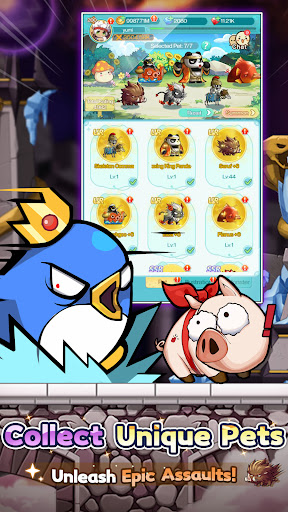
[Pet Evolution, All Out Attack]
Diverse cultivation unlocks multiple evolutionary forms.
With Seven Pets by your side, experience full power.
[Fashion Forward, Shine with Style]
Abundant outfits, limitless combinations.
Set the style, and be the brightest spotlight in Maple World!
Dominate the massive GVG battlefield with superior strategy and teamwork.
Command your forces. Coordinate perfectly. Seize Victoria Island!
[Exclusive Home, Cozy Space]
Craft your dream home with hundreds of customizable furnishings.
After every adventure, return to your own peaceful haven.
[All Pets Battle, Classic Showdown]
Command your pets and face iconic bosses once more.
Feel the thrill reignite with the legendary soundtrack!
[Strategic Synergy, Fresh Experience]
Combine pet and hero skills to unleash powerful combos.
Discover unique tactics and master truly strategic battles.
[Map Renewal, Local Customization]
Dive into world premieres: exclusive maps and events!
All content tailored just for our Western players.
Tap to Team Up, Lead Your Pet Legion!
Jump into the adventure and join the community for exclusive rewards!
[Follow Us]
Discord:https://msrdc.onelink.me/bluj/uyn5zfpk
Facebook (EN):https://msrus.onelink.me/xKn7/cu47c4yj
Facebook (ES):https://msrsp.onelink.me/D0n0/75cqw72u
Reddit:https://www.reddit.com/r/MapleR/
Website(US):https://msrus.rastargames.com/
Pokaż więcej

1. Pobierz instalator MEmu i zakończ instalację

2. Uruchom MEmu, a następnie otwórz Google Play na pulpicie

3. Wyszukaj MapleStory R- Evolution US w Google Play
Install
4. Pobierz i zainstaluj MapleStory R- Evolution US
5. Po zakończeniu instalacji kliknij ikonę, aby rozpocząć

6. Ciesz się grą MapleStory R- Evolution US na PC z MEmu
MEmu Play to najlepszy emulator Androida, a 100 milionów ludzi już korzysta z jego i dosta doskonałe wrażenia z gier na Androida. Technologia wirtualizacji MEmu umożliwia płynne granie w tysiące gier Androida na komputerze, nawet tych najbardziej wymagających grafiki.
Większy ekran z lepszą grafiką; Długi czas, bez ograniczeń baterii lub danych mobilnych.
Pełna obsługa mapowania klawiszy dla precyzyjnego sterowania klawiaturą i myszą lub gamepadem.
Wiele kont gier lub zadań na jednym komputerze jednocześnie z menedżerem wielu instancji.
Play MapleStory R- Evolution US on PC by following steps: