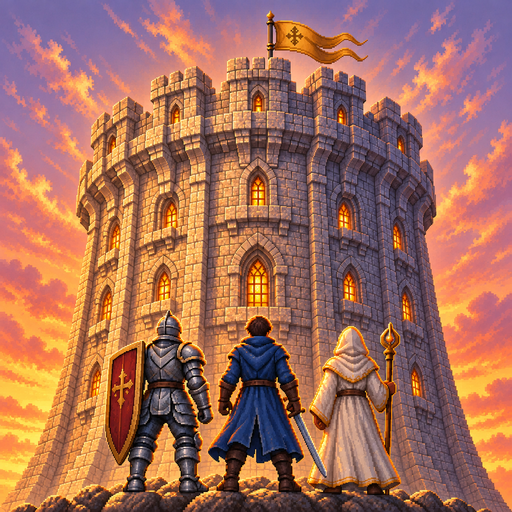
Tower & Mercenaries: Guild RPG
Zaktualizowano
Aktualna wersja
1.22.2
Sprzedawca

Przy całej swojej pasji do grania w Tower & Mercenaries: Guild RPG, twoje ręce nie powinny być ograniczone na małym ekranie telefonu. Graj jak zawodowiec i uzyskaj pełną kontrolę nad grą za pomocą klawiatury i myszy. MEmu oferuje ci wszystko, czego oczekujesz. Pobierz i graj Tower & Mercenaries: Guild RPG na PC. Graj tak długo, jak chcesz, bez ograniczeń baterii, danych komórkowych i niepokojących połączeń. Zupełnie nowy MEmu 9 to najlepszy wybór do grania w Tower & Mercenaries: Guild RPG na PC. Przygotowany dzięki naszej wiedzy, znakomity, wstępnie ustawiony system mapowania klawiszy sprawia, że Tower & Mercenaries: Guild RPG jest prawdziwą grą na PC. Zakodowany naszą absorpcją, menedżer wielu instancji umożliwia granie na 2 lub więcej kontach na tym samym urządzeniu. A co najważniejsze, nasz emulator może uwolnić pełny potencjał twojego komputera, sprawić, że wszystko będzie płynne. Dbamy nie tylko o to, jak grasz, ale także o cały proces czerpania radości z grania.
Pokaż więcej
Ciesz się wspaniałym doświadczeniem podczas grania w Tower & Mercenaries: Guild RPG na komputerze z aplikacją MEMU App Player. Jest to potężny darmowy emulator Androida pozwalający grać w tysiące gier na Androida. You lead a mercenary company.
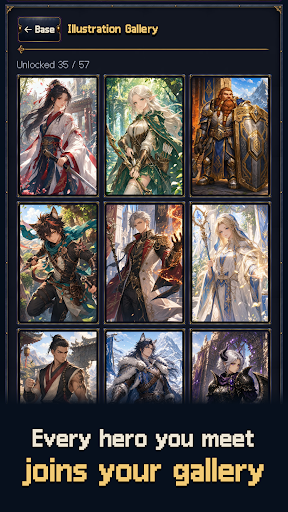
You lead a mercenary company.
A tower connects worlds. Climb through a ruined kingdom, misty bamboo forests and an empire of steel and gunpowder toward the dragon's nest. Defeat the ancient dragon on floor 50 to close the first chapter, then enter the Abyss from floor 51. The story runs all the way to an ending at the top, on floor 999.
Tower & Mercenaries is a mercenary management sim and auto-battle strategy RPG. Battles play out on their own. Who you bring and where you place them is up to you.
[Recruit and raise]
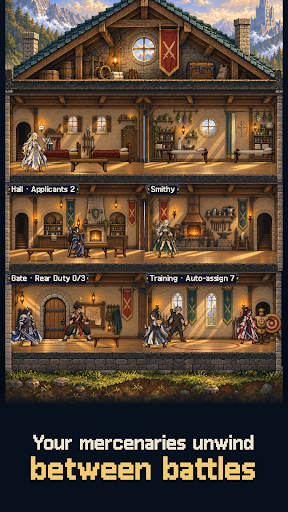
Mercenaries from six races and ten classes apply to join. Judge their potential, then assign training, rest and wages. Age, fatigue and morale shape your strength. Share out gear and upgrade facilities before each expedition. The higher you climb, the better the applicants who come knocking.
[Set the formation and watch]
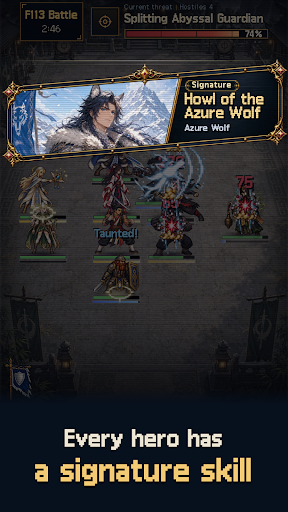
Place five across a front and back row, or six once you earn the perk. Picking who holds the front, who heals and who hunts the enemy back row decides the fight. The battle forecast points out weak spots, and each floor's mutations call for a different party and relics.
[Named heroes and signature skills]
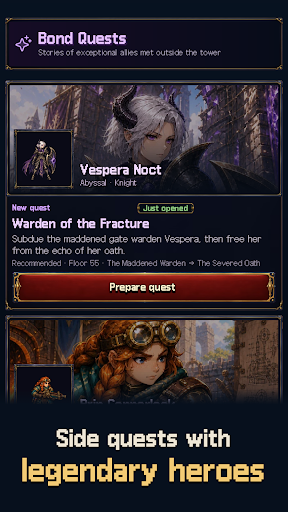
Fourteen named heroes join with skills and stories of their own. Ordinary mercenaries split into three skills per class, so two of the same class can play very differently.
[The Abyss and the end of growth]
Awaken members through the Abyss Rite to raise their potential, and purify them if you change your mind. Members who reach SS can pass personal trials to break through to SS+, recruits included.
[Your company's history]
Companions grow, age, retire and sometimes fall in the tower. The Corridor of Rebirth can call the departed back. Inside the tower you meet rival companies to trade with or fight. The chronicle and codex keep every story.
[A next goal in sight]
"Next unlock" on your base lists upcoming named heroes, story chapters and trials in floor order. Material dungeons, weekly raids, Abyss contracts and perks give you goals beyond the climb.
Hand-drawn pixel art, fully offline, no account needed.
No ads or subscriptions. One purchase takes you to the floor 999 ending.
한국어 · English · 日本語 · 繁體中文
Pokaż więcej

1. Pobierz instalator MEmu i zakończ instalację

2. Uruchom MEmu, a następnie otwórz Google Play na pulpicie

3. Wyszukaj Tower & Mercenaries: Guild RPG w Google Play
Install
4. Pobierz i zainstaluj Tower & Mercenaries: Guild RPG
5. Po zakończeniu instalacji kliknij ikonę, aby rozpocząć

6. Ciesz się grą Tower & Mercenaries: Guild RPG na PC z MEmu
MEmu Play to najlepszy emulator Androida, a 100 milionów ludzi już korzysta z jego i dosta doskonałe wrażenia z gier na Androida. Technologia wirtualizacji MEmu umożliwia płynne granie w tysiące gier Androida na komputerze, nawet tych najbardziej wymagających grafiki.
Większy ekran z lepszą grafiką; Długi czas, bez ograniczeń baterii lub danych mobilnych.
Pełna obsługa mapowania klawiszy dla precyzyjnego sterowania klawiaturą i myszą lub gamepadem.
Wiele kont gier lub zadań na jednym komputerze jednocześnie z menedżerem wielu instancji.
Play Tower & Mercenaries: Guild RPG on PC by following steps: