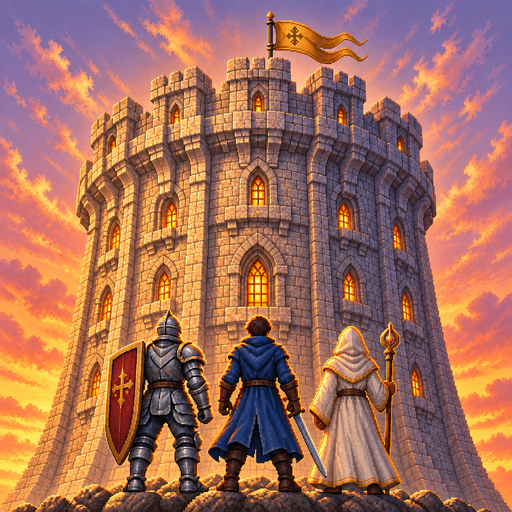
Tower & Mercenaries: Guild RPG
Updated
Current Version
1.22.2
Offered By

With your passion for Tower & Mercenaries: Guild RPG, you shouldn’t have to limit yourself to the small screen of a phone. Play like a pro and take full control of the game using a keyboard and mouse. MEmu gives you everything you’re looking for. Download and play Tower & Mercenaries: Guild RPG on PC. Play as long as you want — no more worries about battery life, mobile data, or unexpected calls. The all-new MEmu 9 is the best way to play Tower & Mercenaries: Guild RPG on PC. With our expertly designed keymapping system, Tower & Mercenaries: Guild RPG feels just like a real PC game. The MEmu multi-instance manager lets you run two or more accounts on the same device at the same time. Most importantly, our exclusive emulation engine unlocks your PC’s full potential, delivering smooth and seamless performance.
Show more
Download Tower & Mercenaries: Guild RPG on PC with MEmu Android Emulator. Enjoy playing on big screen. You lead a mercenary company.
You lead a mercenary company.
A tower connects worlds. Climb through a ruined kingdom, misty bamboo forests and an empire of steel and gunpowder toward the dragon's nest. Defeat the ancient dragon on floor 50 to close the first chapter, then enter the Abyss from floor 51. The story runs all the way to an ending at the top, on floor 999.
Tower & Mercenaries is a mercenary management sim and auto-battle strategy RPG. Battles play out on their own. Who you bring and where you place them is up to you.
[Recruit and raise]
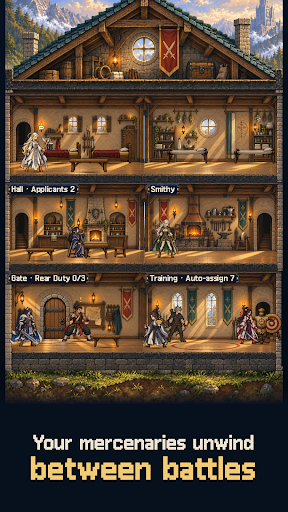
Mercenaries from six races and ten classes apply to join. Judge their potential, then assign training, rest and wages. Age, fatigue and morale shape your strength. Share out gear and upgrade facilities before each expedition. The higher you climb, the better the applicants who come knocking.
[Set the formation and watch]
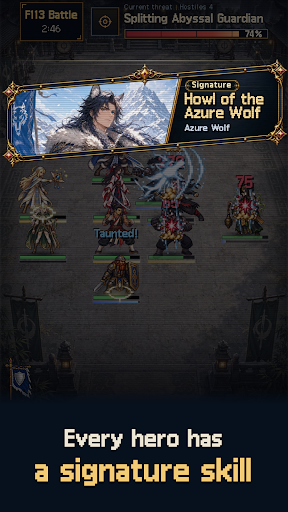
Place five across a front and back row, or six once you earn the perk. Picking who holds the front, who heals and who hunts the enemy back row decides the fight. The battle forecast points out weak spots, and each floor's mutations call for a different party and relics.
[Named heroes and signature skills]
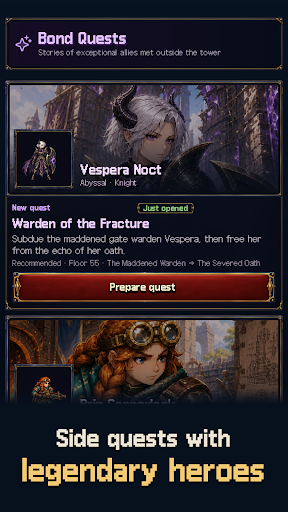
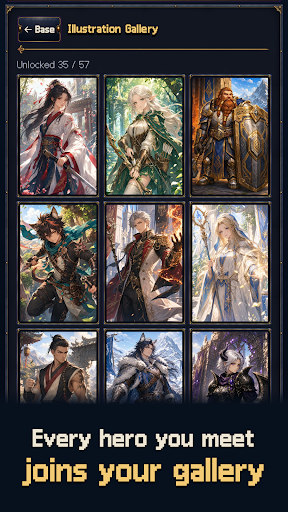
Fourteen named heroes join with skills and stories of their own. Ordinary mercenaries split into three skills per class, so two of the same class can play very differently.
[The Abyss and the end of growth]
Awaken members through the Abyss Rite to raise their potential, and purify them if you change your mind. Members who reach SS can pass personal trials to break through to SS+, recruits included.
[Your company's history]
Companions grow, age, retire and sometimes fall in the tower. The Corridor of Rebirth can call the departed back. Inside the tower you meet rival companies to trade with or fight. The chronicle and codex keep every story.
[A next goal in sight]
"Next unlock" on your base lists upcoming named heroes, story chapters and trials in floor order. Material dungeons, weekly raids, Abyss contracts and perks give you goals beyond the climb.
Hand-drawn pixel art, fully offline, no account needed.
No ads or subscriptions. One purchase takes you to the floor 999 ending.
한국어 · English · 日本語 · 繁體中文
Show more

1. Download MEmu installer and finish the setup

2. Start MEmu then open Google Play on the desktop

3. Search Tower & Mercenaries: Guild RPG in Google Play
Install
4. Download and Install Tower & Mercenaries: Guild RPG
5. On install completion click the icon to start

6. Enjoy playing Tower & Mercenaries: Guild RPG on PC with MEmu
MEmu Play is the best Android emulator and 100 million people already enjoy its superb Android gaming experience. The MEmu virtualization technology empowers you to play thousands of Android games smoothly on your PC, even the most graphic-intensive ones.
Bigger screen with better graphics; Long duration, without limitation of battery or mobile data.
Full Keymapping support for precise control of keyboard and mouse or gamepad.
Multiple game accounts or tasks on single PC at one time with Multi-Instance manager.
Play Tower & Mercenaries: Guild RPG on PC by following steps:















































