Armatus
Atualizada
Versão atual
Oferecido por

Com toda a sua paixão por jogar Armatus, não deixe os polegares te atrapalharem em uma pequena tela do seu celular. Jogue como um profissional e tenha controle total do seu jogo com teclado e mouse. O MEmu oferece todas as coisas que você está esperando. Baixe e jogue Armatus no PC. Jogue o tempo que quiser, sem mais limitações de bateria, dados móveis e aquelas ligações enquanto estiver jogando. O novíssimo MEmu 9 é a melhor escolha de jogar Armatus no PC. Com grandes novidades no sistema de mapeamento que faz Armatus um jogo de PC real. Nossa equipe melhorou o gerenciamento de várias instâncias do Android, reduzindo tempo de reprodução de 2 ou mais contas no mesmo dispositivo. O mais importante, nosso mecanimos de emulação exclusivo pode liberar todo o potencial do seu PC sem travamentos, rodando tudo liso. Nós nos preocupamos não apenas com você joga, mas com todo o processo de desfrutar de 100% do seu jogo favorito.
Mostre mais
Download do Armatus no PC com MEmu Android Emulador: Divirta-se jogando na tela grande. As the last supernatural warrior of an ancient order, armed with powerful firearms and incredible celestial powers, scour the city in search of a lost gateway to heaven - the Sunless Gate.
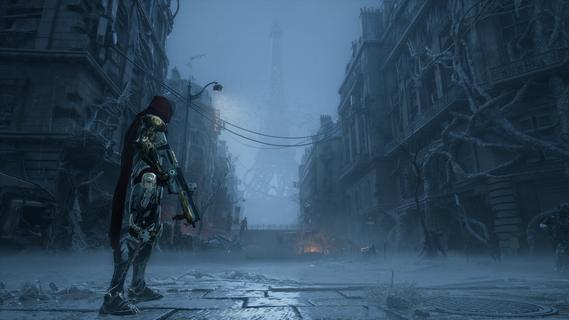
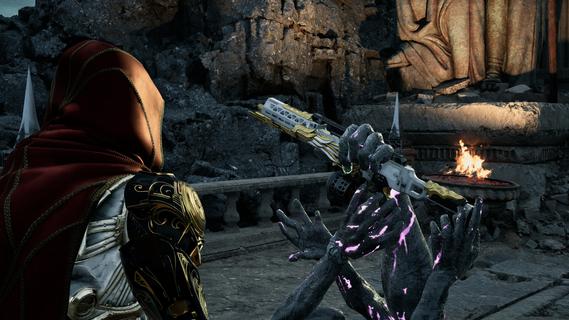
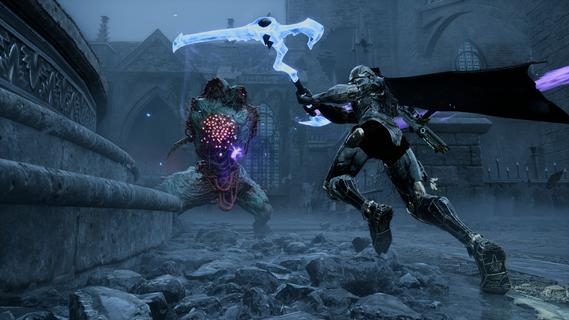
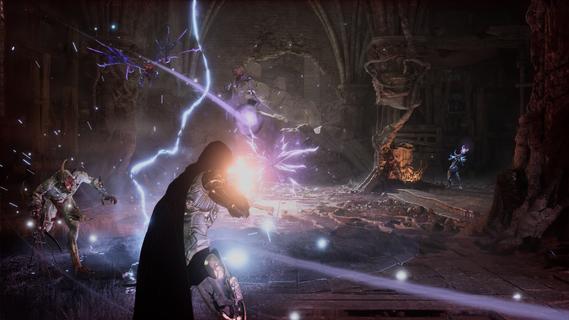
As the last supernatural warrior of an ancient order, armed with powerful firearms and incredible celestial powers, scour the city in search of a lost gateway to heaven - the Sunless Gate.HUMANITYâS TIME IS OVERThe world has ended. Demons overrun once busy streets as reality unravels. Collapse is inevitable. Sequestered behind holy wards, the last survivors believe themselves the only humans left alive. Their only hope is for you to carve a path through the chaos and find their salvation. But the broken pieces of Paris give way to increasingly demonic hellscapes inhabited by ever stronger and more grotesque monsters.FIGHT. DIE. REPEAT.Knowledge is a weapon, and death is never the end. Each run, wield your scythe and a gun of your choosing against brutal demons hellbent on your destruction. To overcome them, evolve your combat style with powerful celestial abilities and passive enhancements. Die and you will revive to fight again.Fight, die, revive, and try again; Push forward to get farther each run and master your arsenal.START STRONG, END GODLYFrom the moment you step into the ruins, you are heavily armed and powerful. Yet you will keep gaining new powers until you have the tools to lay waste to your enemies. Find your favorite lethal combination of guns and powers, from SMGs and shotguns to holy fire and slow time, to truly obliterate everything standing in your way.Will you grow strong enough to defeat the horrors of the Scoured Path?
Mostre mais

1. Faça o download do instalador do MEmu e conclua a instalação

2. Inicie o MEmu e depois abra o Google Play na página inicial

3. Pesquise Armatus no Google Play
Install
4. Baixe e Instale Armatus
5. Na conclusão da instalação, clique no ícone para iniciar

6. Divirta-se jogando Armatus no PC com MEmu
O MEmu App Player é o melhor emulador de Android grátis e 50 milhões de pessoas já desfrutam de sua excelente experiência de jogos no Android. A tecnologia de virtualização do MEmu permite que você jogue milhares de jogos do Android sem problemas no seu PC, mesmo os com gráficos mais intensivos.
Tela maior com gráficos melhores; Longa duração e sem limitação de bateria ou dados móveis.
Suporte completo ao Mapaeamento de Teclas para controle preciso do teclado e mouse ou gamepad.
Várias contas de jogos ou tarefas em um único PC de uma só vez com o Gerenciador de várias instâncias.
Play Armatus on PC by following steps: