Xadrez · Jogar e Aprender
Atualizada
Versão atual
1786526720
Oferecido por

Com toda a sua paixão por jogar Xadrez · Jogar e Aprender, não deixe os polegares te atrapalharem em uma pequena tela do seu celular. Jogue como um profissional e tenha controle total do seu jogo com teclado e mouse. O MEmu oferece todas as coisas que você está esperando. Baixe e jogue Xadrez · Jogar e Aprender no PC. Jogue o tempo que quiser, sem mais limitações de bateria, dados móveis e aquelas ligações enquanto estiver jogando. O novíssimo MEmu 9 é a melhor escolha de jogar Xadrez · Jogar e Aprender no PC. Com grandes novidades no sistema de mapeamento que faz Xadrez · Jogar e Aprender um jogo de PC real. Nossa equipe melhorou o gerenciamento de várias instâncias do Android, reduzindo tempo de reprodução de 2 ou mais contas no mesmo dispositivo. O mais importante, nosso mecanimos de emulação exclusivo pode liberar todo o potencial do seu PC sem travamentos, rodando tudo liso. Nós nos preocupamos não apenas com você joga, mas com todo o processo de desfrutar de 100% do seu jogo favorito.
Mostre mais
Download do Xadrez · Jogar e Aprender no PC com MEmu Android Emulador: Divirta-se jogando na tela grande. Play chess lessons online with over 245M players from around the world!
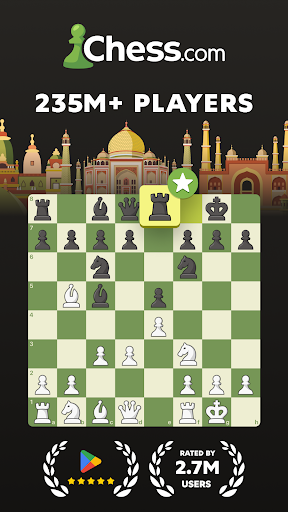
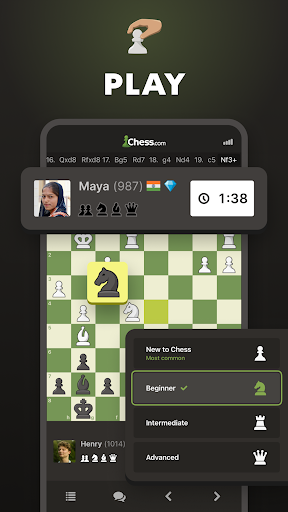
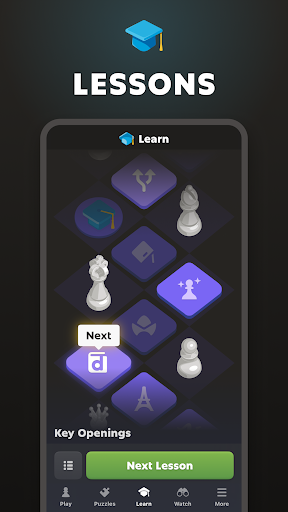
Play chess lessons online with over 245M players from around the world!
Chess is known as the best strategy board game in the world!
Enjoy unlimited 3D offline pocket chess games and improve your chess rating with 500,000+ puzzles, more than 20 million chess games a day, lessons, and over 100 powerful bot opponents. Unlock your inner chess master today!
PLAY CHESS ONLINE:
- 2 Player online chess mode is entirely free to enjoy with your friends.
- Join tournaments with players online or friends and become a master.
- Play games in real-time from one minute per game to 30 minutes or longer with friends.
- Review your strategy and game lessons and lay out daily correspondence in online chess.
- Play exciting chess variants in our app: chess960 (Fischer-Random), blitz chess, puzzle rush, bullet chess, puzzle battle, or blindfold.
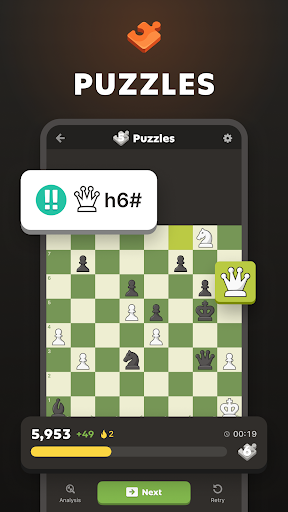
CHESS PUZZLES:
- Enjoy 500,000 + unique puzzles.
- Rated mode automatically adjusts to your skill level to help you improve.
- Race the clock with a timer to beat your high score in Puzzle Rush.
- Practice puzzles with specific themes in this strategy board game (checkmate in 1, in 2, in 3, blindfold, endgames, fork, skewer, sacrifice, timer, etc.)
CHESS LESSONS:
- Hundreds of quality chess lessons and online videos made by masters (Learn and practice your skills with chess problems)
- Interactive puzzles tutorials with tips and game recommendations.
- Learn all the chess rules and strategies in a step-by-step lesson plan (opening, endgame...)
CHESS COACHING:
- Learn from helpful and immersive visual chess coach lessons.
- Review your games with the coach and learn the strategy of the board game for every move.
- Play games with the coach, who will guide you through the fundamentals move by move and provide helpful hints as you play.
PLAY CHESS ONLINE AGAINST THE COMPUTER:
- Choose the level of computer opponent you want to play and set a timer.
- Analyze your chess games offline and learn to see where you went wrong and how you can improve.
CHESS COMMUNITY:
- Join a community of more than 200M online chess players. Find friends!
- More than 20M games played each day.
- Compete to get your own rating and try to join the best player online chess leaderboards against other players.
- Watch the most popular superstars: Hikaru, GothamChess, or Magnus!
... and MUCH MORE:
- Play chess games offline against the computer and the clock with a timer.
- Articles by the best coaches and masters.
- Explore openings like Queen´s Gambit or Sicilian Defense.
- Challenge and play with your friends in an online chess game.
- Choose from 20+ board themes and 3D pieces.
- Get in-depth performance stats about your games, puzzles, and lessons.
Playing pocket chess online has never been so easy!
Chess.com is the place to play chess games online with your friends and other players!
Share your suggestions and comments. Our support team is happy to help you 24 hours a day, 365 days a year!
ABOUT CHESS.COM:
Chess.com was created by chess players and people who love chess!
Team: http://www.chess.com/about
Mostre mais

1. Faça o download do instalador do MEmu e conclua a instalação

2. Inicie o MEmu e depois abra o Google Play na página inicial

3. Pesquise Xadrez · Jogar e Aprender no Google Play
Install
4. Baixe e Instale Xadrez · Jogar e Aprender
5. Na conclusão da instalação, clique no ícone para iniciar

6. Divirta-se jogando Xadrez · Jogar e Aprender no PC com MEmu
O MEmu App Player é o melhor emulador de Android grátis e 50 milhões de pessoas já desfrutam de sua excelente experiência de jogos no Android. A tecnologia de virtualização do MEmu permite que você jogue milhares de jogos do Android sem problemas no seu PC, mesmo os com gráficos mais intensivos.
Tela maior com gráficos melhores; Longa duração e sem limitação de bateria ou dados móveis.
Suporte completo ao Mapaeamento de Teclas para controle preciso do teclado e mouse ou gamepad.
Várias contas de jogos ou tarefas em um único PC de uma só vez com o Gerenciador de várias instâncias.
Play Xadrez · Jogar e Aprender on PC by following steps: