Stack Ball 3D
Atualizada
Versão atual
1.0
Oferecido por

Com toda a sua paixão por jogar Stack Ball 3D, não deixe os polegares te atrapalharem em uma pequena tela do seu celular. Jogue como um profissional e tenha controle total do seu jogo com teclado e mouse. O MEmu oferece todas as coisas que você está esperando. Baixe e jogue Stack Ball 3D no PC. Jogue o tempo que quiser, sem mais limitações de bateria, dados móveis e aquelas ligações enquanto estiver jogando. O novíssimo MEmu 9 é a melhor escolha de jogar Stack Ball 3D no PC. Com grandes novidades no sistema de mapeamento que faz Stack Ball 3D um jogo de PC real. Nossa equipe melhorou o gerenciamento de várias instâncias do Android, reduzindo tempo de reprodução de 2 ou mais contas no mesmo dispositivo. O mais importante, nosso mecanimos de emulação exclusivo pode liberar todo o potencial do seu PC sem travamentos, rodando tudo liso. Nós nos preocupamos não apenas com você joga, mas com todo o processo de desfrutar de 100% do seu jogo favorito.
Mostre mais
Download do Stack Ball 3D no PC com MEmu Android Emulador: Divirta-se jogando na tela grande. Exciting adventure of the bouncing ball through the helix tower labyrinth Show the strength of the ball: Tap to smash, tap smash the floor with your ball and aim for the weak areas, smash tower Your ball will smash like a brick through colorful platforms blocking its path but if you hit a black one, the game will end!
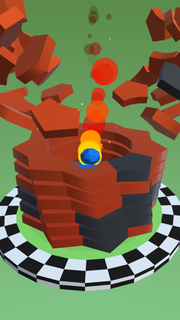
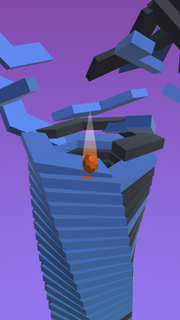
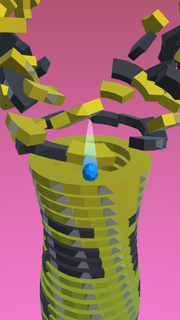
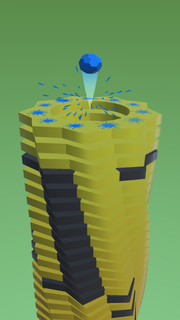
Exciting adventure of the bouncing ball through the helix tower labyrinth Show the strength of the ball: Tap to smash, tap smash the floor with your ball and aim for the weak areas, smash tower Your ball will smash like a brick through colorful platforms blocking its path but if you hit a black one, the game will end! Your ball will break into pieces and you have to play again from the beginning. But whether the black platform is not suitable for a ball shot at maximum speed! Choose your strategy: speed up like a madman and rebuild and wait for the next opportunity to roll and jump. Other ball games are expected to be as attractive as this one! * Smash your way through a beautiful Hoop futuristic dimension, smashing obstacles and targets in your path and experiencing the best destruction physics on mobile devices * Musically Hoop synchronized gameplay: Hoop music and audio effects change to suit each stage, obstacles move to each new tune. Smash FEATURE - One tap gameplay, tap smash, smash ball, helix ball & jump ball with progressive difficulty - More hoops you break in one go and get more points - Thousands of increasingly challenging levels - Challenge yourself with a funny jump ball Offline classic arcade game, popular games and best in app: smash balls app, jumping games, helix ball, tapping to jump
Mostre mais

1. Faça o download do instalador do MEmu e conclua a instalação

2. Inicie o MEmu e depois abra o Google Play na página inicial

3. Pesquise Stack Ball 3D no Google Play
Install
4. Baixe e Instale Stack Ball 3D
5. Na conclusão da instalação, clique no ícone para iniciar

6. Divirta-se jogando Stack Ball 3D no PC com MEmu
O MEmu App Player é o melhor emulador de Android grátis e 50 milhões de pessoas já desfrutam de sua excelente experiência de jogos no Android. A tecnologia de virtualização do MEmu permite que você jogue milhares de jogos do Android sem problemas no seu PC, mesmo os com gráficos mais intensivos.
Tela maior com gráficos melhores; Longa duração e sem limitação de bateria ou dados móveis.
Suporte completo ao Mapaeamento de Teclas para controle preciso do teclado e mouse ou gamepad.
Várias contas de jogos ou tarefas em um único PC de uma só vez com o Gerenciador de várias instâncias.
Play Stack Ball 3D on PC by following steps: