One Line Puzzle: Draw Game
Atualizada
Versão atual
1.20.23
Oferecido por

Com toda a sua paixão por jogar One Line Puzzle: Draw Game, não deixe os polegares te atrapalharem em uma pequena tela do seu celular. Jogue como um profissional e tenha controle total do seu jogo com teclado e mouse. O MEmu oferece todas as coisas que você está esperando. Baixe e jogue One Line Puzzle: Draw Game no PC. Jogue o tempo que quiser, sem mais limitações de bateria, dados móveis e aquelas ligações enquanto estiver jogando. O novíssimo MEmu 9 é a melhor escolha de jogar One Line Puzzle: Draw Game no PC. Com grandes novidades no sistema de mapeamento que faz One Line Puzzle: Draw Game um jogo de PC real. Nossa equipe melhorou o gerenciamento de várias instâncias do Android, reduzindo tempo de reprodução de 2 ou mais contas no mesmo dispositivo. O mais importante, nosso mecanimos de emulação exclusivo pode liberar todo o potencial do seu PC sem travamentos, rodando tudo liso. Nós nos preocupamos não apenas com você joga, mas com todo o processo de desfrutar de 100% do seu jogo favorito.
Mostre mais
Download do One Line Puzzle: Draw Game no PC com MEmu Android Emulador: Divirta-se jogando na tela grande. Draw Line Games: Mini Games brings a collection of quick casual challenges into one place.
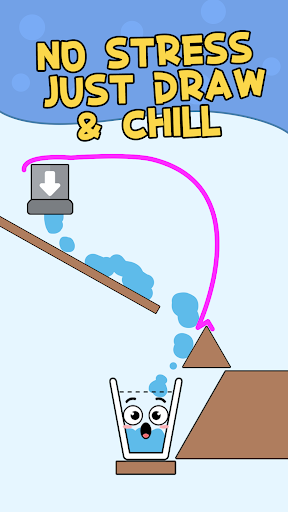
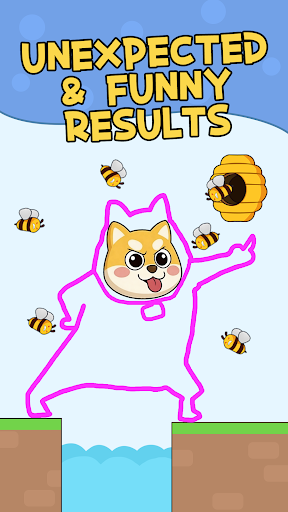
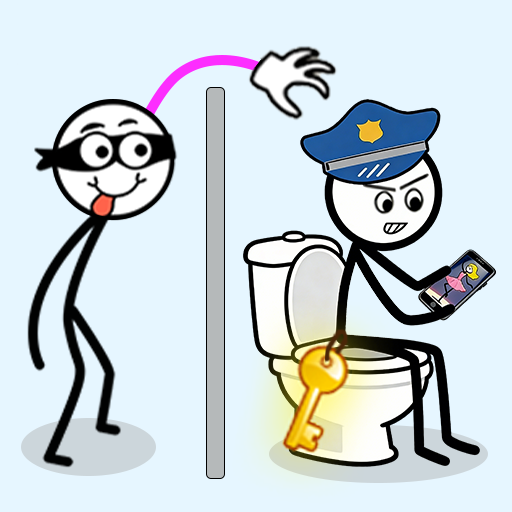
Draw Line Games: Mini Games brings a collection of quick casual challenges into one place. Start with Thief Puzzle, the mode featured in the icon and store artwork, where you draw a route to reach the target while avoiding an obstacle or guard. When you want a different type of challenge, return to the game menu and switch to another mini game.
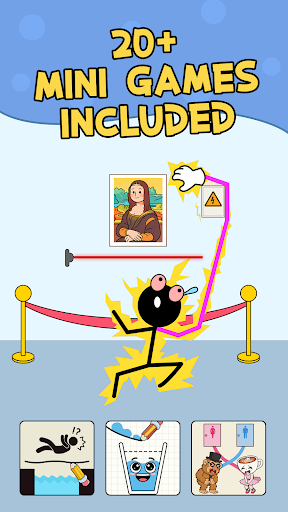
The game collection includes more than 20 mini games with drawing, rescue, matching, sorting, parking, aiming, maze and action-style tasks. Representative modes include Thief Puzzle, Stickman Thief, Master Thief, Stickman Rescue, Draw Bridge, Draw Stickman, Draw One Part, Fill the Glass, Line Match, Water Sort, Car Parking, Rope Hero, Stickman Ninja, Ball Blast, Save the Puppy, Maze for Cat, One Stroke and One Line Draw.
Each mini game changes the objective and the way you interact. Some stages ask you to draw one useful line, bridge or route. Others ask you to connect matching items, guide water into a glass, move a vehicle toward a safe path, navigate a maze, aim at a target or help a character get out of trouble. Controls are designed around simple touch actions such as tapping, dragging, drawing or aiming, depending on the selected mode.
Because this is a mini-game collection, you are not locked into one puzzle style. You can move from a thief scenario to a drawing challenge, then try a matching, sorting, parking or action-style round. The game menu keeps the different modes together so it is easy to choose another activity when you want a change of pace.
What you can find in the collection:
- More than 20 mini games in one app
- Drawing and one-line puzzle challenges
- Thief and stickman scenarios
- Rescue, bridge, matching and sorting tasks
- Parking, aiming, maze and action-style rounds
- Short sessions that fit into a quick break
- A central game menu for switching between modes
Thief Puzzle is one of the main featured experiences. Draw a path that helps the thief reach the target while staying clear of the obstacle shown in the stage. Other modes use different rules: complete a missing part, build a route for a car, draw a safe bridge, guide water, connect pairs, solve a line shape, sort colors or find a path through a maze. The goal can change from one mini game to the next, so the collection offers different kinds of simple challenges rather than repeating a single mechanic.
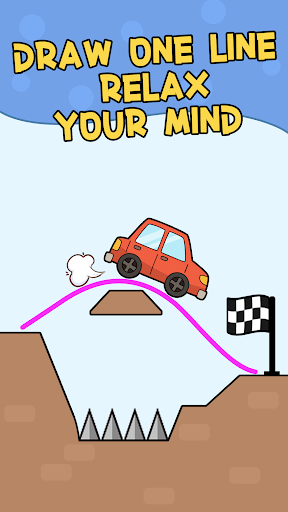
The store artwork highlights the drawing theme and several of the mini games available from the game hub. The in-game menu also shows multiple game cards so you can see the available choices before starting a mode. Exact level layouts, rules and objectives vary by mini game.
Draw Line Games is designed for players who like simple controls and variety. A round can focus on planning a line, spotting a route, choosing the right connection, timing an action or reacting to a small puzzle situation. If one mode is not what you want at the moment, go back to the hub and pick another.
Choose a mini game from the menu, learn its simple rule and take on the next short challenge. From thief puzzles and drawing tasks to matching, sorting, rescue and action-style games, the collection gives you several ways to play inside one app.
Mostre mais

1. Faça o download do instalador do MEmu e conclua a instalação

2. Inicie o MEmu e depois abra o Google Play na página inicial

3. Pesquise One Line Puzzle: Draw Game no Google Play
Install
4. Baixe e Instale One Line Puzzle: Draw Game
5. Na conclusão da instalação, clique no ícone para iniciar

6. Divirta-se jogando One Line Puzzle: Draw Game no PC com MEmu
O MEmu App Player é o melhor emulador de Android grátis e 50 milhões de pessoas já desfrutam de sua excelente experiência de jogos no Android. A tecnologia de virtualização do MEmu permite que você jogue milhares de jogos do Android sem problemas no seu PC, mesmo os com gráficos mais intensivos.
Tela maior com gráficos melhores; Longa duração e sem limitação de bateria ou dados móveis.
Suporte completo ao Mapaeamento de Teclas para controle preciso do teclado e mouse ou gamepad.
Várias contas de jogos ou tarefas em um único PC de uma só vez com o Gerenciador de várias instâncias.
Play One Line Puzzle: Draw Game on PC by following steps: