Z Universe: Energy Burst
Atualizada
Versão atual
13.194.15
Oferecido por

Com toda a sua paixão por jogar Z Universe: Energy Burst, não deixe os polegares te atrapalharem em uma pequena tela do seu celular. Jogue como um profissional e tenha controle total do seu jogo com teclado e mouse. O MEmu oferece todas as coisas que você está esperando. Baixe e jogue Z Universe: Energy Burst no PC. Jogue o tempo que quiser, sem mais limitações de bateria, dados móveis e aquelas ligações enquanto estiver jogando. O novíssimo MEmu 9 é a melhor escolha de jogar Z Universe: Energy Burst no PC. Com grandes novidades no sistema de mapeamento que faz Z Universe: Energy Burst um jogo de PC real. Nossa equipe melhorou o gerenciamento de várias instâncias do Android, reduzindo tempo de reprodução de 2 ou mais contas no mesmo dispositivo. O mais importante, nosso mecanimos de emulação exclusivo pode liberar todo o potencial do seu PC sem travamentos, rodando tudo liso. Nós nos preocupamos não apenas com você joga, mas com todo o processo de desfrutar de 100% do seu jogo favorito.
Mostre mais
Download do Z Universe: Energy Burst no PC com MEmu Android Emulador: Divirta-se jogando na tela grande. Every choice shapes your legend.
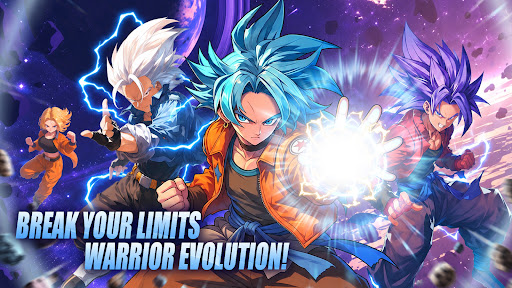
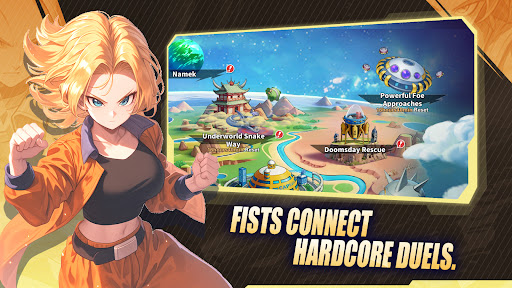
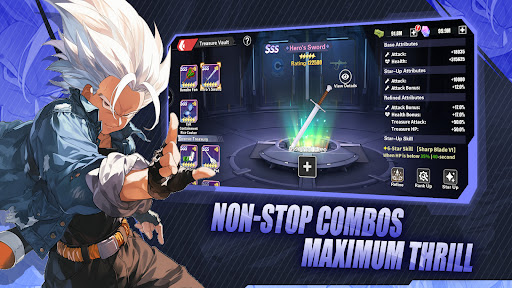
Every choice shapes your legend. Dive into a universe on the brink and forge your own destiny.
The universe stands at a crossroads, and only you can tip the balance.
Immerse yourself in a deeply narrative-driven adventure where every decision echoes across galaxies. Recruit legendary warriors, each carrying their own burdens, dreams, and untold stories. Train them, bond with them, and watch as their paths intertwine with yours in ways you never expected.
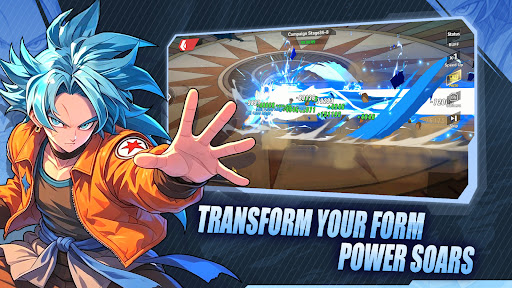
Battle against overwhelming odds using strategic combat that rewards quick thinking and careful planning. Unleash devastating energy attacks, trigger breathtaking transformations, and turn the tide of battle in stunning cinematic fashion.
But raw power is only half the battle. Build a team that complements your playstyle, exploit enemy weaknesses, and outmaneuver opponents in real-time combat that never lets up. Whether you prefer overwhelming offense or calculated defense, the battlefield is yours to conquer.
Recruit legendary warriors from every corner of existence, each with their own motivations and stories. Fight alongside them, learn from them, and watch as your journey takes you to places you never imagined.
Every battle is a step forward. Every defeat is a lesson. Every victory brings you closer to the ultimate power that lies dormant within. The path to greatness is paved with struggle, but those who persevere will find themselves standing at the pinnacle of strength.
Experience combat that blends strategy, skill, and spectacle. Unleash devastating energy attacks, trigger legendary transformations, and witness battles that redefine the meaning of power.
The fate of everything rests in your hands. Will you answer the call?
Mostre mais

1. Faça o download do instalador do MEmu e conclua a instalação

2. Inicie o MEmu e depois abra o Google Play na página inicial

3. Pesquise Z Universe: Energy Burst no Google Play
Install
4. Baixe e Instale Z Universe: Energy Burst
5. Na conclusão da instalação, clique no ícone para iniciar

6. Divirta-se jogando Z Universe: Energy Burst no PC com MEmu
O MEmu App Player é o melhor emulador de Android grátis e 50 milhões de pessoas já desfrutam de sua excelente experiência de jogos no Android. A tecnologia de virtualização do MEmu permite que você jogue milhares de jogos do Android sem problemas no seu PC, mesmo os com gráficos mais intensivos.
Tela maior com gráficos melhores; Longa duração e sem limitação de bateria ou dados móveis.
Suporte completo ao Mapaeamento de Teclas para controle preciso do teclado e mouse ou gamepad.
Várias contas de jogos ou tarefas em um único PC de uma só vez com o Gerenciador de várias instâncias.
Play Z Universe: Energy Burst on PC by following steps: