Chatta - Live Meet Friends
Atualizada
Versão atual
2.0.100
Oferecido por

Pare de se preocupar com sobrecargas ao usar Chatta - Live Meet Friends no seu celular, liberte-se da pequena tela e aproveite o uso do aplicativo numa tela muito maior. A partir de agora, obtenha uma experiência em tela cheia do seu aplicativo com teclado e mouse. O MEmu oferece-lhe todos os recursos surpreendentes que você esperava: instalação rápida e configuração fácil, controles intuitivos, sem mais limitações de bateria, dados móveis e chamadas perturbadoras. O novíssimo MEmu 9 é a melhor opção para usar Chatta - Live Meet Friends no seu computador. Codificado com a nossa absorção, o gerenciador de multi-instâncias possibilita a abertura de 2 ou mais contas ao mesmo tempo. E o mais importante, nosso mecanismo de emulação exclusivo pode liberar todo o potencial do seu PC, tornando tudo suave e agradável.
Mostre mais
Desfrute de uma experiência incrível utilizando o Chatta - Live Meet Friends no PC com o MEmu Play. É um poderoso emulador Android gratuito que oferece milhares de aplicações Android nas suas versões para desktop. Estabeleça ligação com amigos e aprimore o seu trabalho com mais eficiência! Chat easier, connect with people, make life more joyful.
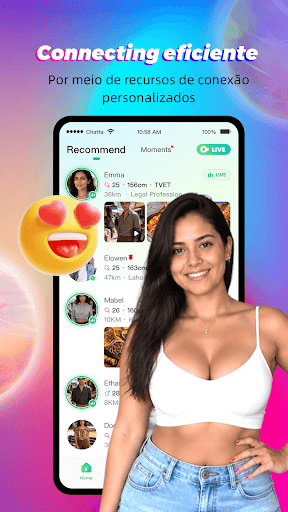
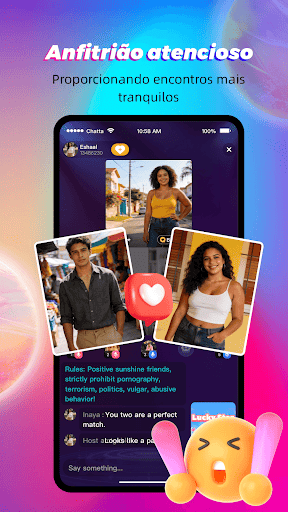
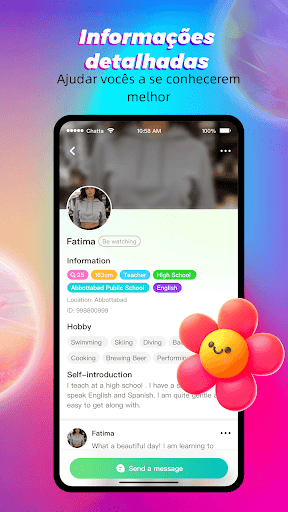
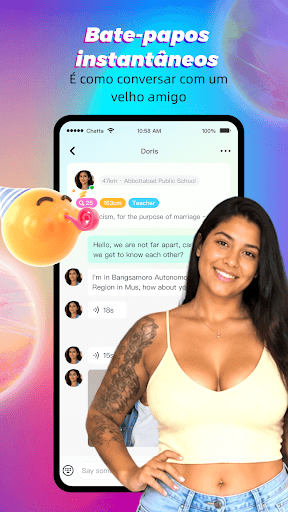
Chat easier, connect with people, make life more joyful.
Chatta is a social app that helps people create meaningful connections and make real friends.
Chatta encourages you to be who you are and helps you find like-minded people.
Whether you want to meet friends, discover interesting people, or expand your social circle, Chatta is the place to be!
Our mission is to inspire users all over the world and let each user foster genuine connections with others.
We are committed to giving users a safe and secure environment to connect with others and express themselves.
We focus on live streaming and community sharing. You can make real connections, engage in live video chats, make lasting friendships and build your community here.
We have a Host role in the 3-party live room to help you break the ice with friends. They will help you start conversations, find more friends, and get more happiness.
Why Chatta?
- Photo Verified Profiles: Connect with real people. Search for like-minded people and chat with them freely.
- Live Host: A host role in the 3-party live room to help users socialize and build friendships.
- Watch Live Stream: Our live room is designed for building genuine connections, allowing users to talk freely and become friends.
- Live Video Chat: Enjoy real-time video chats with friends. Share moments as they happen.
- Live Voice Chat: Don't want to show your face? Live voice chat is your perfect choice. Casual, drop-in audio conversations with no pressure.
- Sharing Community: Share your interests and daily moments to start conversations. Chatta cherishes warm, safe, and good vibes — a community where people respect each other and communicate freely.
- Connect with People Worldwide: Chat with people from the United States, Saudi Arabia, UAE, Kuwait, Oman and more. Discover a diverse, creative global community.
Join Us If You:
- Want to watch live streams and interact with hosts and other viewers in real-time
- Want to overcome social anxiety and meet interesting people
- Enjoy chatting with people from around the world
- Want to meet and chat with people nearby
- Are looking to make friends and build lasting connections
- Enjoy live audio chats and community interactions
- Love sharing your daily life
Download now and start connecting! No matter where you are, real friendships always happen on Chatta.
Mostre mais

1. Faça o download do instalador do MEmu e conclua a instalação

2. Inicie o MEmu e depois abra o Google Play na página inicial

3. Pesquise Chatta - Live Meet Friends no Google Play
Install
4. Baixe e Instale Chatta - Live Meet Friends
5. Na conclusão da instalação, clique no ícone para iniciar

6. º Experimente o Chatta - Live Meet Friends no PC com o MEmu.
O MEmu Play é o melhor emulador Android gratuito, com 50 milhões de utilizadores a desfrutar da sua experiência superior com aplicações Android. A tecnologia de virtualização do MEmu permite-lhe executar milhares de aplicações Android sem problemas no seu computador, mesmo as mais exigentes.
Tela maior com gráficos melhores; Longa duração e sem limitação de bateria ou dados móveis.
Suporte completo ao Mapaeamento de Teclas para controle preciso do teclado e mouse ou gamepad.
Várias contas de jogos ou tarefas em um único PC de uma só vez com o Gerenciador de várias instâncias.
Use Chatta - Live Meet Friends on PC by following steps: