ChatTa-Finding romance easier
Actualizada
Versión actual
1.3.700
Ofrecida por

Deje de preocuparse por los recargos cuando use ChatTa-Finding romance easier en su teléfono celular, libérese de la pequeña pantalla y disfrute usando la aplicación en una pantalla mucho más grande. A partir de ahora, obtenga una experiencia de pantalla completa de su aplicación con teclado y mouse. MEmu le ofrece todas las características sorprendentes que esperaba: instalación rápida y configuración fácil, controles intuitivos, no más limitaciones de batería, datos móviles y llamadas molestas. El nuevo MEmu 9 es la mejor opción para usar ChatTa-Finding romance easier en su computadora. Codificado con nuestra absorción, el administrador de instancias múltiples hace posible abrir 2 o más cuentas al mismo tiempo. Y lo más importante, nuestro exclusivo motor de emulación puede liberar todo el potencial de su PC, hacer que todo sea fluido y agradable.
Más detalles
Descargar ChatTa-Finding romance easier en PC con MEmu Android Emulador. Disfruta jugando en la pentalla grande. ChatTa is a serious social app that helps people connect with new friends nearby.
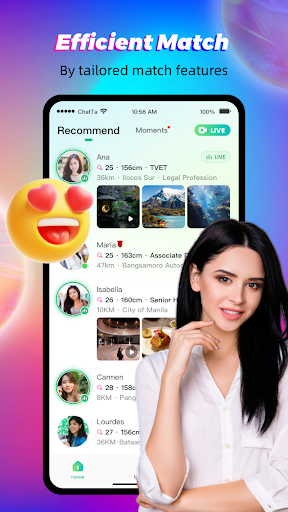

ChatTa is a serious social app that helps people connect with new friends nearby. We focus on the livestream room and sharing community, which you can watch livestream, join live party, video chat with real people for free.
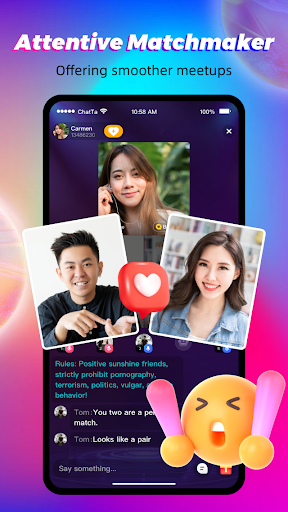
We have a Matchmaker role in the 3-party live room to help you break ice with new friends. They will help you start a free chat, find more friends, and get more happiness.
DISCOVER OUR AMAZING FEATURES
1. Search for real people and free video chat.
Explore people nearby or worldwide.
Watch livestream and video chat or message with people in real-time.
2. Matchmaker role in the 3-party livestream
Matchmaker help you to socialize and express emotions build relationships in the livestream room.
Matchmaker is your first new friend on Chatta. With the help of Matchmaker, you can make more friends quickly.
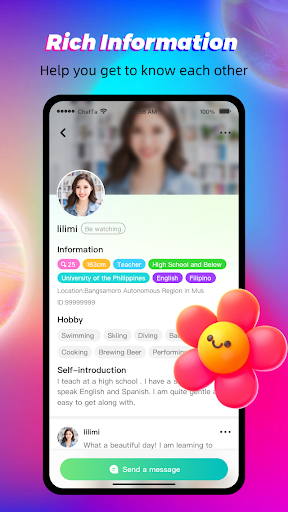
ChatTa encourages you to be who you are and helps you find new friends. Share your interests and post your life moments to get the conversation started. All the photos and profiles are verified because the only surprises we want are flowers on the first meet. No matter where you are, real matching always happens on ChatTa and stays with you.
ChatTa's mission is to inspire users all over the world and let each user foster meaningful connections with others. We are committed to giving users a safe and secure environment to connect with others and express themselves by building and protecting a one-to-one space that respects your privacy and safety.
Más detalles

1. Descargar el instalador de MEmu y finalice la instalación

2. Iniciar MEmu y abrir Google Play en la página de inicio

3. Buscar ChatTa-Finding romance easier en Google Play
Install
4. Descargar y instalar ChatTa-Finding romance easier
5. Hacer click al icono para iniciar

6. Experiencia ChatTa-Finding romance easier en PC con MEmu
MEmu App Player es el mejor emulador de Android gratuito y 50 millones de personas ya están disfrutando su magnífica experiencia de aplicación en Android. La tecnología de virtualización de MEmu te permite jugar a miles de aplicaciones Android suavemente en tu PC, incluso los más intensivos gráficamente.
Pantalla más grande con mejores gráficos; Larga duración, sin limitación de batería o datos móviles.
Soporte completo de keymapping para un control preciso del teclado y el mouse o gamepad.
Múltiples cuentas de juegos o tareas en una sola PC a la vez con el administrador de instancias múltiples.
Use ChatTa-Finding romance easier on PC by following steps: