Launcher for iOS
Atualizada
Versão atual
1.1.6
Oferecido por

Pare de se preocupar com sobrecargas ao usar Launcher for iOS no seu celular, liberte-se da pequena tela e aproveite o uso do aplicativo numa tela muito maior. A partir de agora, obtenha uma experiência em tela cheia do seu aplicativo com teclado e mouse. O MEmu oferece-lhe todos os recursos surpreendentes que você esperava: instalação rápida e configuração fácil, controles intuitivos, sem mais limitações de bateria, dados móveis e chamadas perturbadoras. O novíssimo MEmu 9 é a melhor opção para usar Launcher for iOS no seu computador. Codificado com a nossa absorção, o gerenciador de multi-instâncias possibilita a abertura de 2 ou mais contas ao mesmo tempo. E o mais importante, nosso mecanismo de emulação exclusivo pode liberar todo o potencial do seu PC, tornando tudo suave e agradável.
Mostre mais
Download do Launcher for iOS no PC com MEmu Android Emulador: Divirta-se jogando na tela grande. Launcher For Android to iOS Themes.
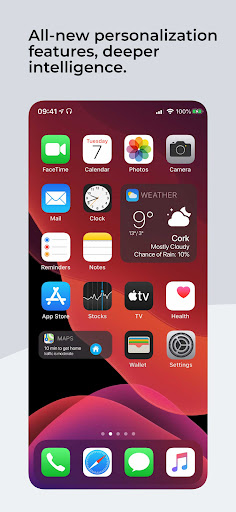
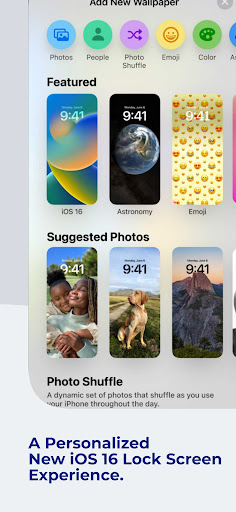
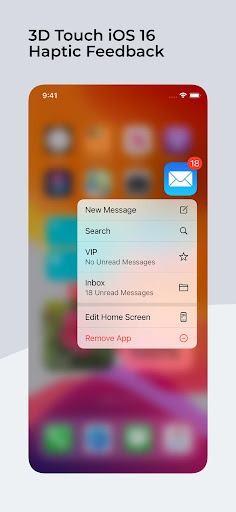
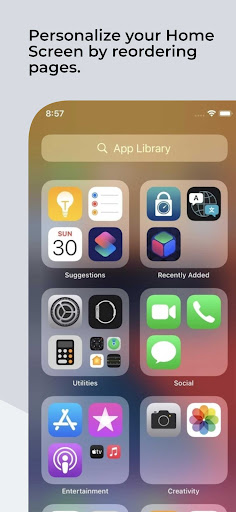
Launcher For Android to iOS Themes.
Key Features:
1. iOS 18 Design: Enjoy the stunning aesthetics of iOS 18, from the clean icons to the beautifully animated transitions. It's like having an iPhone in the palm of your hand.
2. Customization: Tailor your device to your liking with customizable themes, wallpapers, and icon packs. Make your Android device truly yours while retaining the iOS vibe.
3. Smooth Performance: Our launcher is optimized for top-notch performance, ensuring that your device runs as smoothly as possible, even with iOS 17's rich visual effects.
4. Notification Center: Access your notifications and quick settings with a swipe, just like on iOS. Stay organized and in control of your notifications effortlessly.
5. Siri-Like Voice Assistant: Get the feel of Siri with our voice assistant feature. Ask questions, set reminders, and control your device with voice commands.
6. Gesture Navigation: Experience gesture-based navigation similar to iOS 17. Swipe, pinch, and tap your way through your apps and settings with ease.
7. App Library: Automatically categorize your apps for easy access, just like iOS 17's App Library.
8. Efficient Search: Find what you need quickly with our powerful search feature. Locate apps, contacts, and information effortlessly.
Why Choose iOS 17 Launcher:
Upgrade your Android device to a whole new level of sophistication without sacrificing its versatility.
Make your friends wonder if you've switched to an iPhone with the iOS 17 Launcher on your Android device.
Download iOS 17 Launcher now and elevate your Android experience to the next level!
Mostre mais

1. Faça o download do instalador do MEmu e conclua a instalação

2. Inicie o MEmu e depois abra o Google Play na página inicial

3. Pesquise Launcher for iOS no Google Play
Install
4. Baixe e Instale Launcher for iOS
5. Na conclusão da instalação, clique no ícone para iniciar

6. º Experimente o Launcher for iOS no PC com o MEmu.
O MEmu Play é o melhor emulador Android gratuito, com 50 milhões de utilizadores a desfrutar da sua experiência superior com aplicações Android. A tecnologia de virtualização do MEmu permite-lhe executar milhares de aplicações Android sem problemas no seu computador, mesmo as mais exigentes.
Tela maior com gráficos melhores; Longa duração e sem limitação de bateria ou dados móveis.
Suporte completo ao Mapaeamento de Teclas para controle preciso do teclado e mouse ou gamepad.
Várias contas de jogos ou tarefas em um único PC de uma só vez com o Gerenciador de várias instâncias.
Use Launcher for iOS on PC by following steps:


![Color Changer Free [root] para PC](https://dl.memuplay.com/new_market/img/mobi.omegacentauri.red.icon.2024-12-13-07-17-50.png)