NX Launcher - Simulator
Atualizada
Versão atual
2.6
Oferecido por

Pare de se preocupar com sobrecargas ao usar NX Launcher - Simulator no seu celular, liberte-se da pequena tela e aproveite o uso do aplicativo numa tela muito maior. A partir de agora, obtenha uma experiência em tela cheia do seu aplicativo com teclado e mouse. O MEmu oferece-lhe todos os recursos surpreendentes que você esperava: instalação rápida e configuração fácil, controles intuitivos, sem mais limitações de bateria, dados móveis e chamadas perturbadoras. O novíssimo MEmu 9 é a melhor opção para usar NX Launcher - Simulator no seu computador. Codificado com a nossa absorção, o gerenciador de multi-instâncias possibilita a abertura de 2 ou mais contas ao mesmo tempo. E o mais importante, nosso mecanismo de emulação exclusivo pode liberar todo o potencial do seu PC, tornando tudo suave e agradável.
Mostre mais
Download do NX Launcher - Simulator no PC com MEmu Android Emulador: Divirta-se jogando na tela grande. NX Launcher - Simulator acts as your android launcher that simulates a console-like user interface.
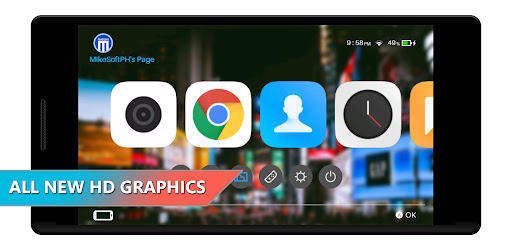
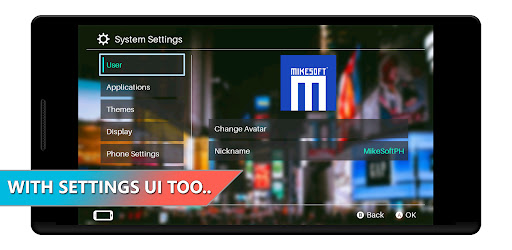
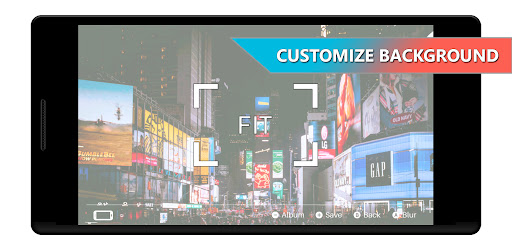
NX Launcher - Simulator acts as your android launcher that simulates a console-like user interface. It also consist a lot of additional features rather than just the default UI.
FEATURES:
- Console-like user interface
- Android launcher
- Home button override
- Sleep Mode (with admin authorization - optional)
- HD Graphics
ADDITIONAL FEATURES
- Change background
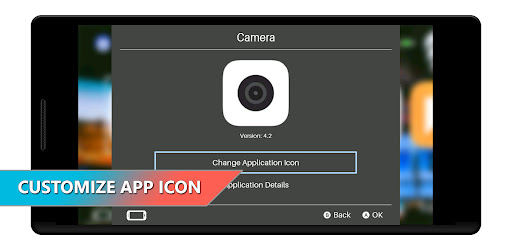
- Change application icon
- Change theme color
- Change user avatar
- Display Mode (toggle fullscreen and aspect ratio)
- Change News, Store and Album shortcut
- Edit application listing
NX Launcher v0.9 change log
- Fixed major and minor issues
- Finally, added sound effects as requested :)
- Added option to remove the background wallpaper inside System Settings.
- Customize software list is now located inside settings for easy access (System Settings -> Applications -> Customize Software List).
- Removed ads while opening any software/application.
- Gamepad/Joystick can be use to control the UI.
More features will be added soon...
Please RATE, COMMENT and SHARE if this application is useful for you.
Thank you and God Bless.
Please do not forget to subscribe on our channel and check our application/games from the link below:
YouTube Channel:
https://www.youtube.com/channel/UCtqPJ-zyR5tzZm-2MLjhwxA
Google Play Store:
https://play.google.com/store/apps/dev?id=6448368078307514903
Buy Me A Coffee
https://www.buymeacoffee.com/mikesoftph
NOTICE OF NON-AFFILIATION AND DISCLAIMER:
Under Section 107 of the Copyright Act 1976, allowance is made for "fair use" for purposes such as criticism, comment, news reporting, teaching, scholarship and research. Fair use is a use permitted by copyright statute that might otherwise be infringing. Non-profit, educational or personal use tips the balance in favor of fair use.
Any product names, logos, brands, and other trademarks or images featured or referred to within the MIKESOFT PH channel/website and/or on any social media forum are the property of their respective trademark holders. These trademark holders are not affiliated with MIKESOFT PH or it's products. These trademark holders do not sponsor or endorse MIKESOFT PH or any of it's products or comments.
Further, MIKESOFT PH declares no affiliation, sponsorship, nor any partnerships with any registered trademarks unless otherwise stated.
Should you have any questions or concerns please contact MIKESOFT PH at mikesoftph@gmail.com or visit its website at https://mikesoftph.epizy.com
Mostre mais

1. Faça o download do instalador do MEmu e conclua a instalação

2. Inicie o MEmu e depois abra o Google Play na página inicial

3. Pesquise NX Launcher - Simulator no Google Play
Install
4. Baixe e Instale NX Launcher - Simulator
5. Na conclusão da instalação, clique no ícone para iniciar

6. º Experimente o NX Launcher - Simulator no PC com o MEmu.
O MEmu Play é o melhor emulador Android gratuito, com 50 milhões de utilizadores a desfrutar da sua experiência superior com aplicações Android. A tecnologia de virtualização do MEmu permite-lhe executar milhares de aplicações Android sem problemas no seu computador, mesmo as mais exigentes.
Tela maior com gráficos melhores; Longa duração e sem limitação de bateria ou dados móveis.
Suporte completo ao Mapaeamento de Teclas para controle preciso do teclado e mouse ou gamepad.
Várias contas de jogos ou tarefas em um único PC de uma só vez com o Gerenciador de várias instâncias.
Use NX Launcher - Simulator on PC by following steps: