ILL
Обновлено
Текущая версия
Продавец

При всей вашей страсти к игре в ххх, ваши руки не должны быть ограничены на крошечном экране вашего телефона. Играйте как профессионал и получите полный контроль над игрой с помощью клавиатуры и мыши. MEmu предлагает вам все то, что вы ожидаете. Скачайте и играйте ххх на ПК. Играйте сколько угодно, никаких ограничений по батарее, мобильным данным и звонкам. Совершенно новый MEmu 9 - лучший выбор для игры в ххх на ПК. Благодаря изысканной системе предустановки клавиш, ххх превращается в настоящую игру для ПК. Менеджер нескольких экземпляров делает возможным игру с двумя или более учетными записями на одном устройстве. И самое главное, наш эксклюзивный механизм эмуляции может полностью раскрыть потенциал вашего ПК, сделать все гладко. Нам важно не только то, как вы играете, но и весь процесс наслаждения игровым счастьем.
Показать больше
Скачайте ILL на ПК с помощью Андроид эмулятора MEmu. Наслаждайтесь на большом экране. ILL is a gripping first-person action horror game that plunges players into a nightmarish world filled with dread, suspense, and relentless danger.
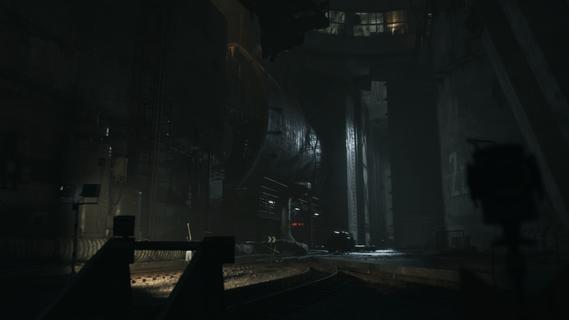

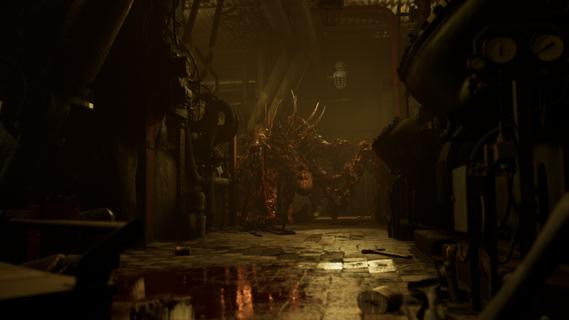
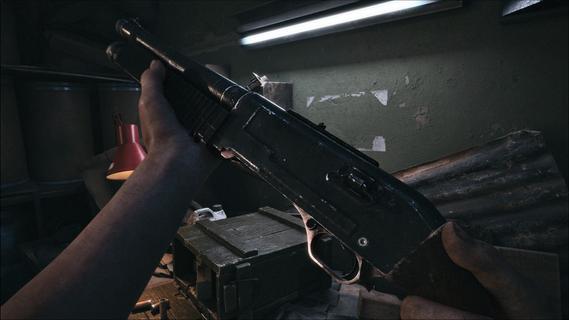
ILL is a gripping first-person action horror game that plunges players into a nightmarish world filled with dread, suspense, and relentless danger. Set within the confines of a dark, abandoned fort, the game immerses you in an environment overtaken by a mysterious and malevolent entity. From the moment you step inside, the atmosphere is thick with tension, and every shadow seems to conceal a lurking threat. One of the defining features of ILL is its commitment to realism. The game’s physics engine meticulously simulates the environment, making every interaction feel tangible and authentic. Whether you’re navigating through crumbling corridors or manipulating objects to solve puzzles, the realistic physics add a layer of immersion that intensifies the horror experience. This attention to detail extends to the visceral dismemberment system, which is both brutal and realistic. Combat encounters are not just about shooting or evading enemies; they involve strategic dismemberment of grotesque monsters, making every fight a harrowing and visceral struggle for survival. The enemies in ILL are unpredictable and terrifying. Unlike traditional horror games where enemy behavior can become repetitive or scripted, the monsters here adapt and react in ways that keep players constantly on edge. Their movements are erratic and aggressive, and their ability to appear suddenly from unexpected places creates a sense of paranoia that permeates the entire gameplay. This unpredictability forces players to remain vigilant, think quickly, and use their environment to their advantage. ILL’s narrative unfolds gradually, revealing the dark secrets behind the fort and the entity that has taken control. As you explore, you uncover clues and pieces of the story that paint a chilling picture of what transpired before your arrival. The game’s storytelling is subtle yet effective, relying on environmental details, audio cues, and fragmented documents to build a sense of mystery and foreboding. This approach encourages exploration and rewards players who pay close attention to their surroundings. The gameplay mechanics blend action, stealth, and survival elements seamlessly. Players must manage limited resources such as ammunition and health, making every decision critical. Stealth can be a viable option to avoid overwhelming enemies, but sometimes confrontation is unavoidable. When combat ensues, the game’s physics and dismemberment system come into play, allowing for dynamic and intense encounters that require both skill and strategy. Visually, ILL delivers a haunting and immersive aesthetic. The dark fort is rendered with meticulous detail, from the decaying architecture to the eerie lighting that casts long shadows and obscures potential dangers. Sound design plays a crucial role in building suspense, with ambient noises, distant growls, and sudden shrieks heightening the player’s sense of vulnerability. In conclusion, ILL stands out as a realistic and intense first-person horror experience that challenges players to confront their fears in a hostile and unpredictable environment. Its combination of realistic physics, visceral combat, and atmospheric storytelling creates a game that is both terrifying and deeply engaging. For fans of horror who seek a game that pushes the boundaries of immersion and suspense, ILL offers a harrowing journey into darkness that will linger long after the screen goes black.
Показать больше

1. Скачать инсталлятор MEmu и завершайте установку

2. Запускайте MEmu, затем откройте Google Play на главной странице

3. Ищите ILL в Google Play
Install
4. Скачайте и установите ILL
5. При завершении установки, нажмите на значок для старта

6. Наслаждайтесь ILL на своем компьютере с помощью MEmu
MEmu App Player лучший бесплатный андроид эмулятор и 50 миллионов людей уже наслаждаются превосходным игровым опытом в андроид. Технология виртуализации MEmu позволяет вам запускать тысячи игр андроида на вашем ПК без тормозов, даже самые графически насыщенные.
Большой экран с лучшей графикой; Большая продолжительность, без ограничения батареи или мобильных данных.
Полная поддержка установки клавиш для точного управления клавиатурой и мышью или геймпадом.
Несколько игровых учетных записей или задач на одном компьютере одновременно с менеджером нескольких экземпляров.
Play ILL on PC by following steps: