BinkBink:AI game maker&Play
Обновлено
Текущая версия
1.0.605
Продавец

Перестаньте беспокоиться о быстром разряде батареи при использовании BinkBink:AI game maker&Play на вашем телефоне. Освободитесь от крошечного экрана и наслаждайтесь приложением на гораздо большем экране. Теперь вы можете работать с приложением в полноэкранном режиме с удобством клавиатуры и мыши. MEmu предлагает вам все ожидаемые удивительные функции: быструю установку и простую настройку, интуитивно понятное управление и больше никаких забот о времени автономной работы, мобильном трафике или неожиданных звонках. Совершенно новый MEmu 9 — идеальный выбор для использования BinkBink:AI game maker&Play на вашем компьютере. С помощью менеджера нескольких экземпляров MEmu вы можете одновременно использовать два или более аккаунтов. И самое главное, наш эксклюзивный движок эмуляции раскрывает весь потенциал вашего ПК, обеспечивая плавную и приятную работу.
Показать больше
Наслаждайтесь превосходным опытом использования BinkBink:AI game maker&Play на ПК с MEmu Play. Это мощный бесплатный эмулятор Android, который предлагает тысячи приложений для настольных компьютеров. Наслаждайтесь общением с друзьями и совершенствуйте свою работу ещё эффективнее! BinkBink - AI Game Maker.
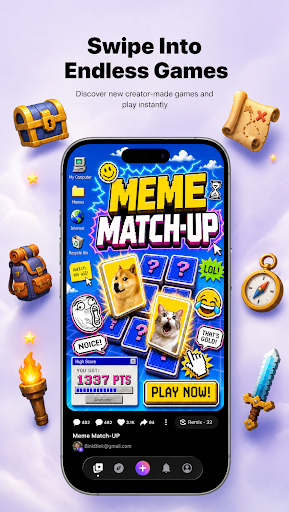
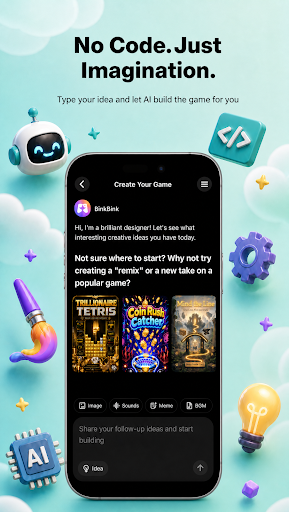
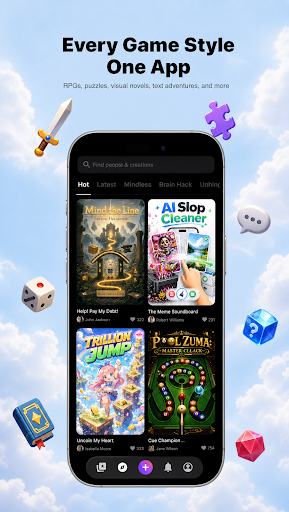
BinkBink - AI Game Maker. Turn any idea into a playable game.
No code. No art skills. No development team. BinkBink is an AI game maker and AI game generator that builds a complete, playable casual game from one sentence. This is not a demo, a prototype, or a concept render. It is a finished game you can open, play, and share right away.
Everything here works from plain language. There is no no-code setup, no engine, and nothing to install before you start.
HOW IT WORKS
Type it. Describe the game you want in a single sentence, a text to game prompt with no forms, no setup, and no technical terms.
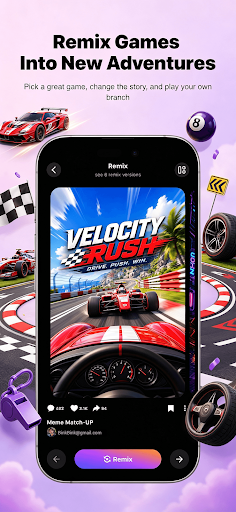
Watch it build. BinkBink generates the art, rules, levels, and audio, then assembles them into a working game in minutes.Play and remix. Open your game, play it, then change one thing and remix it into a new version. Keep the parts you like, replace the rest.
WHAT YOU CAN MAKE
- Merge games, match-3 boards, and puzzle levels
- Tower defense, survival, and endless runners
- Simulation games, shop builders, and restaurant management sims
- Interactive story and visual novel style games with branching choices
- Sandbox play and indie game experiments you can remix
- Whatever else you describe, as long as it fits a casual play session
- Templates are one starting point out of many. The generator is the main way to build here, and it works from your description alone.
WHY PEOPLE KEEP PLAYING
- Fast to finish. Most games take under two minutes to play through, so you get to the fun part quickly.
- Worth replaying. Games are tuned for short repeat sessions, not one-and-done novelty.
- Easy to share. Send a link and your friends are playing in one tap. No install, no account, no waiting.
-Yours to keep. Every game you generate stays in your library and can be remixed as many times as you want.
BUILT FOR CREATORS
If you are an indie game developer or a first-time game creator, BinkBink removes the parts that slow you down. Skip the art pipeline, the level design, and the engine setup. Start from a playable build and spend your time on creating instead. Beginners get a finished game on the first try. Experienced creators get a fast first draft.
JOIN THE COMMUNITY
BinkBink is a place to share what you make, play what other people made, and remix anything that catches your eye. Every game you publish gives someone else a new starting point.
Start with one sentence. See what comes out.
The AI game maker and AI game generator behind BinkBink works from text to game prompts, turning a description into a game worth replaying.
Official website: https://www.binkbink.ai
Показать больше

1. Скачать инсталлятор MEmu и завершайте установку

2. Запускайте MEmu, затем откройте Google Play на главной странице

3. Ищите BinkBink:AI game maker&Play в Google Play
Install
4. Скачайте и установите BinkBink:AI game maker&Play
5. При завершении установки, нажмите на значок для старта

6. Наслаждайтесь BinkBink:AI game maker&Play на своем компьютере с помощью MEmu.
MEmu Play — лучший бесплатный эмулятор Android, превосходный опыт работы с которым оценили 50 миллионов пользователей. Технология виртуализации MEmu позволяет без проблем запускать тысячи Android-приложений на вашем компьютере, даже самые требовательные.
Большой экран с лучшей графикой; Большая продолжительность, без ограничения батареи или мобильных данных.
Полная поддержка установки клавиш для точного управления клавиатурой и мышью или геймпадом.
Несколько игровых учетных записей или задач на одном компьютере одновременно с менеджером нескольких экземпляров.
Use BinkBink:AI game maker&Play on PC by following steps: