Capybara Clicker
อัปเดตเมื่อ
เวอร์ชันปัจจุบัน
1.10.11
ให้บริการโดย

เวลาคุณเล่น Capybara Clicker, คุณอาจรู้สึกว่ามือคุณอาจบังจอแล้วทำให้ไม่ได้เล่นแบบเต็มที่. เล่นแบบไร้ขีดจำกัดด้วยเม้าส์และคีย์บอร์ด. MEmu มีตัวเลือกหลายอย่างให้คุณใช้งานเกมที่คุณเล่นแบบที่คุณต้องการ. ดาวน์โหลดและเล่น Capybara Clicker บน PC. เล่นนานแค่ไหนก็ได้, ไม่ต้องชาร์จแบตเตอรี่, หรือเจอคนโทรเข้ามาระหว่างเล่น. MEmu 9 เป็นตัวเลือกสำหรับการเล่น Capybara Clicker บน PC. ทางทีมงานเราได้ปรับแต่งเกม, ปรับให้เล่นเกมบางเกมได้เหมือนเล่น Capybara Clicker เป็นเกม PC เช่นเล็งด้วยเม้าส์หรือใช้คีย์บอร์ด. ระบบของเรายังทำให้คุณสามารถเปิดเล่นได้มากกว่า 2 เกมพร้อมๆกันในคอมของคุณ. และที่สำคัญที่สุด, ระบบโปรแกรมของเราสามารถทำให้คุณใช้ระบบของ PC ทำให้เกมลื่นเหมือนกับใช้โทรศัพท์รุ่นล่าสุด. เราไม่ได้ดูแลเรื่องการเล่นเกม, แต่เราดูแลถึงความสนุกสนานที่คุณได้จากการเล่นด้วย.
แสดงเพิ่มเติม
ดาวน์โหลด Capybara Clicker บน PC ด้วย MEmu Android Emulator สนุกกับการเล่นบนหน้าจอขนาดใหญ่ Step into the world of Capybara Clicker, the ultimate game for capybara lovers and idle clicker fans!
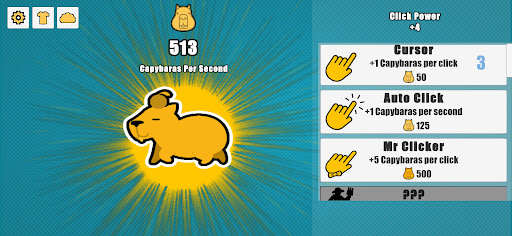
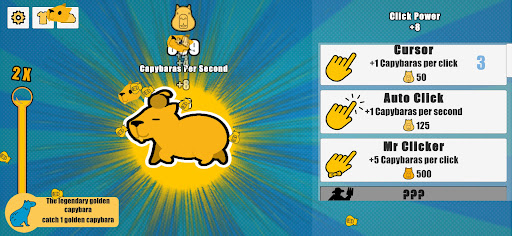


Step into the world of Capybara Clicker, the ultimate game for capybara lovers and idle clicker fans! Collect adorable capybaras, upgrade, and watch them thrive in a world full of charm, relaxation, and endless fun. Whether you're a casual player or love idle games, Capybara Clicker offers a fun and relaxing experience
Gameplay Overview:
In Capybara Clicker, your journey begins with a single capybara, but with every tap, you’ll unlock a bustling world of these lovable creatures. The goal? Collect as many capybaras as possible, upgrade their habitats, and explore new environments.
With every level, your capybara family grows, and the upgrades get even more exciting! Can you unlock all the unique capybaras and create the ultimate capybara paradise?
Key Features:
Collect Adorable Capybaras:
Discover and collect a wide variety of capybaras, each with unique looks and personalities. Build the ultimate capybara collection!
Simple and Relaxing Gameplay:
Enjoy the perfect idle game experience with easy-to-learn mechanics. Tap, upgrade, and relax as you watch your capybara family grow.
Dynamic Weather Conditions:
Experience changing weather conditions as you play! Unlock different weather patterns and seasons, from sunny days to rainy weather. Each new environment adds a fresh layer of atmosphere to your capybara world.
Explore New Habitats:
Expand your capybara universe by unlocking stunning environments. Every habitat is a new adventure!
Why You’ll Love It:
If you adore capybaras or enjoy idle clicker games with a relaxing twist, Capybara Clicker is the perfect match for you! From the simple yet addictive gameplay to the calming ambiance, this game lets you relax while reaching your goals. There’s always something new to explore in Capybara Clicker.
Download Now and Build Your Capybara Paradise!
Start your relaxing journey with capybaras today. Download the game and tap, collect, and upgrade your way to capybara !
capybara,clicker,idle game,cute animals,relaxing,upgrade,collect,capybara family,tap game,animals,clicking game,cuteness
แสดงเพิ่มเติม

1. ดาวน์โหลดตัวติดตั้ง MEmu และสิ้นสุดการติดตั้ง

2. เริ่ม MEmu จากนั้นเปิด Google Play บนหน้าแรก

3. ค้นหา Capybara Clicker ใน Google Play
Install
4. ดาวน์โหลดและติดตั้ง Capybara Clicker
5. เมื่อติดตั้งเสร็จให้คลิกที่ไอคอนเพื่อเริ่มใช้งาน

6. สนุกกับการเล่น Capybara Clicker บนพีซีด้วย MEmu
MEmu App Player เป็นอีมูเลเตอร์ Android ที่ดีที่สุดและผู้คนกว่า 50 ล้านคนเพลิดเพลินไปกับประสบการณ์การเล่นเกม Android ที่ยอดเยี่ยม เทคโนโลยีการจำลองเสมือนของ MEmu ช่วยให้คุณเล่นเกม Android หลายพันเกมได้อย่างราบรื่นบนพีซีของคุณแม้แต่เกมที่ต้องใช้กราฟิกมากที่สุด
จอใหญ่และกราฟฟิกสวยกว่า; เล่นได้นาน, ไม่ต้องใช้แบตเตอรี่โทรศัพท์หรือเน็ตโทรศัพท์.
ระบบปรับแต่งปุ่มคีย์บอร์ดและเม้าส์ตามที่คุณเลือก
เล่นมากกว่าหนึ่งเกมบน PC ในเวลาเดียวกันด้วยระบบหลายจอหรือ Multi-Instance manager.
Play Capybara Clicker on PC by following steps: