
Panophobia
อัปเดตเมื่อ
เวอร์ชันปัจจุบัน
ให้บริการโดย

เวลาคุณเล่น Panophobia, คุณอาจรู้สึกว่ามือคุณอาจบังจอแล้วทำให้ไม่ได้เล่นแบบเต็มที่. เล่นแบบไร้ขีดจำกัดด้วยเม้าส์และคีย์บอร์ด. MEmu มีตัวเลือกหลายอย่างให้คุณใช้งานเกมที่คุณเล่นแบบที่คุณต้องการ. ดาวน์โหลดและเล่น Panophobia บน PC. เล่นนานแค่ไหนก็ได้, ไม่ต้องชาร์จแบตเตอรี่, หรือเจอคนโทรเข้ามาระหว่างเล่น. MEmu 9 เป็นตัวเลือกสำหรับการเล่น Panophobia บน PC. ทางทีมงานเราได้ปรับแต่งเกม, ปรับให้เล่นเกมบางเกมได้เหมือนเล่น Panophobia เป็นเกม PC เช่นเล็งด้วยเม้าส์หรือใช้คีย์บอร์ด. ระบบของเรายังทำให้คุณสามารถเปิดเล่นได้มากกว่า 2 เกมพร้อมๆกันในคอมของคุณ. และที่สำคัญที่สุด, ระบบโปรแกรมของเราสามารถทำให้คุณใช้ระบบของ PC ทำให้เกมลื่นเหมือนกับใช้โทรศัพท์รุ่นล่าสุด. เราไม่ได้ดูแลเรื่องการเล่นเกม, แต่เราดูแลถึงความสนุกสนานที่คุณได้จากการเล่นด้วย.
แสดงเพิ่มเติม
ดาวน์โหลด Panophobia บน PC ด้วย MEmu Android Emulator สนุกกับการเล่นบนหน้าจอขนาดใหญ่ Panophobia Game is a horror-themed mobile game built for Android, mixing psychological suspense with story-driven chaos.
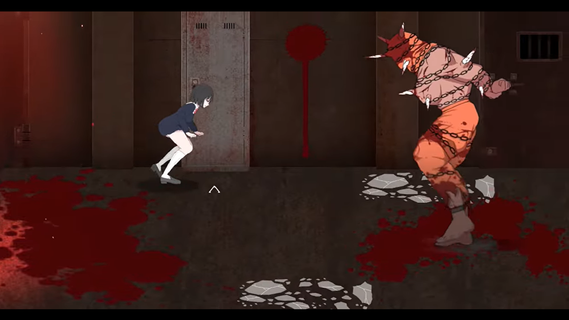
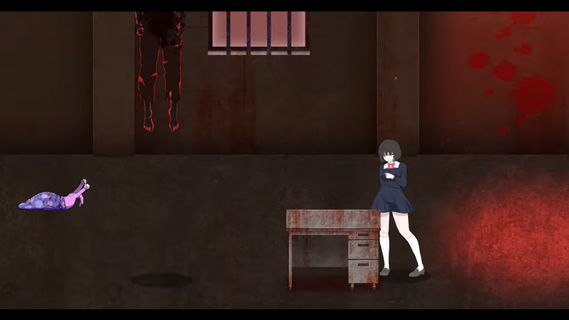
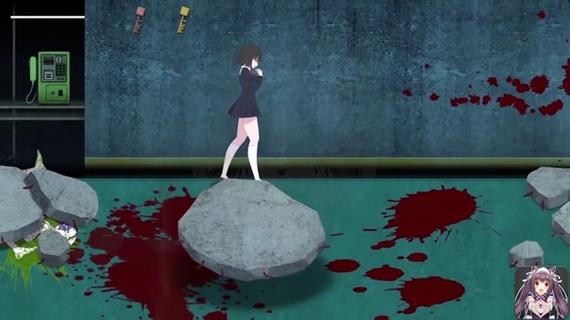
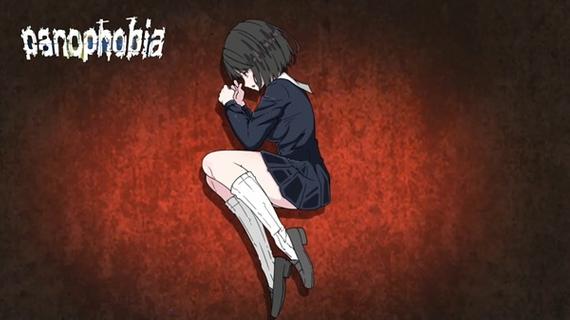
Panophobia Game is a horror-themed mobile game built for Android, mixing psychological suspense with story-driven chaos. It's not your typical casual tap-and-swipe kind of app â this one dives deep into a twisted narrative filled with fear triggers, jump scares, and survival puzzles. With intense storytelling and choice-based mechanics, it blends atmospheric tension with eerie visuals that keep your nerves on edge.Panophobia thrives on unpredictability. You're thrown into a nightmarish world where fear isnât just an emotion â itâs the main mechanic. Each level is packed with clues, creepy visuals, and decision-making moments that can shift the entire flow of the game. Itâs less about flashy action and more about the pressure cooker feeling of being trapped in your own dread.The artwork is where it really pops. The developers put in serious work crafting a visual language that messes with your head. Shadows stretch a little too far, and figures in the corner of your eye feel just real enough to make you question everything. Itâs designed to keep you unsteady, right from the first tap.Youâll also find yourself making decisions that ripple through the story. Your actions matter â which makes every choice you make kinda stressful, in the best way possible. Youâre not just surviving monsters or dodging traps; youâre unraveling a web of phobias and psychological horror that plays out differently depending on how bold (or reckless) you are.Even though the mechanics are simple to grasp â mostly touch, drag, or swipe â the intensity ramps up quickly. You wonât spend time learning a bunch of controls. Instead, the focus is on your reaction speed, instincts, and how well you handle pressure in the dark.The multiplayer mode is a plot twist on its own. Connecting with friends or strangers adds a layer of unpredictable chaos. Sometimes it helps. Sometimes it makes the fear worse. But thatâs what makes it so fun â or terrifying â depending on your vibe.
แสดงเพิ่มเติม

1. ดาวน์โหลดตัวติดตั้ง MEmu และสิ้นสุดการติดตั้ง

2. เริ่ม MEmu จากนั้นเปิด Google Play บนหน้าแรก

3. ค้นหา Panophobia ใน Google Play
Install
4. ดาวน์โหลดและติดตั้ง Panophobia
5. เมื่อติดตั้งเสร็จให้คลิกที่ไอคอนเพื่อเริ่มใช้งาน

6. สนุกกับการเล่น Panophobia บนพีซีด้วย MEmu
MEmu App Player เป็นอีมูเลเตอร์ Android ที่ดีที่สุดและผู้คนกว่า 50 ล้านคนเพลิดเพลินไปกับประสบการณ์การเล่นเกม Android ที่ยอดเยี่ยม เทคโนโลยีการจำลองเสมือนของ MEmu ช่วยให้คุณเล่นเกม Android หลายพันเกมได้อย่างราบรื่นบนพีซีของคุณแม้แต่เกมที่ต้องใช้กราฟิกมากที่สุด
จอใหญ่และกราฟฟิกสวยกว่า; เล่นได้นาน, ไม่ต้องใช้แบตเตอรี่โทรศัพท์หรือเน็ตโทรศัพท์.
ระบบปรับแต่งปุ่มคีย์บอร์ดและเม้าส์ตามที่คุณเลือก
เล่นมากกว่าหนึ่งเกมบน PC ในเวลาเดียวกันด้วยระบบหลายจอหรือ Multi-Instance manager.
Play Panophobia on PC by following steps:

























![[ไกด์เกม] CookieRun Classic แนะนำ 5 คุกกี้น่าปั้น น่าลงทุน ที่มือใหม่ห้ามพลาด! (เล่นบน PC ผ่าน MEmu ให้ลื่นสุด ๆ) PC](https://www.memuplay.com/blog/wp-content/uploads/2026/08/579c01ab-a953-45b3-8115-9b6279b7d6f9.png)