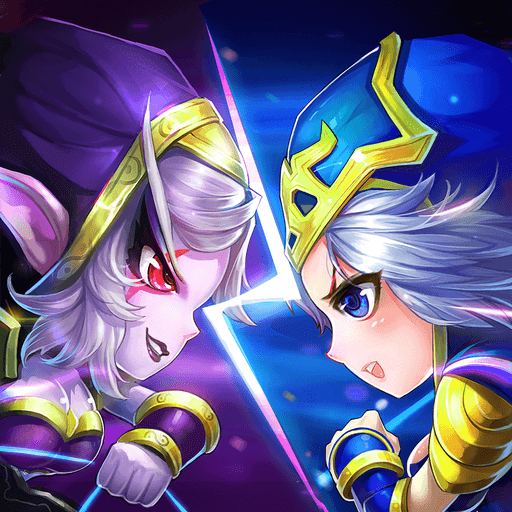
Legend of Heroes:Eternal Arena
อัปเดตเมื่อ
เวอร์ชันปัจจุบัน
1.4.3
ให้บริการโดย

เวลาคุณเล่น Legend of Heroes:Eternal Arena, คุณอาจรู้สึกว่ามือคุณอาจบังจอแล้วทำให้ไม่ได้เล่นแบบเต็มที่. เล่นแบบไร้ขีดจำกัดด้วยเม้าส์และคีย์บอร์ด. MEmu มีตัวเลือกหลายอย่างให้คุณใช้งานเกมที่คุณเล่นแบบที่คุณต้องการ. ดาวน์โหลดและเล่น Legend of Heroes:Eternal Arena บน PC. เล่นนานแค่ไหนก็ได้, ไม่ต้องชาร์จแบตเตอรี่, หรือเจอคนโทรเข้ามาระหว่างเล่น. MEmu 9 เป็นตัวเลือกสำหรับการเล่น Legend of Heroes:Eternal Arena บน PC. ทางทีมงานเราได้ปรับแต่งเกม, ปรับให้เล่นเกมบางเกมได้เหมือนเล่น Legend of Heroes:Eternal Arena เป็นเกม PC เช่นเล็งด้วยเม้าส์หรือใช้คีย์บอร์ด. ระบบของเรายังทำให้คุณสามารถเปิดเล่นได้มากกว่า 2 เกมพร้อมๆกันในคอมของคุณ. และที่สำคัญที่สุด, ระบบโปรแกรมของเราสามารถทำให้คุณใช้ระบบของ PC ทำให้เกมลื่นเหมือนกับใช้โทรศัพท์รุ่นล่าสุด. เราไม่ได้ดูแลเรื่องการเล่นเกม, แต่เราดูแลถึงความสนุกสนานที่คุณได้จากการเล่นด้วย.
แสดงเพิ่มเติม
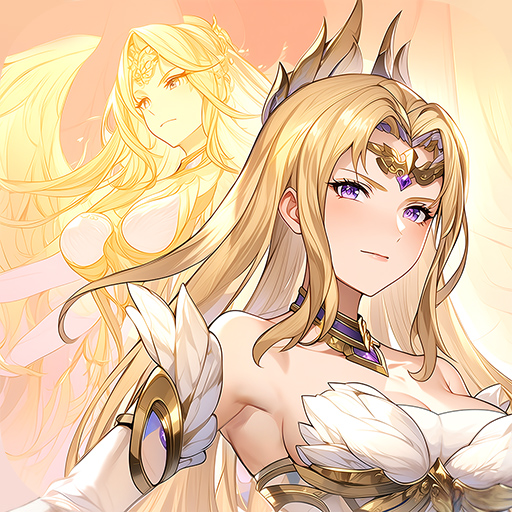
ดาวน์โหลด Legend of Heroes:Eternal Arena บน PC ด้วย MEmu Android Emulator สนุกกับการเล่นบนหน้าจอขนาดใหญ่ Legend of Heroes is a legend RPG card game.


Legend of Heroes is a legend RPG card game. The grand world setting and wonderful plot can bring you an immersive game experience. There are hundreds of cool hero cards in the game, and the probability of drawing cards is extremely high. You can easily get your favorite hero character. There are various ways to play, casual hang-up, hero collection, adventure, strategic duel, competitive ranking... how The game is up to you.
The background of the game is set on a magical dark continent. The origin of everything is the conspiracy of the devil. As a summoner with the ability to summon the devil, the task of saving the continent and leading the continent back to the light falls on you. It is always dark before dawn, and you, as a brave man, shoulder the mission of bringing back the light.
-----Features-----
[Fantasy Style] The game screen is biased towards a Fantasy style, with bright colors and diverse scene designs, allowing you to discover surprises in your adventures every moment.
[Immersive plot] The ups and downs of the plot line, just the right bgm, bring you a different adventure experience.
[Strategy Card]Different from the traditional turn-based card gameplay, strategy and some operations are added to the game, which is easy to use and increases the fun of the game, making your game no longer monotonous.
[Diversified Gameplay] Heroic adventures, strategic competitions, challenging world bosses... Rich gameplays can bring you a unique game experience!
[Elite Level] Each level has higher difficulty, and there are some challenges that are defended by the player. You can get rich game resources from it!
แสดงเพิ่มเติม

1. ดาวน์โหลดตัวติดตั้ง MEmu และสิ้นสุดการติดตั้ง

2. เริ่ม MEmu จากนั้นเปิด Google Play บนหน้าแรก

3. ค้นหา Legend of Heroes:Eternal Arena ใน Google Play
Install
4. ดาวน์โหลดและติดตั้ง Legend of Heroes:Eternal Arena
5. เมื่อติดตั้งเสร็จให้คลิกที่ไอคอนเพื่อเริ่มใช้งาน

6. สนุกกับการเล่น Legend of Heroes:Eternal Arena บนพีซีด้วย MEmu
MEmu App Player เป็นอีมูเลเตอร์ Android ที่ดีที่สุดและผู้คนกว่า 50 ล้านคนเพลิดเพลินไปกับประสบการณ์การเล่นเกม Android ที่ยอดเยี่ยม เทคโนโลยีการจำลองเสมือนของ MEmu ช่วยให้คุณเล่นเกม Android หลายพันเกมได้อย่างราบรื่นบนพีซีของคุณแม้แต่เกมที่ต้องใช้กราฟิกมากที่สุด
จอใหญ่และกราฟฟิกสวยกว่า; เล่นได้นาน, ไม่ต้องใช้แบตเตอรี่โทรศัพท์หรือเน็ตโทรศัพท์.
ระบบปรับแต่งปุ่มคีย์บอร์ดและเม้าส์ตามที่คุณเลือก
เล่นมากกว่าหนึ่งเกมบน PC ในเวลาเดียวกันด้วยระบบหลายจอหรือ Multi-Instance manager.
Play Legend of Heroes:Eternal Arena on PC by following steps: