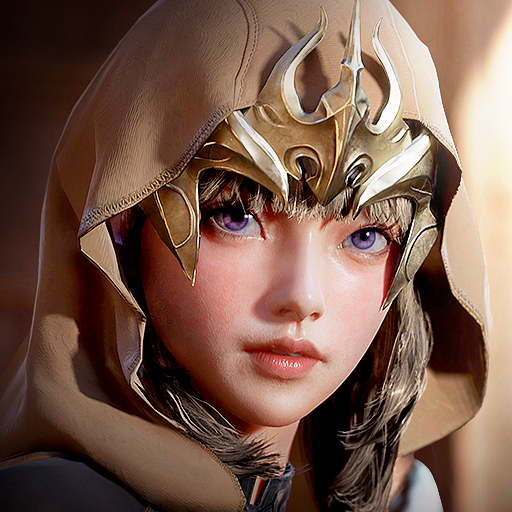
Critadel rush
อัปเดตเมื่อ
เวอร์ชันปัจจุบัน
ให้บริการโดย

เวลาคุณเล่น Critadel rush, คุณอาจรู้สึกว่ามือคุณอาจบังจอแล้วทำให้ไม่ได้เล่นแบบเต็มที่. เล่นแบบไร้ขีดจำกัดด้วยเม้าส์และคีย์บอร์ด. MEmu มีตัวเลือกหลายอย่างให้คุณใช้งานเกมที่คุณเล่นแบบที่คุณต้องการ. ดาวน์โหลดและเล่น Critadel rush บน PC. เล่นนานแค่ไหนก็ได้, ไม่ต้องชาร์จแบตเตอรี่, หรือเจอคนโทรเข้ามาระหว่างเล่น. MEmu 9 เป็นตัวเลือกสำหรับการเล่น Critadel rush บน PC. ทางทีมงานเราได้ปรับแต่งเกม, ปรับให้เล่นเกมบางเกมได้เหมือนเล่น Critadel rush เป็นเกม PC เช่นเล็งด้วยเม้าส์หรือใช้คีย์บอร์ด. ระบบของเรายังทำให้คุณสามารถเปิดเล่นได้มากกว่า 2 เกมพร้อมๆกันในคอมของคุณ. และที่สำคัญที่สุด, ระบบโปรแกรมของเราสามารถทำให้คุณใช้ระบบของ PC ทำให้เกมลื่นเหมือนกับใช้โทรศัพท์รุ่นล่าสุด. เราไม่ได้ดูแลเรื่องการเล่นเกม, แต่เราดูแลถึงความสนุกสนานที่คุณได้จากการเล่นด้วย.
แสดงเพิ่มเติม
ดาวน์โหลด Critadel rush บน PC ด้วย MEmu Android Emulator สนุกกับการเล่นบนหน้าจอขนาดใหญ่ ■ Story Summary.
■ Story Summary
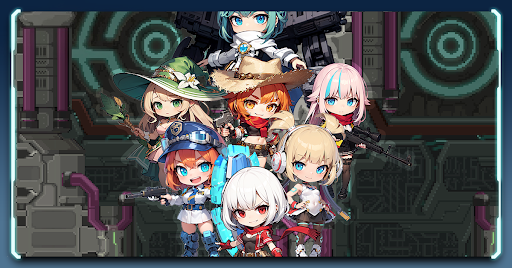
In the soul world, an ancient, mysterious figure erected a mechanical tower called "Babel." Hidden within were secrets coveted by the sinister Noah Sect, who seized control of the tower, sparking a war with heroes striving to reclaim it. However, when void rifts suddenly appear throughout Babel, spawning corrupted monsters, both sides must unite to combat this new threat.
As the war naturally transitions to a ceasefire, the Noah Sect and heroes join forces to repel the monsters and venture to the top of Babel to rescue it from peril.
Heroes, amidst the onslaught of countless monsters, ascend to the top floor of Babel and risk their lives to save it. We eagerly await news of your exploits.
■ Game Introduction
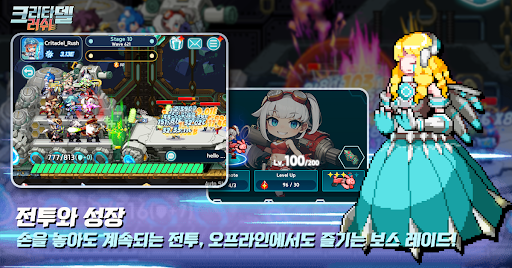
① Grow Heroes through Idle Play!
Enjoy easy and fast battles and nurturing even offline! Heroic characters who gather loot even when offline!
② Cute Yet Powerful!
Combine various heroes and deploy them on ships to repel monsters emerging from the rift!
③ Confront High-Level Bosses!
Prepare weapons and bullets to combat bosses with immense health and attack power!
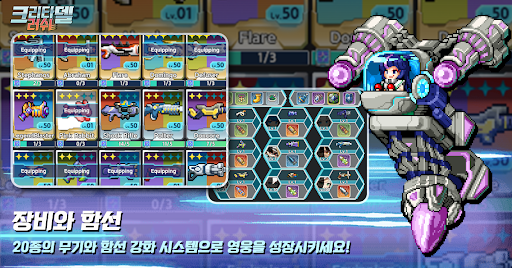
④ Exciting Rare Loot Opens!
Strengthen your arsenal with artifacts and ship parts obtained from loot crates for continued battle success!
⑤ Desire Stronger Heroes and Weapons?
Recruit and draw heroes and weapons from the shop for even more power and advanced weaponry!
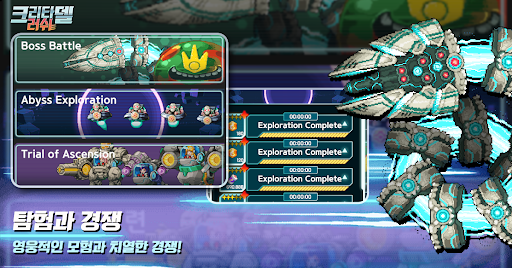
⑥ Trial of Ascension: Compete with Other Players!
Prove your strength through daily changing trials of ascension, competing with other players!
⑦ More Heroes, More Benefits!
Explore to obtain necessary loot! Dispatch unused heroes to the void exploration!
⑧ Feeling Slow Progress? Take on Missions!
Complete daily or weekly missions to earn resources! Don't forget about achievements guiding your growth direction!
แสดงเพิ่มเติม

1. ดาวน์โหลดตัวติดตั้ง MEmu และสิ้นสุดการติดตั้ง

2. เริ่ม MEmu จากนั้นเปิด Google Play บนหน้าแรก

3. ค้นหา Critadel rush ใน Google Play
Install
4. ดาวน์โหลดและติดตั้ง Critadel rush
5. เมื่อติดตั้งเสร็จให้คลิกที่ไอคอนเพื่อเริ่มใช้งาน

6. สนุกกับการเล่น Critadel rush บนพีซีด้วย MEmu
MEmu App Player เป็นอีมูเลเตอร์ Android ที่ดีที่สุดและผู้คนกว่า 50 ล้านคนเพลิดเพลินไปกับประสบการณ์การเล่นเกม Android ที่ยอดเยี่ยม เทคโนโลยีการจำลองเสมือนของ MEmu ช่วยให้คุณเล่นเกม Android หลายพันเกมได้อย่างราบรื่นบนพีซีของคุณแม้แต่เกมที่ต้องใช้กราฟิกมากที่สุด
จอใหญ่และกราฟฟิกสวยกว่า; เล่นได้นาน, ไม่ต้องใช้แบตเตอรี่โทรศัพท์หรือเน็ตโทรศัพท์.
ระบบปรับแต่งปุ่มคีย์บอร์ดและเม้าส์ตามที่คุณเลือก
เล่นมากกว่าหนึ่งเกมบน PC ในเวลาเดียวกันด้วยระบบหลายจอหรือ Multi-Instance manager.
Play Critadel rush on PC by following steps: