
Critadel rush
Updated
Current Version
Offered By

With your passion for Critadel rush, you shouldn’t have to limit yourself to the small screen of a phone. Play like a pro and take full control of the game using a keyboard and mouse. MEmu gives you everything you’re looking for. Download and play Critadel rush on PC. Play as long as you want — no more worries about battery life, mobile data, or unexpected calls. The all-new MEmu 9 is the best way to play Critadel rush on PC. With our expertly designed keymapping system, Critadel rush feels just like a real PC game. The MEmu multi-instance manager lets you run two or more accounts on the same device at the same time. Most importantly, our exclusive emulation engine unlocks your PC’s full potential, delivering smooth and seamless performance.
Show more
Download Critadel rush on PC with MEmu Android Emulator. Enjoy playing on big screen. ■ Story Summary.
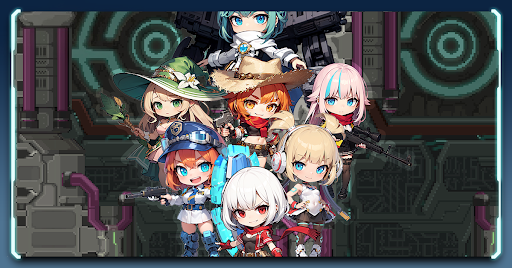
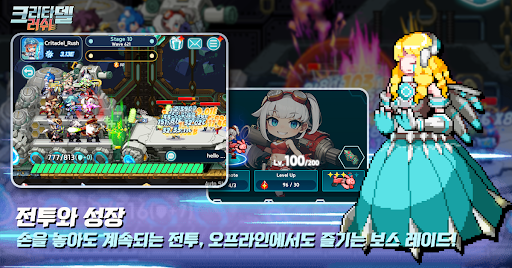
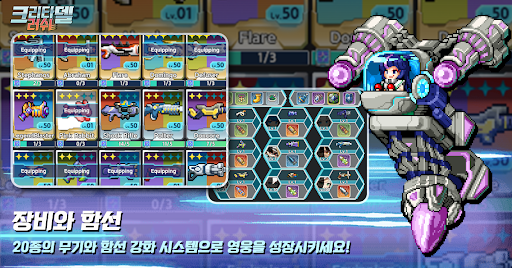
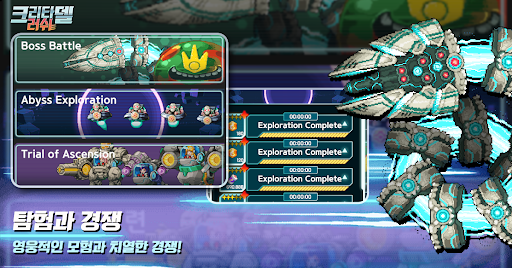
■ Story Summary
In the soul world, an ancient, mysterious figure erected a mechanical tower called "Babel." Hidden within were secrets coveted by the sinister Noah Sect, who seized control of the tower, sparking a war with heroes striving to reclaim it. However, when void rifts suddenly appear throughout Babel, spawning corrupted monsters, both sides must unite to combat this new threat.
As the war naturally transitions to a ceasefire, the Noah Sect and heroes join forces to repel the monsters and venture to the top of Babel to rescue it from peril.
Heroes, amidst the onslaught of countless monsters, ascend to the top floor of Babel and risk their lives to save it. We eagerly await news of your exploits.
■ Game Introduction
① Grow Heroes through Idle Play!
Enjoy easy and fast battles and nurturing even offline! Heroic characters who gather loot even when offline!
② Cute Yet Powerful!
Combine various heroes and deploy them on ships to repel monsters emerging from the rift!
③ Confront High-Level Bosses!
Prepare weapons and bullets to combat bosses with immense health and attack power!
④ Exciting Rare Loot Opens!
Strengthen your arsenal with artifacts and ship parts obtained from loot crates for continued battle success!
⑤ Desire Stronger Heroes and Weapons?
Recruit and draw heroes and weapons from the shop for even more power and advanced weaponry!
⑥ Trial of Ascension: Compete with Other Players!
Prove your strength through daily changing trials of ascension, competing with other players!
⑦ More Heroes, More Benefits!
Explore to obtain necessary loot! Dispatch unused heroes to the void exploration!
⑧ Feeling Slow Progress? Take on Missions!
Complete daily or weekly missions to earn resources! Don't forget about achievements guiding your growth direction!
Show more

1. Download MEmu installer and finish the setup

2. Start MEmu then open Google Play on the desktop

3. Search Critadel rush in Google Play
Install
4. Download and Install Critadel rush
5. On install completion click the icon to start

6. Enjoy playing Critadel rush on PC with MEmu
MEmu Play is the best Android emulator and 100 million people already enjoy its superb Android gaming experience. The MEmu virtualization technology empowers you to play thousands of Android games smoothly on your PC, even the most graphic-intensive ones.
Bigger screen with better graphics; Long duration, without limitation of battery or mobile data.
Full Keymapping support for precise control of keyboard and mouse or gamepad.
Multiple game accounts or tasks on single PC at one time with Multi-Instance manager.
Play Critadel rush on PC by following steps:














































