DOOM: The Dark Ages
อัปเดตเมื่อ
เวอร์ชันปัจจุบัน
ให้บริการโดย

เวลาคุณเล่น DOOM: The Dark Ages, คุณอาจรู้สึกว่ามือคุณอาจบังจอแล้วทำให้ไม่ได้เล่นแบบเต็มที่. เล่นแบบไร้ขีดจำกัดด้วยเม้าส์และคีย์บอร์ด. MEmu มีตัวเลือกหลายอย่างให้คุณใช้งานเกมที่คุณเล่นแบบที่คุณต้องการ. ดาวน์โหลดและเล่น DOOM: The Dark Ages บน PC. เล่นนานแค่ไหนก็ได้, ไม่ต้องชาร์จแบตเตอรี่, หรือเจอคนโทรเข้ามาระหว่างเล่น. MEmu 9 เป็นตัวเลือกสำหรับการเล่น DOOM: The Dark Ages บน PC. ทางทีมงานเราได้ปรับแต่งเกม, ปรับให้เล่นเกมบางเกมได้เหมือนเล่น DOOM: The Dark Ages เป็นเกม PC เช่นเล็งด้วยเม้าส์หรือใช้คีย์บอร์ด. ระบบของเรายังทำให้คุณสามารถเปิดเล่นได้มากกว่า 2 เกมพร้อมๆกันในคอมของคุณ. และที่สำคัญที่สุด, ระบบโปรแกรมของเราสามารถทำให้คุณใช้ระบบของ PC ทำให้เกมลื่นเหมือนกับใช้โทรศัพท์รุ่นล่าสุด. เราไม่ได้ดูแลเรื่องการเล่นเกม, แต่เราดูแลถึงความสนุกสนานที่คุณได้จากการเล่นด้วย.
แสดงเพิ่มเติม
ดาวน์โหลด DOOM: The Dark Ages บน PC ด้วย MEmu Android Emulator สนุกกับการเล่นบนหน้าจอขนาดใหญ่ DOOM: The Dark Ages is an eagerly anticipated prequel to the critically acclaimed DOOM (2016) and DOOM Eternal, set in a dark fantasy world that blends medieval aesthetics with the series' signature sci-fi elements.
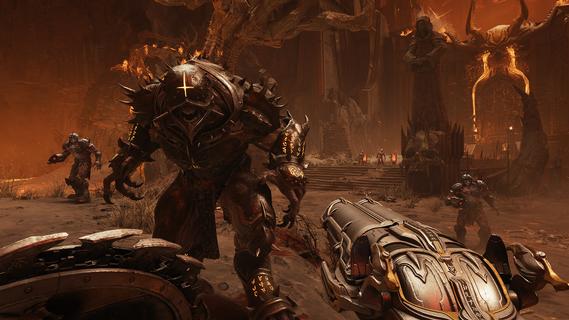
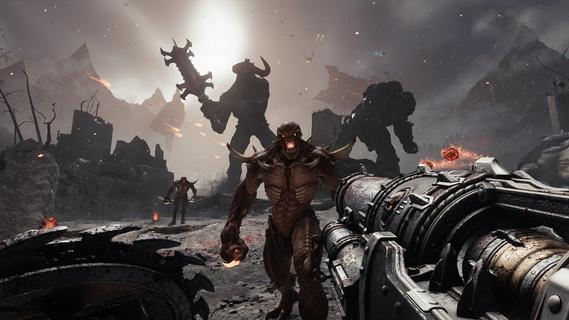
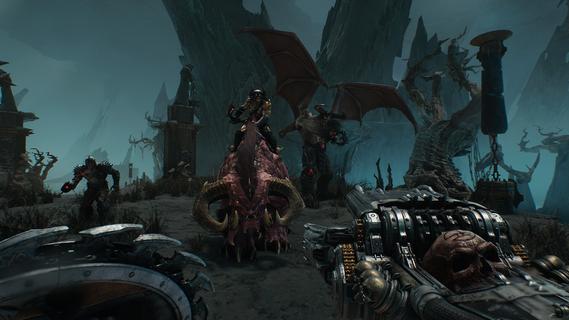
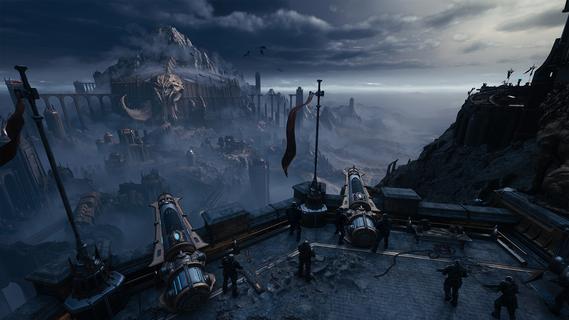
DOOM: The Dark Ages is an eagerly anticipated prequel to the critically acclaimed DOOM (2016) and DOOM Eternal, set in a dark fantasy world that blends medieval aesthetics with the series' signature sci-fi elements. This game promises to deliver an epic cinematic story that explores the origins of the DOOM Slayer's rage, as he becomes the last hope for a kingdom beset by the forces of Hell. The StoryIn DOOM: The Dark Ages, players assume the role of the DOOM Slayer, a legendary warrior bound to serve as the super weapon of gods and kings. The narrative delves into the Slayer's early encounters with the demonic forces, setting the stage for his rise as a legendary hero. This prequel offers a fresh perspective on the DOOM universe, with a focus on storytelling that surpasses previous installments. The game's cinematic presentation, backed by top-notch visuals and an immersive soundtrack, ensures an engaging experience for both new and veteran players. Gameplay MechanicsThe gameplay in DOOM: The Dark Ages retains the fast-paced action that defines the series, while introducing new elements to enhance combat and exploration. The Shield Saw is a versatile tool that allows players to block, parry, and deflect attacks, as well as perform a powerful shield bash to close the distance to enemies quickly. This bash not only serves as a combat tactic but also as a primary means of navigation across the battlefield, given the absence of double jumps or dashes. Melee CombatIn addition to ranged combat with iconic weapons like the Super Shotgun, the game introduces a variety of melee options. Players can wield a deadly flail, a spiked mace, or an electrified gauntlet, each offering unique advantages in close combat. The mace, though slow, delivers devastating blows and replenishes all resources upon use, making it a valuable asset in intense battles. Exploration and Level DesignThe levels in DOOM: The Dark Ages are the largest in the series to date, offering a sandbox-like experience that encourages exploration. Players must navigate through abandoned temples, dark forests, and hellscapes, using environmental techniques like breaking barricades with the Shield Bash to uncover secrets. The game's expansive environments are designed to be completed in about an hour, though completionists can spend more time discovering hidden areas and challenges. Accessibility FeaturesOne of the standout features of DOOM: The Dark Ages is its emphasis on accessibility. The game includes adjustable sliders that allow players to customize various gameplay settings, such as parry timing and game speed, to suit their preferences. This flexibility ensures that the game is enjoyable for a wide range of players, from casual fans to hardcore enthusiasts. Vehicles and Mech CombatFor the first time in the series, players will have the opportunity to pilot massive mechs known as Atlans, which can engage in epic battles against giant demons. Additionally, cybernetic dragons will be available for aerial combat, providing a thrilling experience that combines firepower with maneuverability. ConclusionDOOM: The Dark Ages promises to be a groundbreaking entry in the DOOM franchise, blending medieval fantasy with the series' trademark action and horror elements. With its engaging narrative, enhanced gameplay mechanics, and expansive environments, this game is poised to captivate both new and veteran fans of the series. Scheduled for release on May 15, 2025, DOOM: The Dark Ages will be available on PC, PlayStation 5, and Xbox Series X/S, offering a cinematic experience that sets a new standard for first-person shooters.
แสดงเพิ่มเติม

1. ดาวน์โหลดตัวติดตั้ง MEmu และสิ้นสุดการติดตั้ง

2. เริ่ม MEmu จากนั้นเปิด Google Play บนหน้าแรก

3. ค้นหา DOOM: The Dark Ages ใน Google Play
Install
4. ดาวน์โหลดและติดตั้ง DOOM: The Dark Ages
5. เมื่อติดตั้งเสร็จให้คลิกที่ไอคอนเพื่อเริ่มใช้งาน

6. สนุกกับการเล่น DOOM: The Dark Ages บนพีซีด้วย MEmu
MEmu App Player เป็นอีมูเลเตอร์ Android ที่ดีที่สุดและผู้คนกว่า 50 ล้านคนเพลิดเพลินไปกับประสบการณ์การเล่นเกม Android ที่ยอดเยี่ยม เทคโนโลยีการจำลองเสมือนของ MEmu ช่วยให้คุณเล่นเกม Android หลายพันเกมได้อย่างราบรื่นบนพีซีของคุณแม้แต่เกมที่ต้องใช้กราฟิกมากที่สุด
จอใหญ่และกราฟฟิกสวยกว่า; เล่นได้นาน, ไม่ต้องใช้แบตเตอรี่โทรศัพท์หรือเน็ตโทรศัพท์.
ระบบปรับแต่งปุ่มคีย์บอร์ดและเม้าส์ตามที่คุณเลือก
เล่นมากกว่าหนึ่งเกมบน PC ในเวลาเดียวกันด้วยระบบหลายจอหรือ Multi-Instance manager.
Play DOOM: The Dark Ages on PC by following steps: