Moros Protocol
อัปเดตเมื่อ
เวอร์ชันปัจจุบัน
ให้บริการโดย

เวลาคุณเล่น Moros Protocol, คุณอาจรู้สึกว่ามือคุณอาจบังจอแล้วทำให้ไม่ได้เล่นแบบเต็มที่. เล่นแบบไร้ขีดจำกัดด้วยเม้าส์และคีย์บอร์ด. MEmu มีตัวเลือกหลายอย่างให้คุณใช้งานเกมที่คุณเล่นแบบที่คุณต้องการ. ดาวน์โหลดและเล่น Moros Protocol บน PC. เล่นนานแค่ไหนก็ได้, ไม่ต้องชาร์จแบตเตอรี่, หรือเจอคนโทรเข้ามาระหว่างเล่น. MEmu 9 เป็นตัวเลือกสำหรับการเล่น Moros Protocol บน PC. ทางทีมงานเราได้ปรับแต่งเกม, ปรับให้เล่นเกมบางเกมได้เหมือนเล่น Moros Protocol เป็นเกม PC เช่นเล็งด้วยเม้าส์หรือใช้คีย์บอร์ด. ระบบของเรายังทำให้คุณสามารถเปิดเล่นได้มากกว่า 2 เกมพร้อมๆกันในคอมของคุณ. และที่สำคัญที่สุด, ระบบโปรแกรมของเราสามารถทำให้คุณใช้ระบบของ PC ทำให้เกมลื่นเหมือนกับใช้โทรศัพท์รุ่นล่าสุด. เราไม่ได้ดูแลเรื่องการเล่นเกม, แต่เราดูแลถึงความสนุกสนานที่คุณได้จากการเล่นด้วย.
แสดงเพิ่มเติม
ดาวน์โหลด Moros Protocol บน PC ด้วย MEmu Android Emulator สนุกกับการเล่นบนหน้าจอขนาดใหญ่ You wake up aboard The Orpheus, a derelict warship lost in deep space and crawling with horrors.
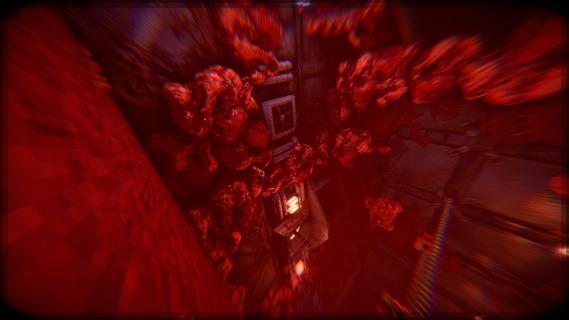
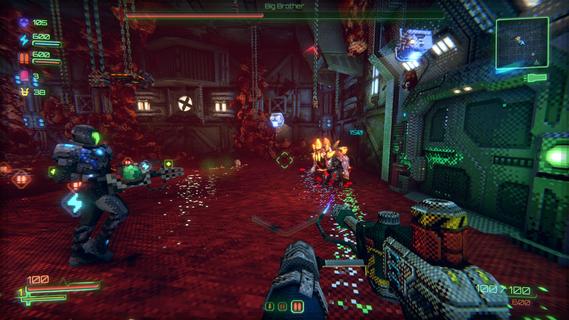
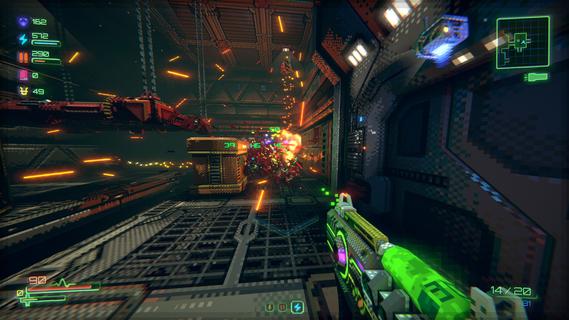
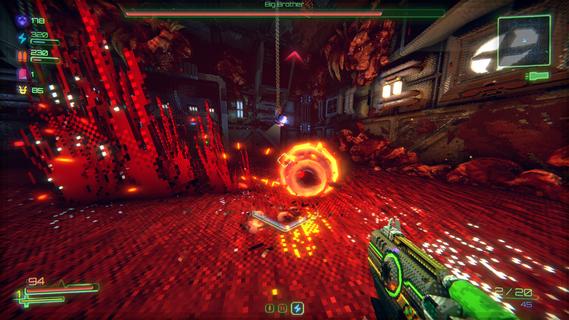
You wake up aboard The Orpheus, a derelict warship lost in deep space and crawling with horrors. No memory. Only the instinct to fight and a voice urging you forward. The ship shifts around you, the enemies never stop, and survival means battling through blood-soaked corridors to uncover what lies ahead.Set in a haunting, low-poly world with crunchy pixel textures, Moros Protocol blends fast-paced combat of classic '90s and early 2000s FPS games, the unpredictability of genre-defining roguelites, and the challenge of Souls-like boss fights. Battle relentless enemies and towering nightmares in a brutal test of skill and willpower. With procedurally generated levels, evolving threats, and intense action, survival is never guaranteed.The ship is a war zone. The enemy is endless. The odds are against you.You may be outnumbered, but you are not outmatched.TACTICAL FPS COMBATMoros Protocol combines relentless action with adaptability and customization. Shape your loadout and let the augments and weapons you find dictate your fighting style. And yes, you can kick your enemies.ROGUELIKE PROGRESSIONDeath is only the beginning. Learn, upgrade, and push further into the unknown. Each run is shaped by a combination of handcrafted environments and procedural generation. New layouts. New challenges to face. No two runs will feel the same.UNIQUE CUSTOM RENDERERA gritty, immersive world that blends retro aesthetics with modern rendering, creating a decayed sci-fi atmosphere. Dynamic lighting and eerie sound design heighten the tension as you explore the abandoned warship.DROP-IN CO-OPTeam up with a friend for backup. Adapt and survive together as you battle through the nightmare. Experience the full game side by side, sharing the fight against the enemy.
แสดงเพิ่มเติม

1. ดาวน์โหลดตัวติดตั้ง MEmu และสิ้นสุดการติดตั้ง

2. เริ่ม MEmu จากนั้นเปิด Google Play บนหน้าแรก

3. ค้นหา Moros Protocol ใน Google Play
Install
4. ดาวน์โหลดและติดตั้ง Moros Protocol
5. เมื่อติดตั้งเสร็จให้คลิกที่ไอคอนเพื่อเริ่มใช้งาน

6. สนุกกับการเล่น Moros Protocol บนพีซีด้วย MEmu
MEmu App Player เป็นอีมูเลเตอร์ Android ที่ดีที่สุดและผู้คนกว่า 50 ล้านคนเพลิดเพลินไปกับประสบการณ์การเล่นเกม Android ที่ยอดเยี่ยม เทคโนโลยีการจำลองเสมือนของ MEmu ช่วยให้คุณเล่นเกม Android หลายพันเกมได้อย่างราบรื่นบนพีซีของคุณแม้แต่เกมที่ต้องใช้กราฟิกมากที่สุด
จอใหญ่และกราฟฟิกสวยกว่า; เล่นได้นาน, ไม่ต้องใช้แบตเตอรี่โทรศัพท์หรือเน็ตโทรศัพท์.
ระบบปรับแต่งปุ่มคีย์บอร์ดและเม้าส์ตามที่คุณเลือก
เล่นมากกว่าหนึ่งเกมบน PC ในเวลาเดียวกันด้วยระบบหลายจอหรือ Multi-Instance manager.
Play Moros Protocol on PC by following steps: