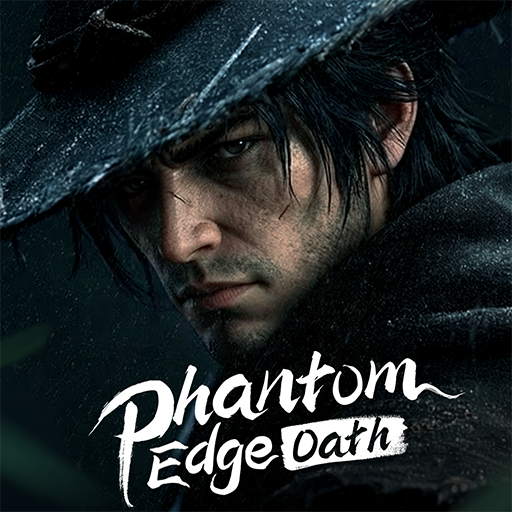
Phantom Edge: Oath
อัปเดตเมื่อ
เวอร์ชันปัจจุบัน
ให้บริการโดย

เวลาคุณเล่น Phantom Edge: Oath, คุณอาจรู้สึกว่ามือคุณอาจบังจอแล้วทำให้ไม่ได้เล่นแบบเต็มที่. เล่นแบบไร้ขีดจำกัดด้วยเม้าส์และคีย์บอร์ด. MEmu มีตัวเลือกหลายอย่างให้คุณใช้งานเกมที่คุณเล่นแบบที่คุณต้องการ. ดาวน์โหลดและเล่น Phantom Edge: Oath บน PC. เล่นนานแค่ไหนก็ได้, ไม่ต้องชาร์จแบตเตอรี่, หรือเจอคนโทรเข้ามาระหว่างเล่น. MEmu 9 เป็นตัวเลือกสำหรับการเล่น Phantom Edge: Oath บน PC. ทางทีมงานเราได้ปรับแต่งเกม, ปรับให้เล่นเกมบางเกมได้เหมือนเล่น Phantom Edge: Oath เป็นเกม PC เช่นเล็งด้วยเม้าส์หรือใช้คีย์บอร์ด. ระบบของเรายังทำให้คุณสามารถเปิดเล่นได้มากกว่า 2 เกมพร้อมๆกันในคอมของคุณ. และที่สำคัญที่สุด, ระบบโปรแกรมของเราสามารถทำให้คุณใช้ระบบของ PC ทำให้เกมลื่นเหมือนกับใช้โทรศัพท์รุ่นล่าสุด. เราไม่ได้ดูแลเรื่องการเล่นเกม, แต่เราดูแลถึงความสนุกสนานที่คุณได้จากการเล่นด้วย.
แสดงเพิ่มเติม
ดาวน์โหลด Phantom Edge: Oath บน PC ด้วย MEmu Android Emulator สนุกกับการเล่นบนหน้าจอขนาดใหญ่ He was once the lowest one in his sect—trampled, abandoned, forgotten.

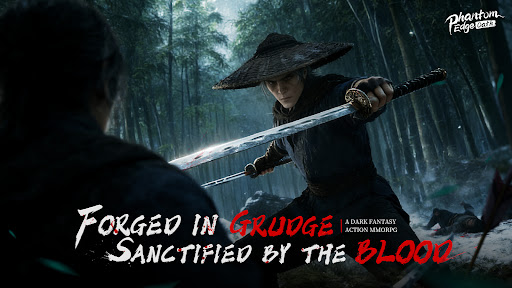
He was once the lowest one in his sect—trampled, abandoned, forgotten. But death was not the end; it was the beginning of vengeance. At the rift of a dungeon, he was chosen by the system and reborn as a "Transcender".
From then on, he stepped into an endless cycle of martial arts: clearing dungeons, looting divine gear, cultivating avatars, and breaking through realms. With each rebirth, his sword becomes sharper, and his killing intent becomes stronger.
His sword has slain the prodigies who once looked down on him. The enemies who killed him await their final chapter in his tale of revenge.
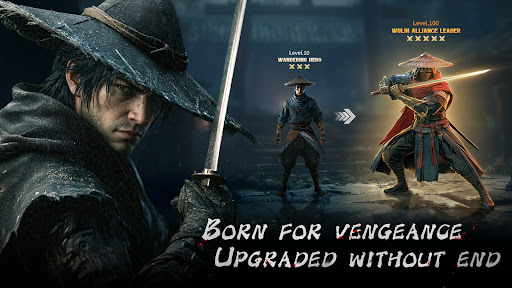
◆Reborn for Vengeance, Upgraded Without End.
Death is not the end, but the cycle's start. Bound to the system, infinite rebirth. Each rebirth begins stronger than before.
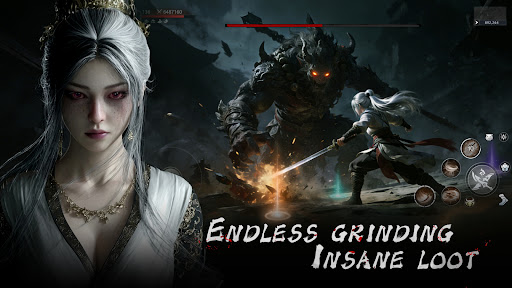
◆Endless Grinding, Insane Loot.
Tempered in endless dungeons, armed with divine gear for vengeance. Every divine gear is a weapon for your revenge.
◆I Am Not Alone. We Are Legion.
When Avatars awaken, solitude becomes legion. With countless skills resonating, I am the invincible one.
◆The Finale Blade, Drawing Foe's Blood.
Judgment never ended—it just restarted with your sword. Carve your own path to vengeance!
Privacy policy: https://privacypolicy.samifun.com/
Terms of service: https://termsofservice.samifun.com/
แสดงเพิ่มเติม

1. ดาวน์โหลดตัวติดตั้ง MEmu และสิ้นสุดการติดตั้ง

2. เริ่ม MEmu จากนั้นเปิด Google Play บนหน้าแรก

3. ค้นหา Phantom Edge: Oath ใน Google Play
Install
4. ดาวน์โหลดและติดตั้ง Phantom Edge: Oath
5. เมื่อติดตั้งเสร็จให้คลิกที่ไอคอนเพื่อเริ่มใช้งาน

6. สนุกกับการเล่น Phantom Edge: Oath บนพีซีด้วย MEmu
MEmu App Player เป็นอีมูเลเตอร์ Android ที่ดีที่สุดและผู้คนกว่า 50 ล้านคนเพลิดเพลินไปกับประสบการณ์การเล่นเกม Android ที่ยอดเยี่ยม เทคโนโลยีการจำลองเสมือนของ MEmu ช่วยให้คุณเล่นเกม Android หลายพันเกมได้อย่างราบรื่นบนพีซีของคุณแม้แต่เกมที่ต้องใช้กราฟิกมากที่สุด
จอใหญ่และกราฟฟิกสวยกว่า; เล่นได้นาน, ไม่ต้องใช้แบตเตอรี่โทรศัพท์หรือเน็ตโทรศัพท์.
ระบบปรับแต่งปุ่มคีย์บอร์ดและเม้าส์ตามที่คุณเลือก
เล่นมากกว่าหนึ่งเกมบน PC ในเวลาเดียวกันด้วยระบบหลายจอหรือ Multi-Instance manager.
Play Phantom Edge: Oath on PC by following steps: