Project Spectrum
อัปเดตเมื่อ
เวอร์ชันปัจจุบัน
ให้บริการโดย

เวลาคุณเล่น Project Spectrum, คุณอาจรู้สึกว่ามือคุณอาจบังจอแล้วทำให้ไม่ได้เล่นแบบเต็มที่. เล่นแบบไร้ขีดจำกัดด้วยเม้าส์และคีย์บอร์ด. MEmu มีตัวเลือกหลายอย่างให้คุณใช้งานเกมที่คุณเล่นแบบที่คุณต้องการ. ดาวน์โหลดและเล่น Project Spectrum บน PC. เล่นนานแค่ไหนก็ได้, ไม่ต้องชาร์จแบตเตอรี่, หรือเจอคนโทรเข้ามาระหว่างเล่น. MEmu 9 เป็นตัวเลือกสำหรับการเล่น Project Spectrum บน PC. ทางทีมงานเราได้ปรับแต่งเกม, ปรับให้เล่นเกมบางเกมได้เหมือนเล่น Project Spectrum เป็นเกม PC เช่นเล็งด้วยเม้าส์หรือใช้คีย์บอร์ด. ระบบของเรายังทำให้คุณสามารถเปิดเล่นได้มากกว่า 2 เกมพร้อมๆกันในคอมของคุณ. และที่สำคัญที่สุด, ระบบโปรแกรมของเราสามารถทำให้คุณใช้ระบบของ PC ทำให้เกมลื่นเหมือนกับใช้โทรศัพท์รุ่นล่าสุด. เราไม่ได้ดูแลเรื่องการเล่นเกม, แต่เราดูแลถึงความสนุกสนานที่คุณได้จากการเล่นด้วย.
แสดงเพิ่มเติม
ดาวน์โหลด Project Spectrum บน PC ด้วย MEmu Android Emulator สนุกกับการเล่นบนหน้าจอขนาดใหญ่ Project Spectrum is an innovative first-person shooter that artfully blends intense action with atmospheric horror elements, creating a gripping experience for players who enjoy both genres.
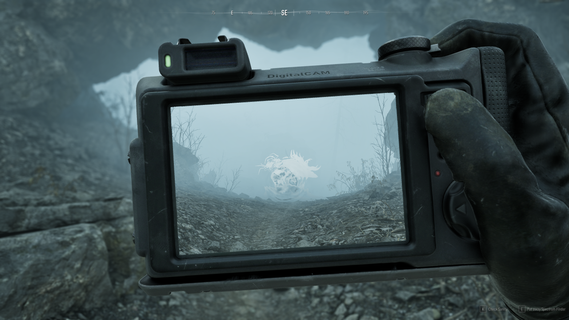
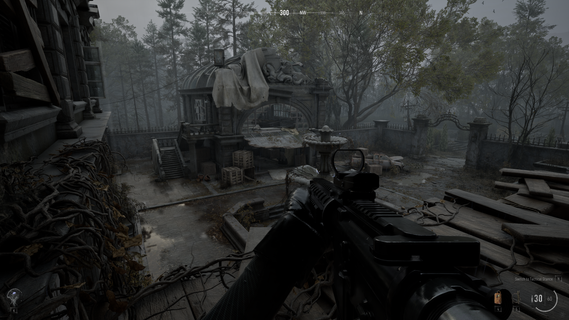
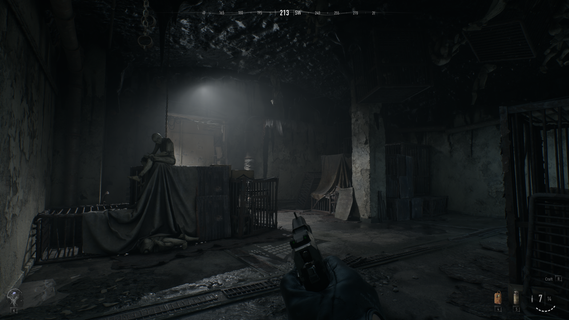
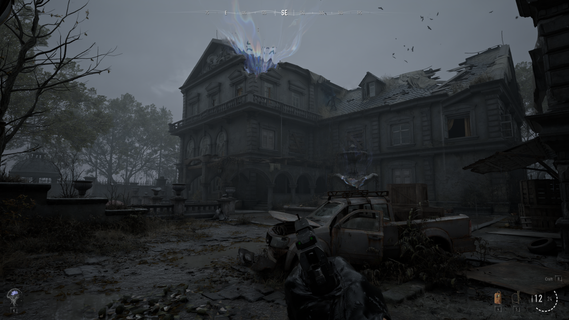
Project Spectrum is an innovative first-person shooter that artfully blends intense action with atmospheric horror elements, creating a gripping experience for players who enjoy both genres. Developed by the talented team known for their work on the Delta Force series, this game takes their expertise in tactical shooting and elevates it by infusing dark, suspenseful storytelling along with chilling environments that keep players constantly on edge. Set in an eerie, dystopian world, Project Spectrum thrusts players into a landscape teeming with unseen threats and paranormal forces. The game’s narrative unfolds through immersive exploration and intense combat scenarios, where survival depends not only on sharp reflexes and weapon mastery but also on keen observation and strategic thinking. Players must navigate through shadowy corridors, abandoned facilities, and desolate urban areas, all meticulously designed to evoke a sense of dread and anticipation. One of the defining features of Project Spectrum is its atmospheric design. The developers have paid close attention to lighting, sound design, and environmental effects to ensure that each moment feels tense and unpredictable. Flickering lights, distant screams, and eerie ambient noises all contribute to a haunting soundscape that amplifies the horror experience. Visually, the game combines gritty realism with surreal and nightmarish elements, making every encounter with the supernatural both terrifying and mesmerizing. Combat in Project Spectrum is fast-paced yet demands careful precision. Players have access to an arsenal of highly customizable weapons, which can be upgraded and tailored to fit different play styles. Whether opting for close-quarters combat using shotguns and melee weapons or long-range engagements with sniper rifles, players must adapt quickly to dynamic enemy behaviors. The game introduces a variety of hostile entities, ranging from human adversaries to terrifying creatures born from nightmarish dimensions. Each enemy type presents unique challenges, requiring players to learn their patterns and weaknesses to survive. Adding depth to the gameplay, Project Spectrum features survival mechanics that force players to manage resources wisely. Ammunition, health supplies, and other vital equipment are scarce, encouraging exploration and tactical decision-making. This scarcity intensifies the horror aspect, as players must often choose between fleeing a dangerous encounter or risking confrontation with limited resources. The integration of these elements creates a palpable tension that enhances immersion and replayability. In addition to its solo campaign, Project Spectrum also offers multiplayer modes that emphasize team coordination and strategic play. Players can band together to face increasingly difficult waves of enemies or compete in objective-based scenarios where the blend of horror and tactical shooting presents a unique challenge. The multiplayer experience expands the game’s longevity, providing a platform for both cooperative and competitive gameplay that leverages the core mechanics perfected in the single-player mode. Overall, Project Spectrum stands out as a bold evolution in the first-person shooter genre, combining the adrenaline rush of combat with the unnerving atmosphere of horror. Its blend of a compelling story, richly designed environments, and versatile gameplay mechanics ensures that players are not only engaged but deeply immersed in its dark, suspenseful world. For fans of shooters looking for a fresh experience imbued with spine-chilling tension, Project Spectrum offers an unforgettable journey into terror and action.
แสดงเพิ่มเติม

1. ดาวน์โหลดตัวติดตั้ง MEmu และสิ้นสุดการติดตั้ง

2. เริ่ม MEmu จากนั้นเปิด Google Play บนหน้าแรก

3. ค้นหา Project Spectrum ใน Google Play
Install
4. ดาวน์โหลดและติดตั้ง Project Spectrum
5. เมื่อติดตั้งเสร็จให้คลิกที่ไอคอนเพื่อเริ่มใช้งาน

6. สนุกกับการเล่น Project Spectrum บนพีซีด้วย MEmu
MEmu App Player เป็นอีมูเลเตอร์ Android ที่ดีที่สุดและผู้คนกว่า 50 ล้านคนเพลิดเพลินไปกับประสบการณ์การเล่นเกม Android ที่ยอดเยี่ยม เทคโนโลยีการจำลองเสมือนของ MEmu ช่วยให้คุณเล่นเกม Android หลายพันเกมได้อย่างราบรื่นบนพีซีของคุณแม้แต่เกมที่ต้องใช้กราฟิกมากที่สุด
จอใหญ่และกราฟฟิกสวยกว่า; เล่นได้นาน, ไม่ต้องใช้แบตเตอรี่โทรศัพท์หรือเน็ตโทรศัพท์.
ระบบปรับแต่งปุ่มคีย์บอร์ดและเม้าส์ตามที่คุณเลือก
เล่นมากกว่าหนึ่งเกมบน PC ในเวลาเดียวกันด้วยระบบหลายจอหรือ Multi-Instance manager.
Play Project Spectrum on PC by following steps: