Snap Assist
อัปเดตเมื่อ
เวอร์ชันปัจจุบัน
4.7.6
ให้บริการโดย

เวลาคุณเล่น Snap Assist, คุณอาจรู้สึกว่ามือคุณอาจบังจอแล้วทำให้ไม่ได้เล่นแบบเต็มที่. เล่นแบบไร้ขีดจำกัดด้วยเม้าส์และคีย์บอร์ด. MEmu มีตัวเลือกหลายอย่างให้คุณใช้งานเกมที่คุณเล่นแบบที่คุณต้องการ. ดาวน์โหลดและเล่น Snap Assist บน PC. เล่นนานแค่ไหนก็ได้, ไม่ต้องชาร์จแบตเตอรี่, หรือเจอคนโทรเข้ามาระหว่างเล่น. MEmu 9 เป็นตัวเลือกสำหรับการเล่น Snap Assist บน PC. ทางทีมงานเราได้ปรับแต่งเกม, ปรับให้เล่นเกมบางเกมได้เหมือนเล่น Snap Assist เป็นเกม PC เช่นเล็งด้วยเม้าส์หรือใช้คีย์บอร์ด. ระบบของเรายังทำให้คุณสามารถเปิดเล่นได้มากกว่า 2 เกมพร้อมๆกันในคอมของคุณ. และที่สำคัญที่สุด, ระบบโปรแกรมของเราสามารถทำให้คุณใช้ระบบของ PC ทำให้เกมลื่นเหมือนกับใช้โทรศัพท์รุ่นล่าสุด. เราไม่ได้ดูแลเรื่องการเล่นเกม, แต่เราดูแลถึงความสนุกสนานที่คุณได้จากการเล่นด้วย.
แสดงเพิ่มเติม
ดาวน์โหลด Snap Assist บน PC ด้วย MEmu Android Emulator สนุกกับการเล่นบนหน้าจอขนาดใหญ่ Snap Assist is the most powerful tool to improve your play at the most popular multiplayer crossword games!
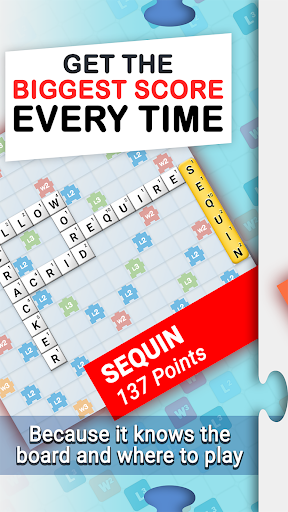
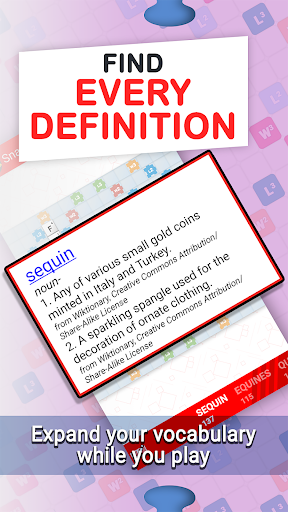
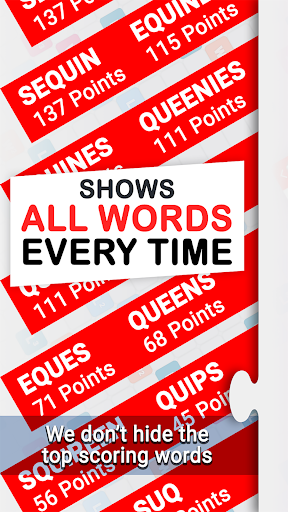
Snap Assist is the most powerful tool to improve your play at the most popular multiplayer crossword games! Learn to strategize using the powerful board solver and discover how you can make multiple crosswords in a single play. Expand your vocabulary using the built in dictionary and impress your opponents. Snap Assist has all of the features you need in an easy to use app!
TOP FEATURES:
- Lightning fast!
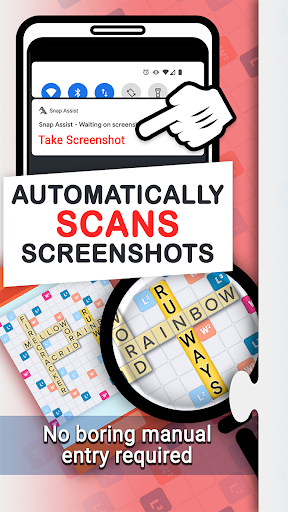
- Screenshot importing reads your game board directly into the app! Easily check what words you missed using this powerful feature.
- Local word list! You never have to be online to use Snap Assist
- American and British word lists available.
Check out our website Words With Friends Cheat .IO for all the latest WWF news, tips, and strategies.
★ Having trouble with Screenshot Importing?
1) Completely zoom out before taking a screenshot. This way, the whole board is visible and Snap Assist can properly scan every tile.
2) Make sure all of your playable tiles are on the tile rack, not on the game board. This ensures the results you get are valid.
3) Make sure nothing is obscuring the game. Facebook Chat Heads, app trays, and notification pop-ups can all interfere with Word Breaker.
Privacy Notice: This app collects your device’s IP address, advertising ID, and other partner specific identifiers. These identifiers enable personalized ads and analytics to improve our app. Opt-out or learn more by visiting our Privacy Center, accessible from the app's settings.
แสดงเพิ่มเติม

1. ดาวน์โหลดตัวติดตั้ง MEmu และสิ้นสุดการติดตั้ง

2. เริ่ม MEmu จากนั้นเปิด Google Play บนหน้าแรก

3. ค้นหา Snap Assist ใน Google Play
Install
4. ดาวน์โหลดและติดตั้ง Snap Assist
5. เมื่อติดตั้งเสร็จให้คลิกที่ไอคอนเพื่อเริ่มใช้งาน

6. สนุกกับการเล่น Snap Assist บนพีซีด้วย MEmu
MEmu App Player เป็นอีมูเลเตอร์ Android ที่ดีที่สุดและผู้คนกว่า 50 ล้านคนเพลิดเพลินไปกับประสบการณ์การเล่นเกม Android ที่ยอดเยี่ยม เทคโนโลยีการจำลองเสมือนของ MEmu ช่วยให้คุณเล่นเกม Android หลายพันเกมได้อย่างราบรื่นบนพีซีของคุณแม้แต่เกมที่ต้องใช้กราฟิกมากที่สุด
จอใหญ่และกราฟฟิกสวยกว่า; เล่นได้นาน, ไม่ต้องใช้แบตเตอรี่โทรศัพท์หรือเน็ตโทรศัพท์.
ระบบปรับแต่งปุ่มคีย์บอร์ดและเม้าส์ตามที่คุณเลือก
เล่นมากกว่าหนึ่งเกมบน PC ในเวลาเดียวกันด้วยระบบหลายจอหรือ Multi-Instance manager.
Play Snap Assist on PC by following steps: