Soul Eyes Demon: Horror Skulls
อัปเดตเมื่อ
เวอร์ชันปัจจุบัน
7.00
ให้บริการโดย

เวลาคุณเล่น Soul Eyes Demon: Horror Skulls, คุณอาจรู้สึกว่ามือคุณอาจบังจอแล้วทำให้ไม่ได้เล่นแบบเต็มที่. เล่นแบบไร้ขีดจำกัดด้วยเม้าส์และคีย์บอร์ด. MEmu มีตัวเลือกหลายอย่างให้คุณใช้งานเกมที่คุณเล่นแบบที่คุณต้องการ. ดาวน์โหลดและเล่น Soul Eyes Demon: Horror Skulls บน PC. เล่นนานแค่ไหนก็ได้, ไม่ต้องชาร์จแบตเตอรี่, หรือเจอคนโทรเข้ามาระหว่างเล่น. MEmu 9 เป็นตัวเลือกสำหรับการเล่น Soul Eyes Demon: Horror Skulls บน PC. ทางทีมงานเราได้ปรับแต่งเกม, ปรับให้เล่นเกมบางเกมได้เหมือนเล่น Soul Eyes Demon: Horror Skulls เป็นเกม PC เช่นเล็งด้วยเม้าส์หรือใช้คีย์บอร์ด. ระบบของเรายังทำให้คุณสามารถเปิดเล่นได้มากกว่า 2 เกมพร้อมๆกันในคอมของคุณ. และที่สำคัญที่สุด, ระบบโปรแกรมของเราสามารถทำให้คุณใช้ระบบของ PC ทำให้เกมลื่นเหมือนกับใช้โทรศัพท์รุ่นล่าสุด. เราไม่ได้ดูแลเรื่องการเล่นเกม, แต่เราดูแลถึงความสนุกสนานที่คุณได้จากการเล่นด้วย.
แสดงเพิ่มเติม
ดาวน์โหลด Soul Eyes Demon: Horror Skulls บน PC ด้วย MEmu Android Emulator สนุกกับการเล่นบนหน้าจอขนาดใหญ่ Dive into the terrifying world of Soul Eyes Demon: Horror Skulls, a chilling horror game where survival hinges on your wits and agility.
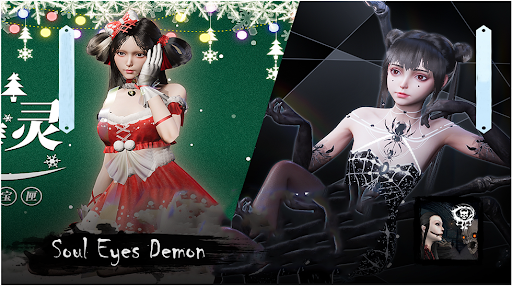
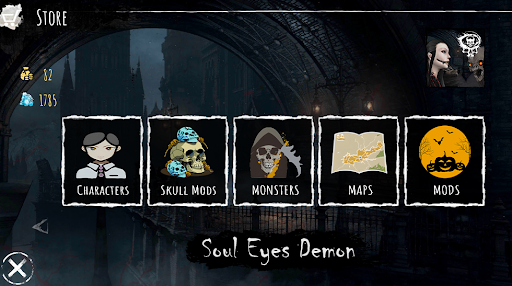
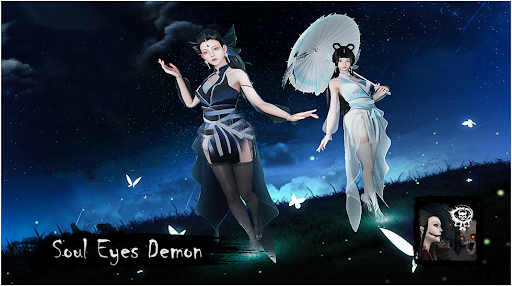
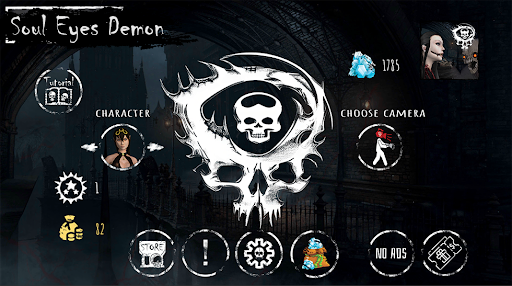
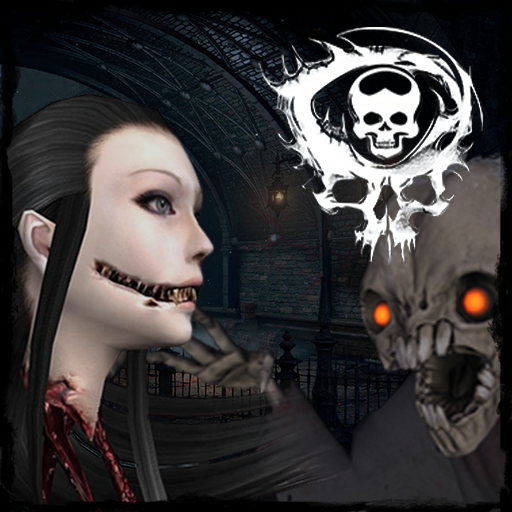
Dive into the terrifying world of Soul Eyes Demon: Horror Skulls, a chilling horror game where survival hinges on your wits and agility. Trapped in a haunted house, your mission is simple: grab the cash and escape before the malevolent Krasue claims your soul.
Explore the eerie rooms of this house of horrors, collecting glowing bags of cash scattered throughout. But beware, the Krasue is always watching. This vengeful spirit leaves cryptic clues – blood-red eyes painted on the walls, chilling cries echoing through the halls, and ominous warnings urging you to RUN. Heed these signs or become the ghost's next victim.
Intensify the Fear:
* Strategic Horror Gameplay: Use your cunning to interpret the Krasue's clues. Is it close? Should you flee? Every decision is crucial in this deadly game of cat and mouse.
* Multiple Difficulty Levels: Test your courage across varying levels of terror, from collecting 6 bags on easy mode to a heart-pounding 30 bags on the hardest difficulty. Beware, the rules change on the most challenging level… anything goes.
* Chilling Atmosphere: Immerse yourself in a truly terrifying experience. The interplay of light and shadow, frantic dashes between rooms, and perfectly timed jump scares will keep you on the edge of your seat.
* Terrifying Ghost Design: Face the chilling Krasue, a specter straight from Japanese horror folklore. This disturbing, human-like apparition is far more terrifying than any beast.
Are you brave enough to face the Soul Eyes Demon and escape with the cash? Try now and experience true terror.
#horrorgames #horrorgame #scarygames #horror #scary #survivalhorror #ghosthunting #hauntedhouse #jumpscares #indiehorror #mobilehorror #japanesehorror #SoulEyesDemon
แสดงเพิ่มเติม

1. ดาวน์โหลดตัวติดตั้ง MEmu และสิ้นสุดการติดตั้ง

2. เริ่ม MEmu จากนั้นเปิด Google Play บนหน้าแรก

3. ค้นหา Soul Eyes Demon: Horror Skulls ใน Google Play
Install
4. ดาวน์โหลดและติดตั้ง Soul Eyes Demon: Horror Skulls
5. เมื่อติดตั้งเสร็จให้คลิกที่ไอคอนเพื่อเริ่มใช้งาน

6. สนุกกับการเล่น Soul Eyes Demon: Horror Skulls บนพีซีด้วย MEmu
MEmu App Player เป็นอีมูเลเตอร์ Android ที่ดีที่สุดและผู้คนกว่า 50 ล้านคนเพลิดเพลินไปกับประสบการณ์การเล่นเกม Android ที่ยอดเยี่ยม เทคโนโลยีการจำลองเสมือนของ MEmu ช่วยให้คุณเล่นเกม Android หลายพันเกมได้อย่างราบรื่นบนพีซีของคุณแม้แต่เกมที่ต้องใช้กราฟิกมากที่สุด
จอใหญ่และกราฟฟิกสวยกว่า; เล่นได้นาน, ไม่ต้องใช้แบตเตอรี่โทรศัพท์หรือเน็ตโทรศัพท์.
ระบบปรับแต่งปุ่มคีย์บอร์ดและเม้าส์ตามที่คุณเลือก
เล่นมากกว่าหนึ่งเกมบน PC ในเวลาเดียวกันด้วยระบบหลายจอหรือ Multi-Instance manager.
Play Soul Eyes Demon: Horror Skulls on PC by following steps: