Temple Run 3
อัปเดตเมื่อ
เวอร์ชันปัจจุบัน
ให้บริการโดย

เวลาคุณเล่น Temple Run 3, คุณอาจรู้สึกว่ามือคุณอาจบังจอแล้วทำให้ไม่ได้เล่นแบบเต็มที่. เล่นแบบไร้ขีดจำกัดด้วยเม้าส์และคีย์บอร์ด. MEmu มีตัวเลือกหลายอย่างให้คุณใช้งานเกมที่คุณเล่นแบบที่คุณต้องการ. ดาวน์โหลดและเล่น Temple Run 3 บน PC. เล่นนานแค่ไหนก็ได้, ไม่ต้องชาร์จแบตเตอรี่, หรือเจอคนโทรเข้ามาระหว่างเล่น. MEmu 9 เป็นตัวเลือกสำหรับการเล่น Temple Run 3 บน PC. ทางทีมงานเราได้ปรับแต่งเกม, ปรับให้เล่นเกมบางเกมได้เหมือนเล่น Temple Run 3 เป็นเกม PC เช่นเล็งด้วยเม้าส์หรือใช้คีย์บอร์ด. ระบบของเรายังทำให้คุณสามารถเปิดเล่นได้มากกว่า 2 เกมพร้อมๆกันในคอมของคุณ. และที่สำคัญที่สุด, ระบบโปรแกรมของเราสามารถทำให้คุณใช้ระบบของ PC ทำให้เกมลื่นเหมือนกับใช้โทรศัพท์รุ่นล่าสุด. เราไม่ได้ดูแลเรื่องการเล่นเกม, แต่เราดูแลถึงความสนุกสนานที่คุณได้จากการเล่นด้วย.
แสดงเพิ่มเติม
ดาวน์โหลด Temple Run 3 บน PC ด้วย MEmu Android Emulator สนุกกับการเล่นบนหน้าจอขนาดใหญ่ Get ready to run!
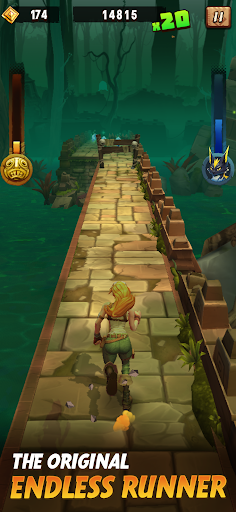
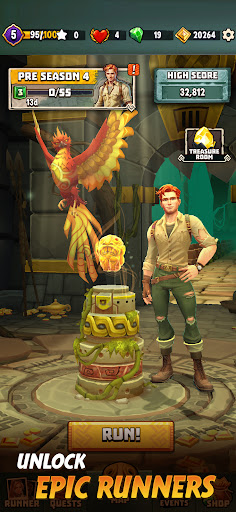
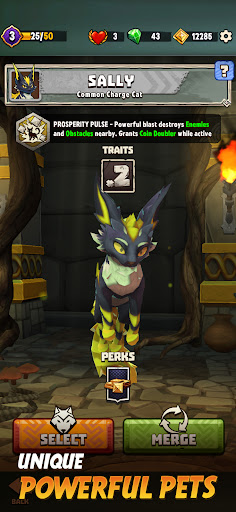

Get ready to run! Temple Run 3 is back with a thrilling new adventure – the ultimate endless runner experience blending casual fun with strategic gameplay. As the originator of the genre, Temple Run 3 is poised to revolutionize endless running once again. Master the art of running, jumping, and sliding to escape with the idol.
Can you survive the obstacles and become the ultimate runner? Download Temple Run 3 now and prove you can!
What's New in Temple Run 3?
•Doom Lagoon Returns: Relive the classic Temple Run experience in the reimagined jungle world of Doom Lagoon.
•Unlock Legendary Heroes: Choose with powerful heroes, each boasting unique abilities to give you the edge.
•Gather Companions: Recruit new pets to support you on your runs with special skills.
•Stack Powerful Perks: Combine perks to create the ultimate run, maximizing your speed and ability to collect coins.
•Non-Stop Action: Swipe to turn, jump, slide, and dodge obstacles in a fast-paced race for survival. Intuitive controls and constant challenges keep every run fresh.
•Compete & Conquer: Climb the global leaderboard and prove you're the best runner in the world!
Download Temple Run 3 Today!
Start your escape adventure now in this incredibly exciting free endless runner. Run, jump, and slide your way to glory and experience the ultimate adventure. Download Temple Run 3 and join the fun!
แสดงเพิ่มเติม

1. ดาวน์โหลดตัวติดตั้ง MEmu และสิ้นสุดการติดตั้ง

2. เริ่ม MEmu จากนั้นเปิด Google Play บนหน้าแรก

3. ค้นหา Temple Run 3 ใน Google Play
Install
4. ดาวน์โหลดและติดตั้ง Temple Run 3
5. เมื่อติดตั้งเสร็จให้คลิกที่ไอคอนเพื่อเริ่มใช้งาน

6. สนุกกับการเล่น Temple Run 3 บนพีซีด้วย MEmu
MEmu App Player เป็นอีมูเลเตอร์ Android ที่ดีที่สุดและผู้คนกว่า 50 ล้านคนเพลิดเพลินไปกับประสบการณ์การเล่นเกม Android ที่ยอดเยี่ยม เทคโนโลยีการจำลองเสมือนของ MEmu ช่วยให้คุณเล่นเกม Android หลายพันเกมได้อย่างราบรื่นบนพีซีของคุณแม้แต่เกมที่ต้องใช้กราฟิกมากที่สุด
จอใหญ่และกราฟฟิกสวยกว่า; เล่นได้นาน, ไม่ต้องใช้แบตเตอรี่โทรศัพท์หรือเน็ตโทรศัพท์.
ระบบปรับแต่งปุ่มคีย์บอร์ดและเม้าส์ตามที่คุณเลือก
เล่นมากกว่าหนึ่งเกมบน PC ในเวลาเดียวกันด้วยระบบหลายจอหรือ Multi-Instance manager.
Play Temple Run 3 on PC by following steps: